
Manual submission of withholding tax
To submit withholding tax manually, you need to log in to https://innskraning.rsk.is/ using the web key from Iceland Revenue and Customs (Ríkisskattstjóri). The username must be the company's ID number (kennitala) and the password is the withholding tax web key (Veflykill staðgreiðslu). If it has been registered in Payday, you can find it under Settings > Company > Payroll > Withholding tax web key.
Once you are logged in, you need to click on Vefskil > Skila Skýrslu.
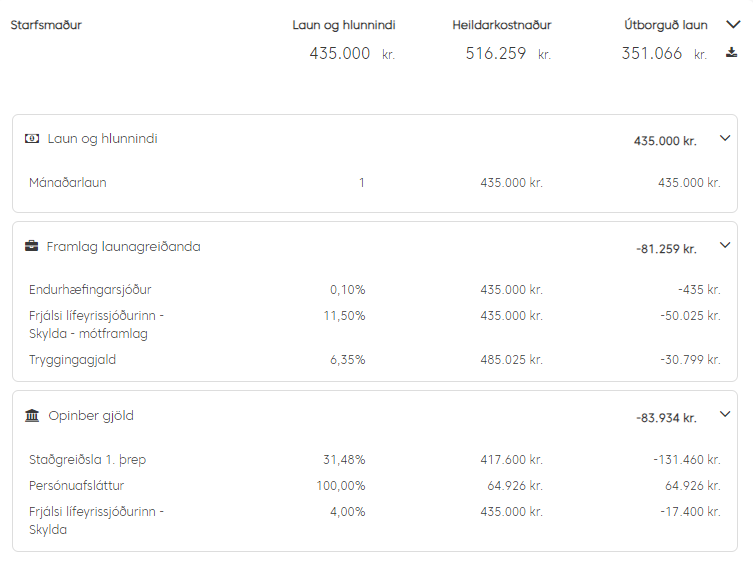
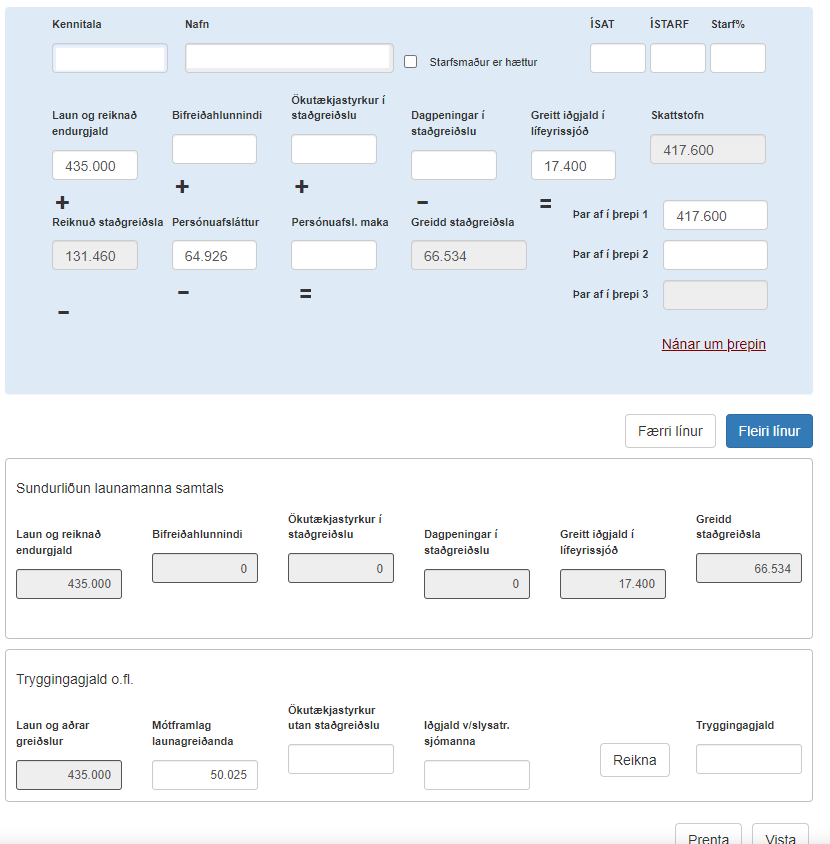
Here you enter the information you received from the payroll run in Payday. When this is completed, you need to click on calculate (reikna) for the social security contribution (tryggingargjald). See images:
 Then when this is completed, click