Employee settings
Employee settings are located under Settings->Employees->click on the relevant employee.
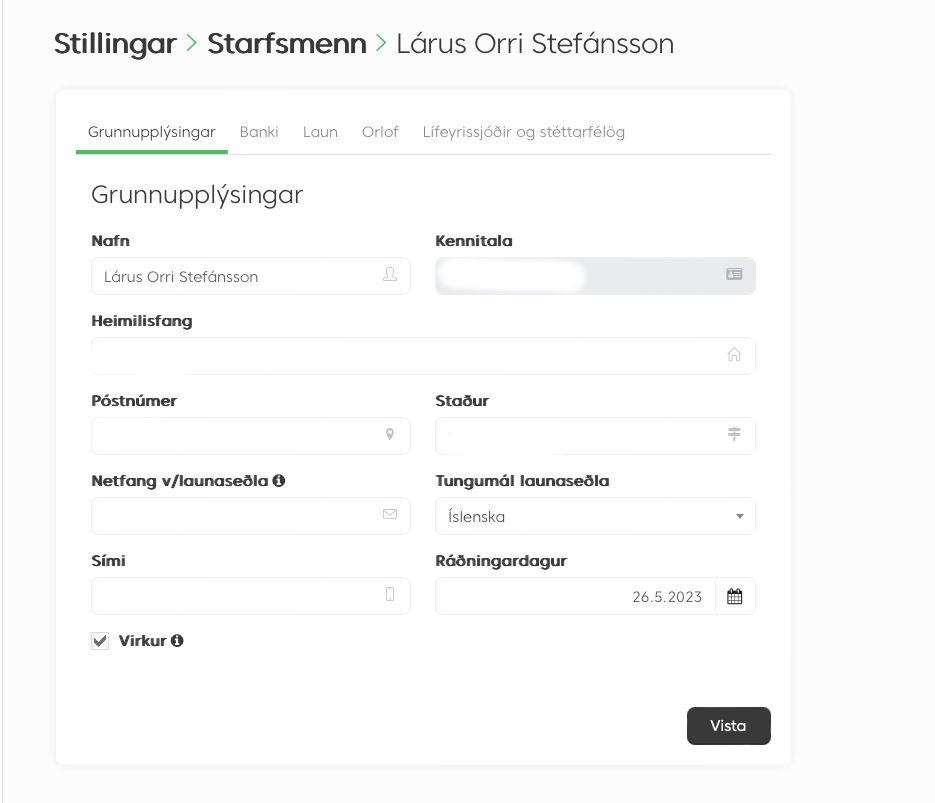
Basic information:
This is where the main information is registered, such as ID number, name, email address for payslips, payslip language, and employment date.
Please note that if no email address is entered, the employee will not receive their payslip by email
Bank:
Under this tab, you enter the employee's bank account.
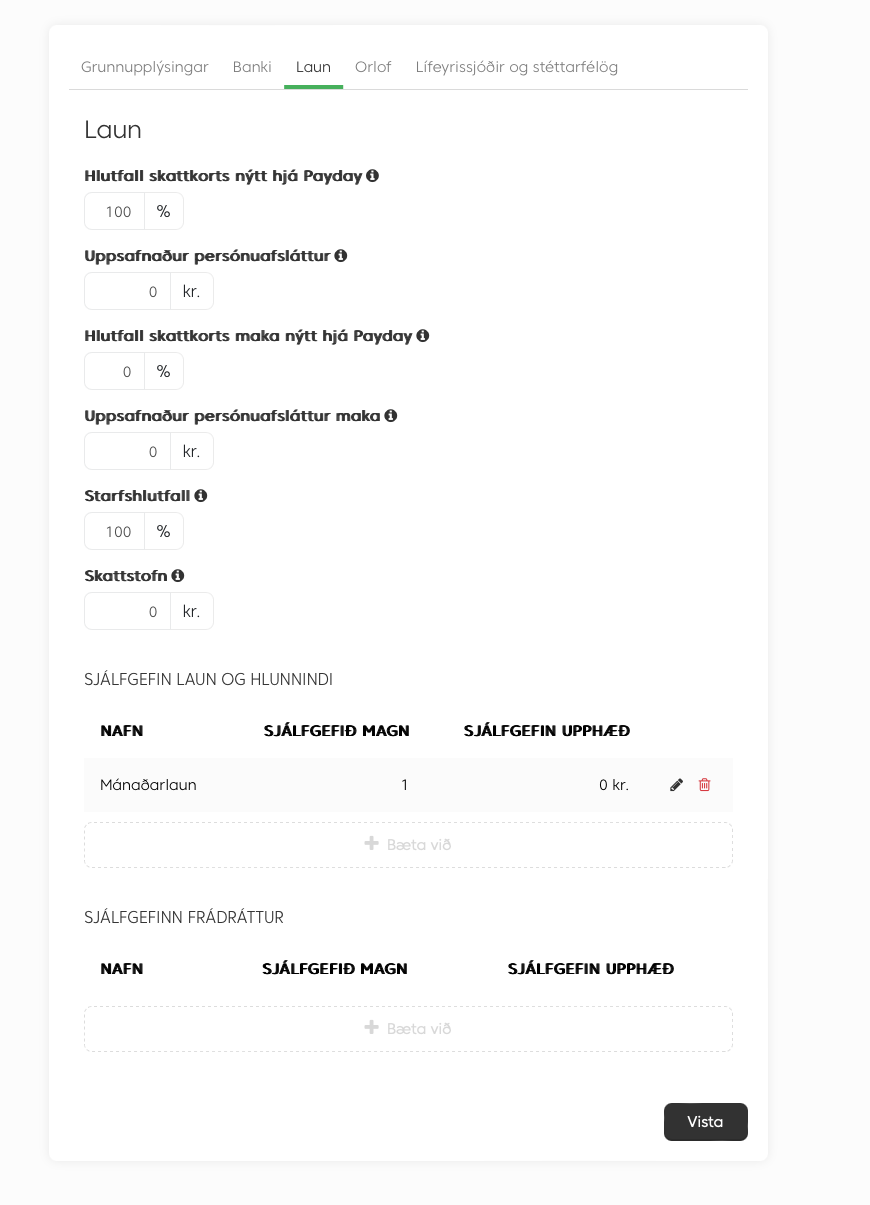
Salary:
Under this tab, you can configure everything regarding the employee's salary. For example, the tax card percentage used in Payday, accumulated personal tax credit, and tax base. If the employee has a salary elsewhere, that amount is entered under tax base. See more here
You can also enter a default salary or deduction if applicable.
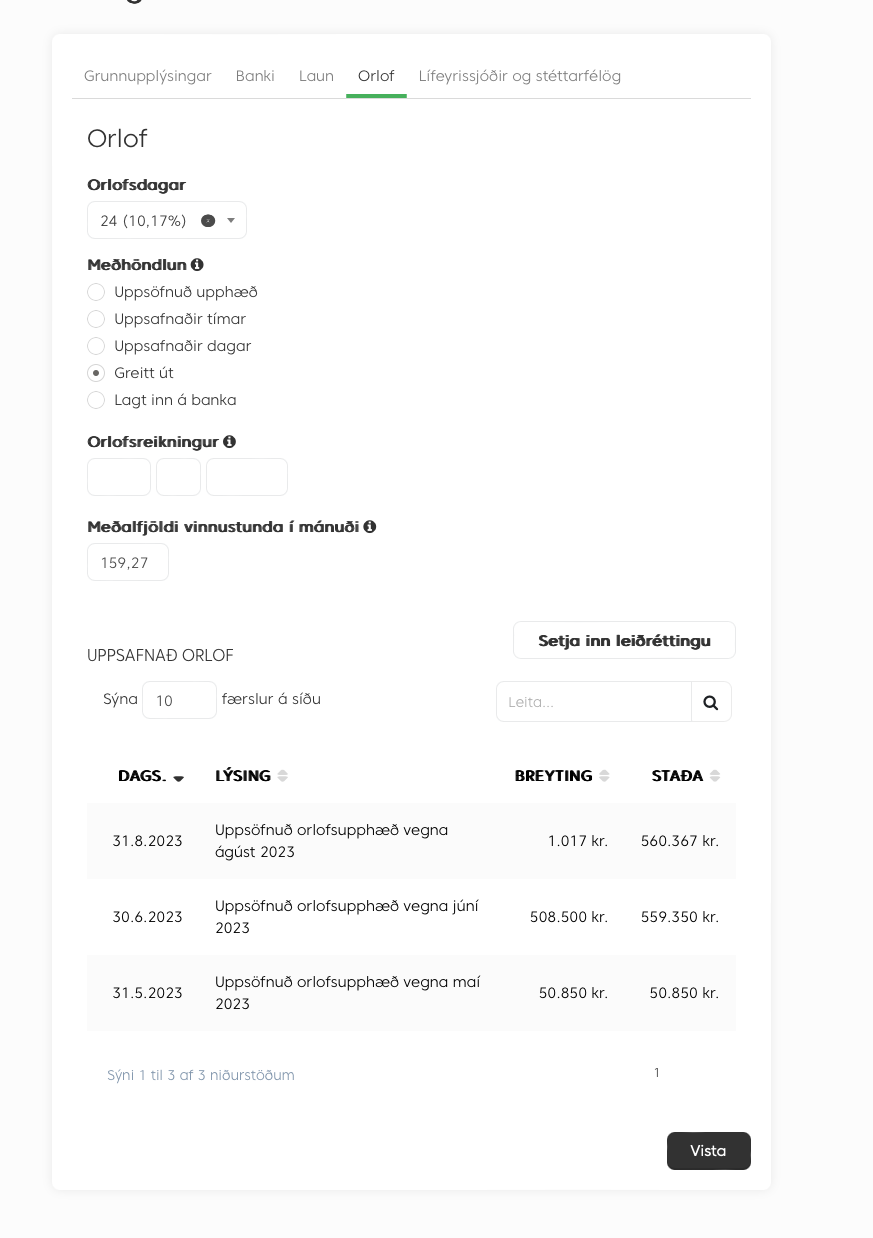
Holiday:
This tab contains all holiday settings.
How many holiday days the employee receives and how the holiday is structured, accumulated amount, accumulated hours, accumulated days, paid out or deposited into a bank account.
At the bottom is the status of accumulated holiday. You can also enter corrections to accumulated holiday there.
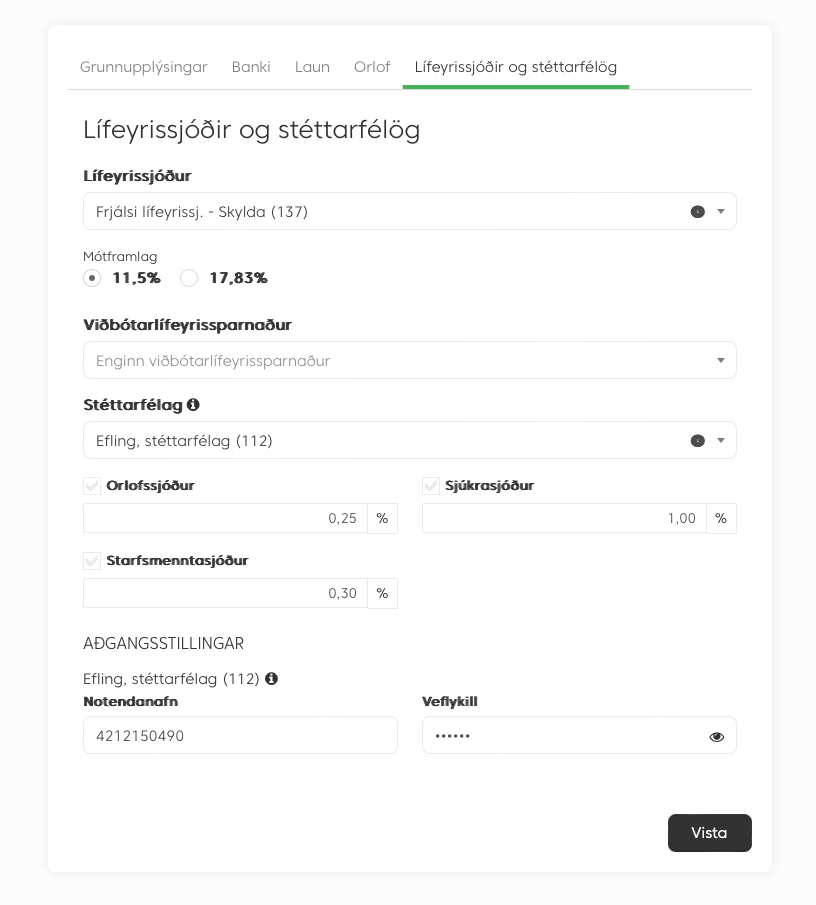
Pension funds and union:
In this tab, pension funds and unions are configured for the employee.
Often, a username and password for the employer portal of the pension fund being paid into are required, and this is entered at the bottom. If an error occurs with the pension fund or union returns, the username and/or password entered there is incorrect. See more here.