Failed to send pension fund and/or union reports
If sending reports has failed, it is often due to incorrect username or password settings associated with the respective pension fund or union. Here is how you can resolve it:
Check the entered settings:
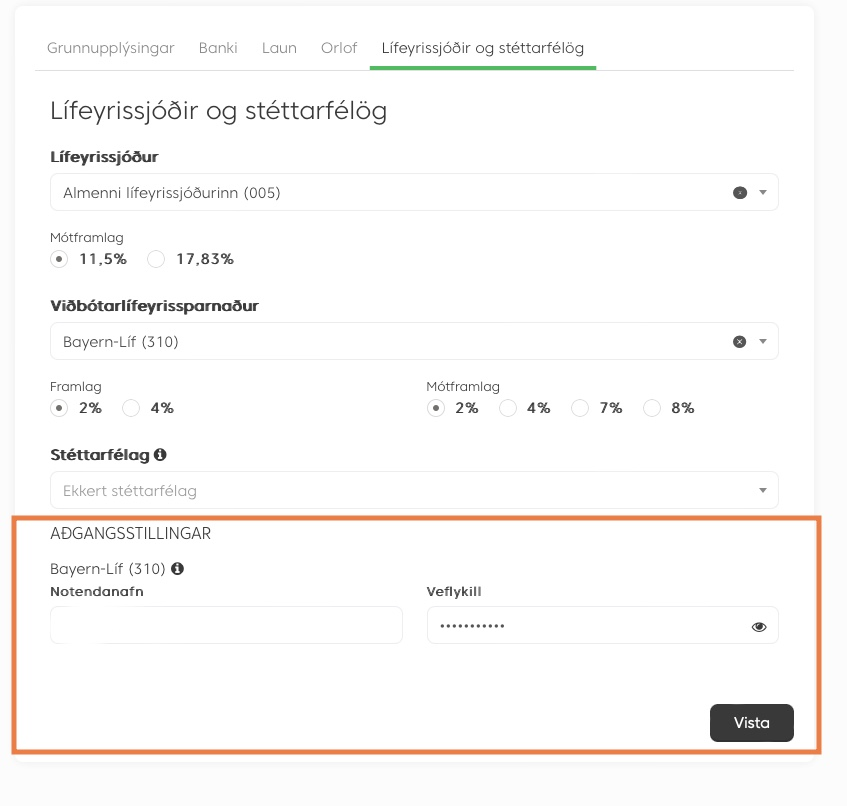
- Go to Settings > Employees > Pension Funds and Union.
- Make sure that the username and password are entered correctly for the respective fund or union. The username is usually the business ID number but can also be something you chose with the pension fund.
Automatic resending:
- Once the correction has been made, the system will automatically attempt to resend the reports every morning for 7 days from the creation of the payroll run.
Send reports immediately:
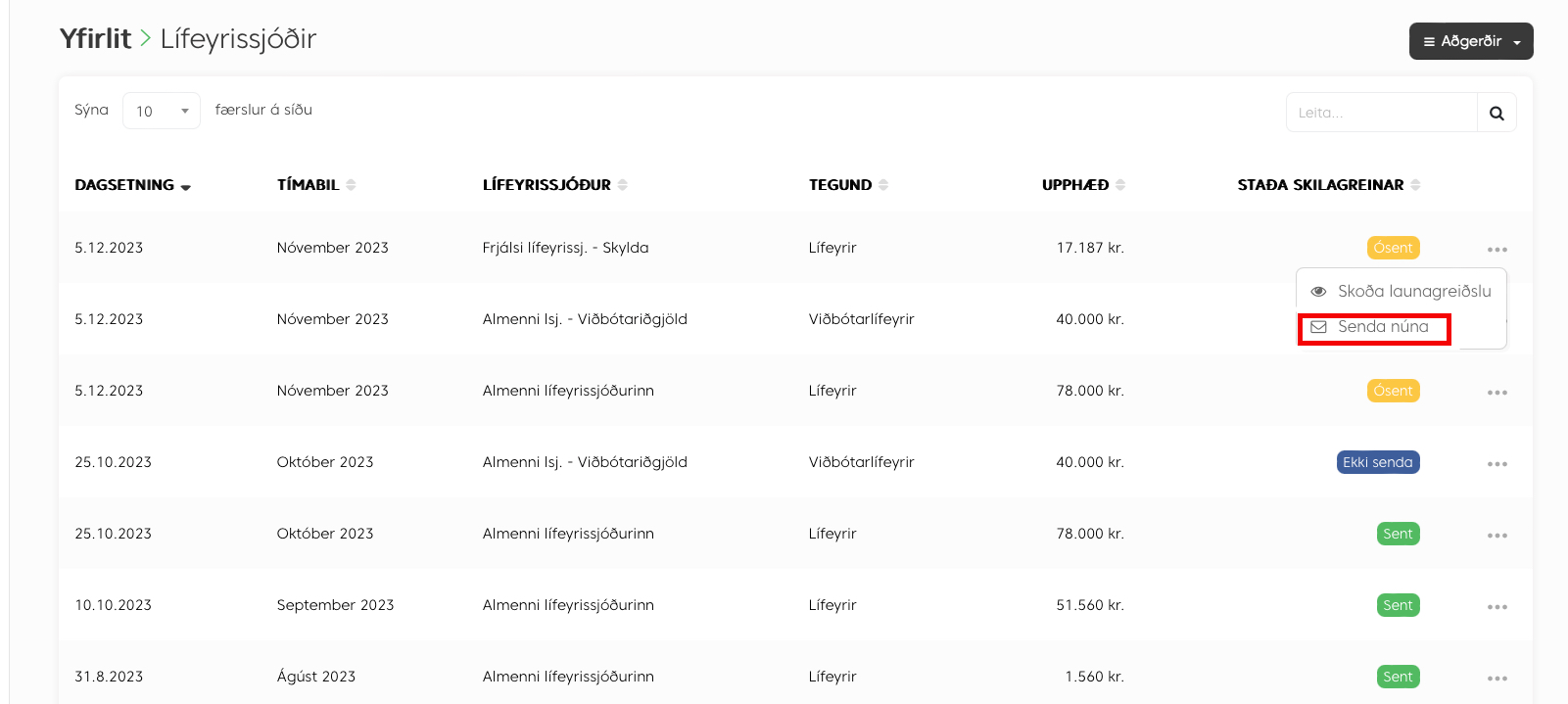
- You can send reports manually by going to Overview > Pension Funds/Unions.
- Click on the three dots next to the report you want to send and select "Send now".