Electronic invoices (XML)
With electronic invoices (XML), the invoice goes directly into the customer's accounting system instead of being sent by email. This saves paper and time for both parties.
Do you want to receive electronic invoices? See the article "Receive electronic invoices"
Send an electronic invoice#
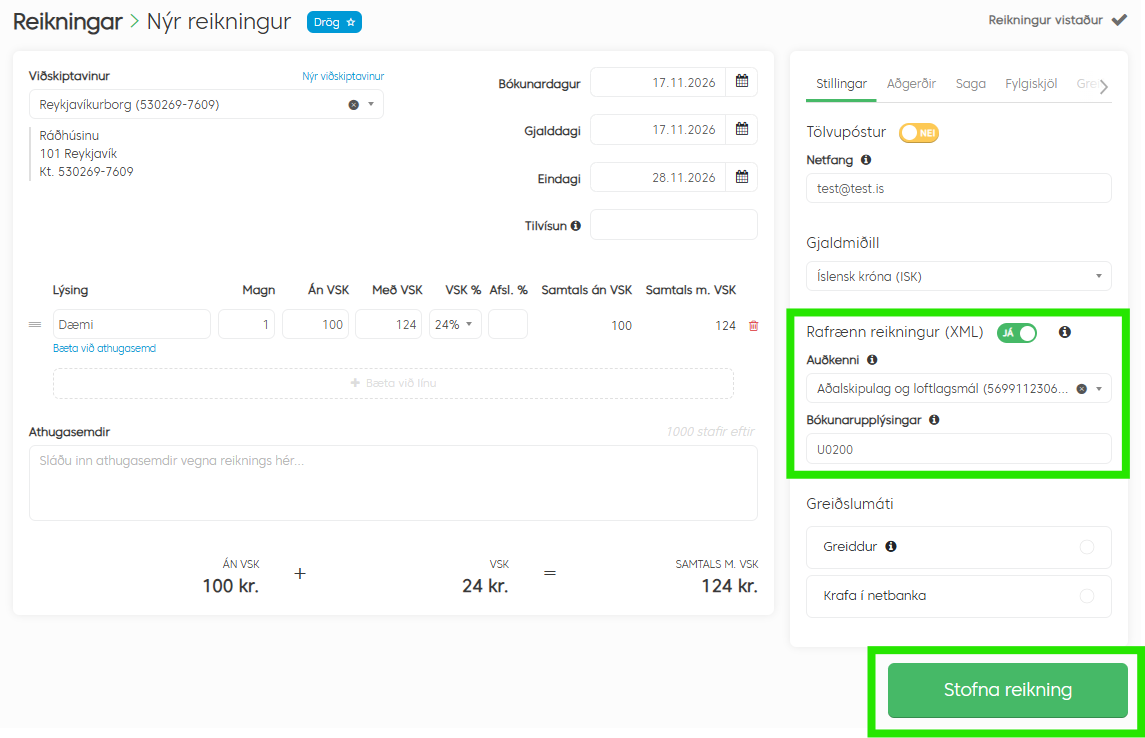
- Create an invoice under Sales > Invoices > New invoice > Then select the customer and fill out the invoice.
- Under the invoice settings, check the box Send electronic invoice (XML).
- The system checks whether the customer receives electronic invoices.
- If the customer is an institution with more than one identifier (e.g. City of Reykjavík), select the correct identifier. If not, leave this field blank and the electronic invoice will be sent to the customer's ID number (kennitala).
- Create the invoice.
Who receives electronic invoices?#
It is only possible to send an electronic invoice to companies with an Icelandic ID number (kennitala). They must also have enabled receiving electronic invoices in the accounting system they use so that an electronic invoice can be sent to them.
See if the invoice was delivered#
You can check if the invoice was sent electronically under "History" in the invoice 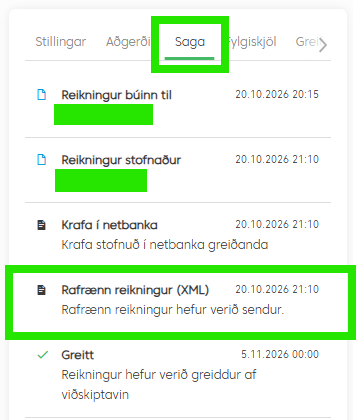
Send an electronic invoice afterwards #
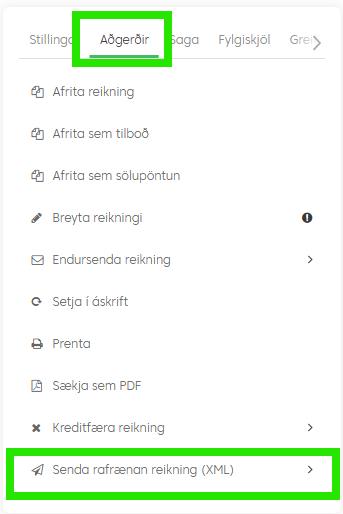
If an invoice was not sent electronically initially, you can send it under Sales > Invoices > Click on the invoice > Actions > Send electronic invoice.