
Receiving electronic invoices
Key information#
- Received invoices appear as expenses in the Draft status on the expenses page.
- Payday retrieves electronic invoices every 30 minutes and updates the expenses page.
- Payday supports Unimaze for receiving electronic invoices.
- Fees are charged according to the tariff.
NOTE. It can take until the next business day for the receipt of electronic invoices to become active in the message broker.
Prerequisites for receiving electronic invoices#
- The company must be subscribed to the Allur pakkinn plan at Payday.
- Companies that already receive electronic invoices from another system connected to Unimaze will receive an error message if the service cannot be activated. You must contact the previous system provider and ask them to delete the current connection to Unimaze.
Setup#
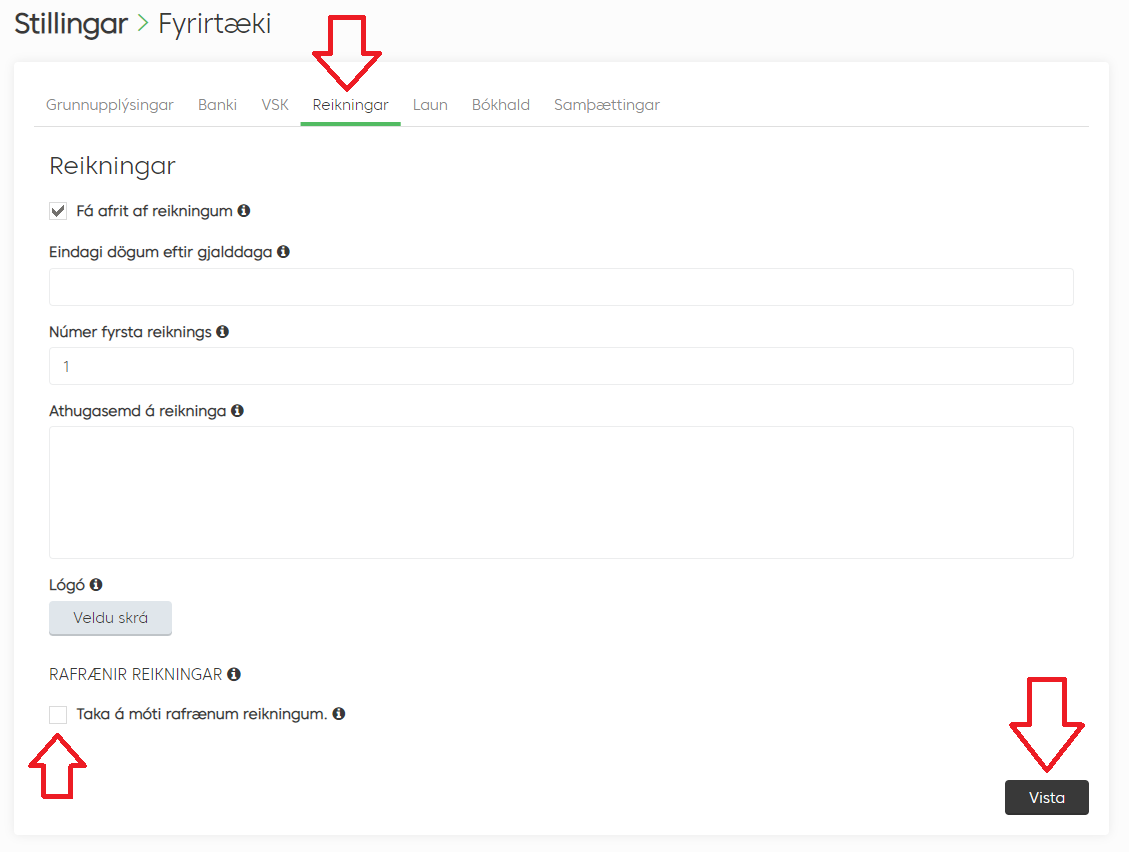
Go to the settings page under Settings > Company > Invoices, check the box for Receive electronic invoices and click the Save button.
Accessing received electronic invoices#
Go to the expenses page, where you should see electronic invoices appear as expenses in draft status with a special envelope icon indicating that this specific expense was received as an electronic document.
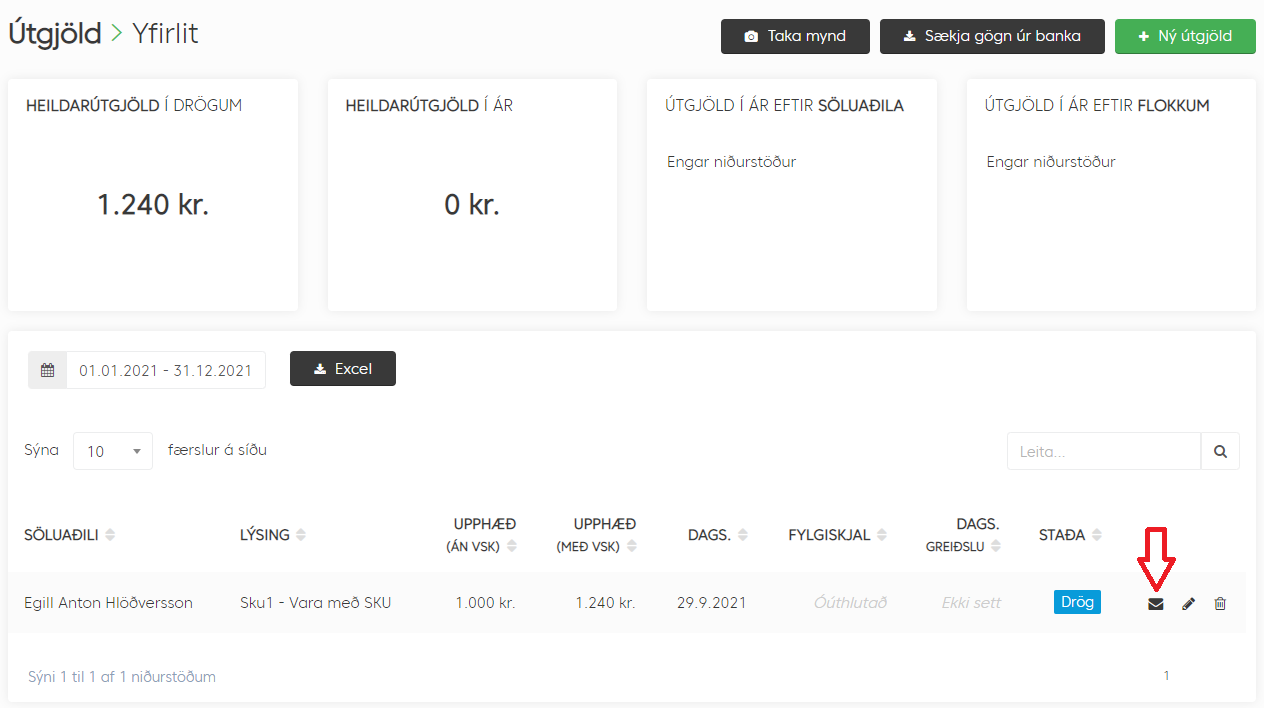
Additionally, you can click on the expense entry to open its overview. Expenses that come in as electronic messages are marked with a Received electronically label.
Finally, you can access a PDF of the original invoice that was sent by going to Actions and clicking Download original document (PDF).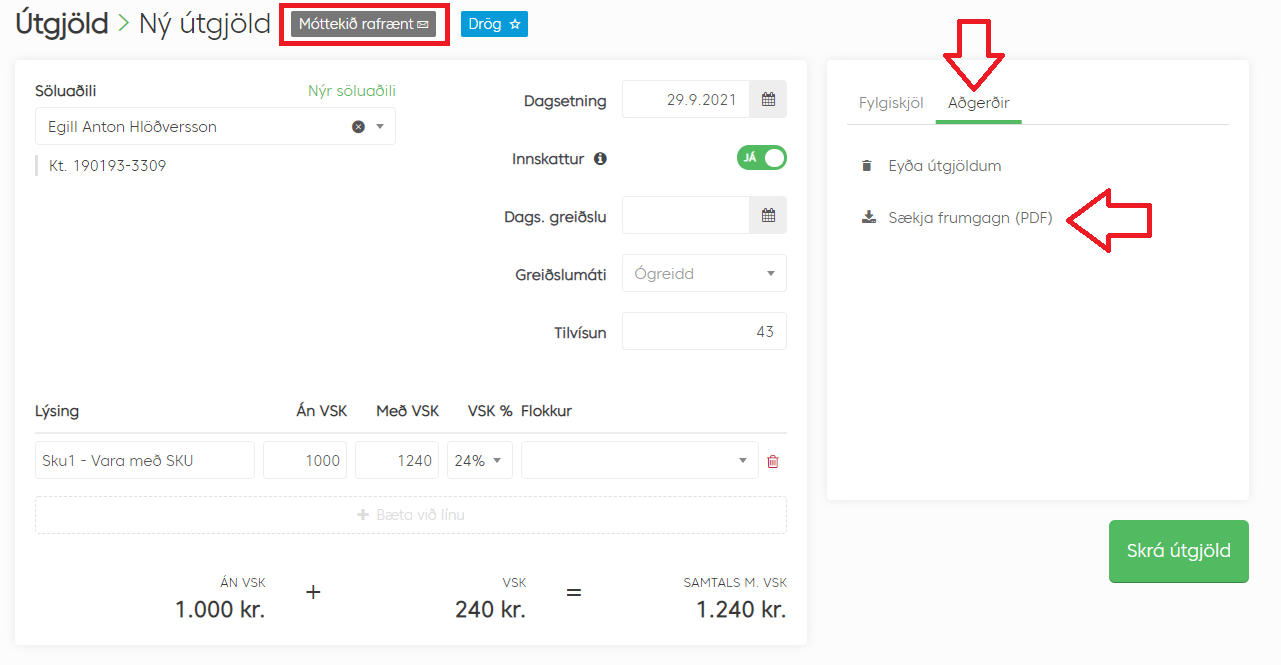 Now you should be able to easily record this received invoice as an expense.
You can receive an email notification when a user receives an electronic invoice. This is configured under settings->company->invoices->get notification when an electronic invoice is received.
If you need further assistance, please contact us at hjalp@payday.is