
Invoice for a product
Here you can see how to create an invoice for a product in Payday. When you sell a product on an invoice, the stock level updates automatically and the sale is posted to the ledger account set on the product.
Before you start#
You need to be on Allur pakkinn to be able to create products.
The product must be registered in Payday under Sales > Products > New product. See: Create a new product
The customer can be registered in advance, but you can also create them while you make the invoice.
Create an invoice for a product#
Go to Sales > Invoices and click New invoice.
Select a customer who is already registered in the system, or create a new one by clicking New customer.
Search for the product. You can search by name, description, tags or price, with or without VAT. Then select the product.
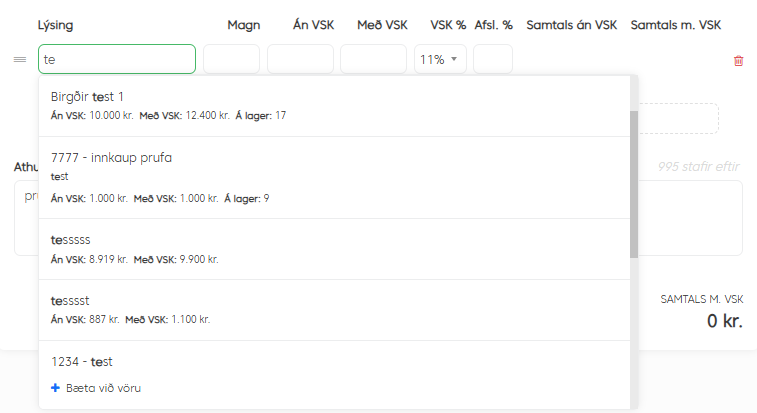
Once you have selected the product, choose the quantity. The price appears automatically on the invoice.
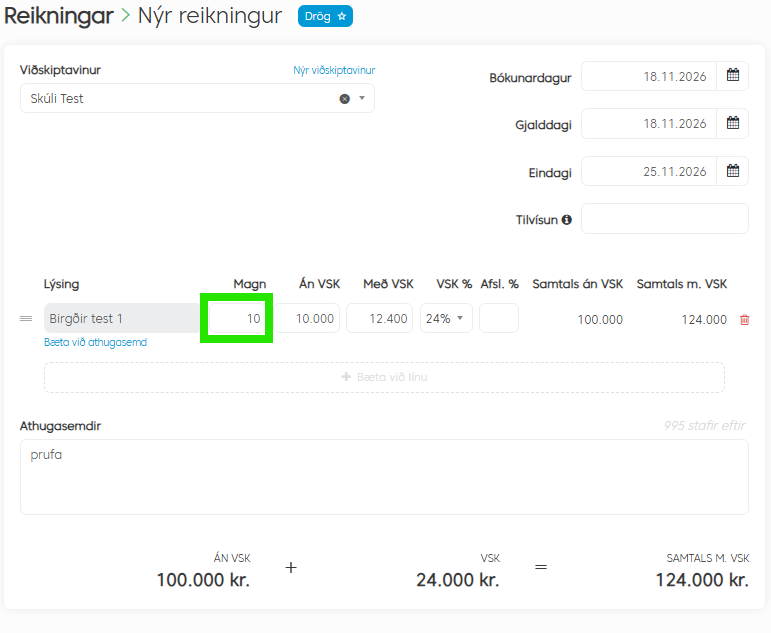
When all the information is correct, create the invoice.
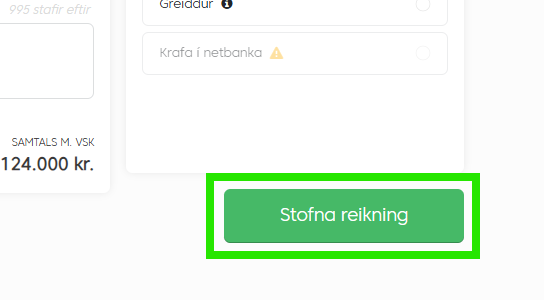
Once the invoice has been created, the product's stock quantity is updated and the sale is posted to the product's ledger account.
What happens to the stock quantity when I sell a product on an invoice?#
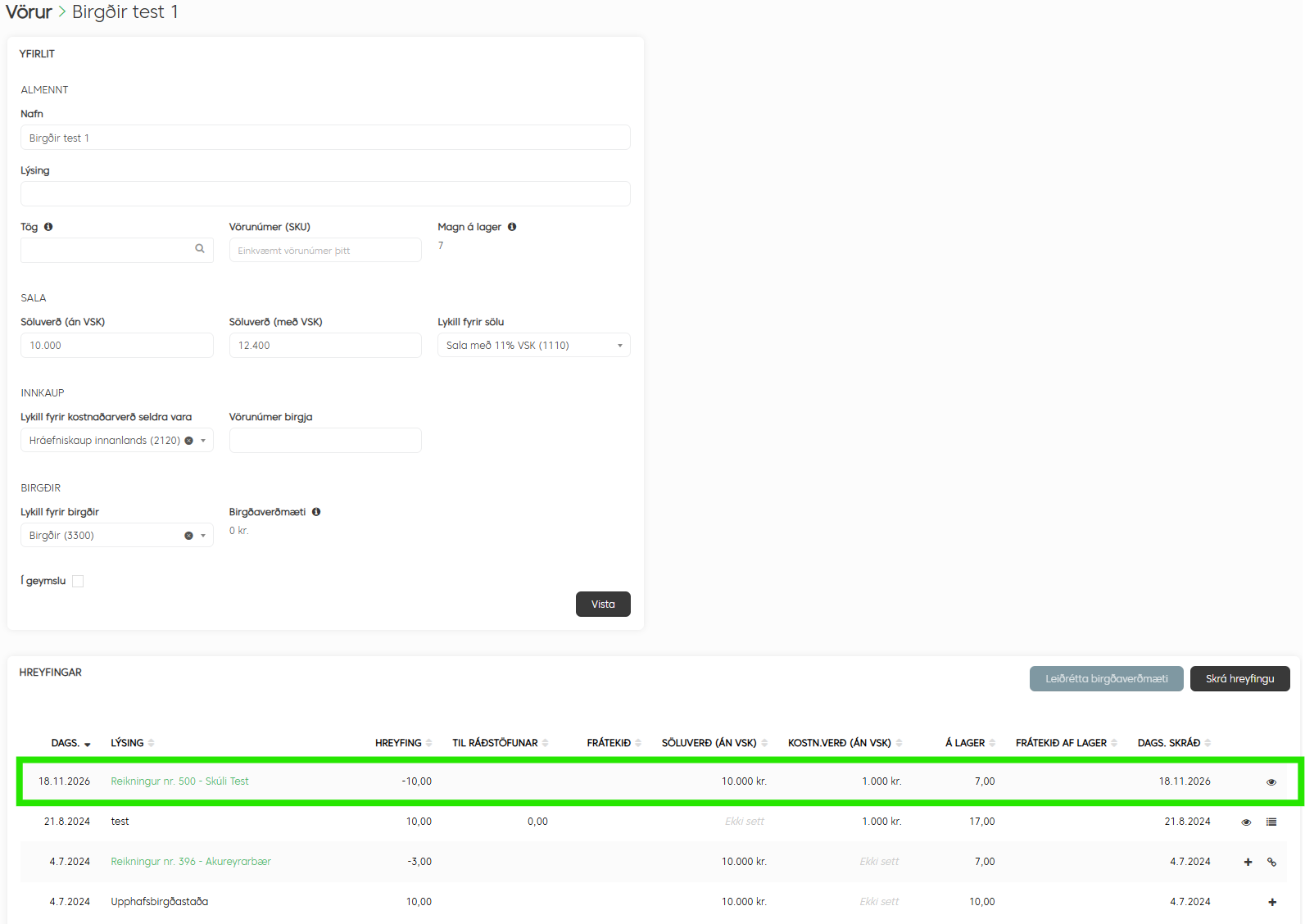
The product's stock quantity updates automatically as soon as an invoice for the product is created in Sales > Invoices. You don't need to adjust the stock manually after the sale. You can see the product's movements under Sales > Products: click the product and look under Movements. In the image below you can see the movement created by the invoice.
How is a product sale recorded in Payday's accounting?#
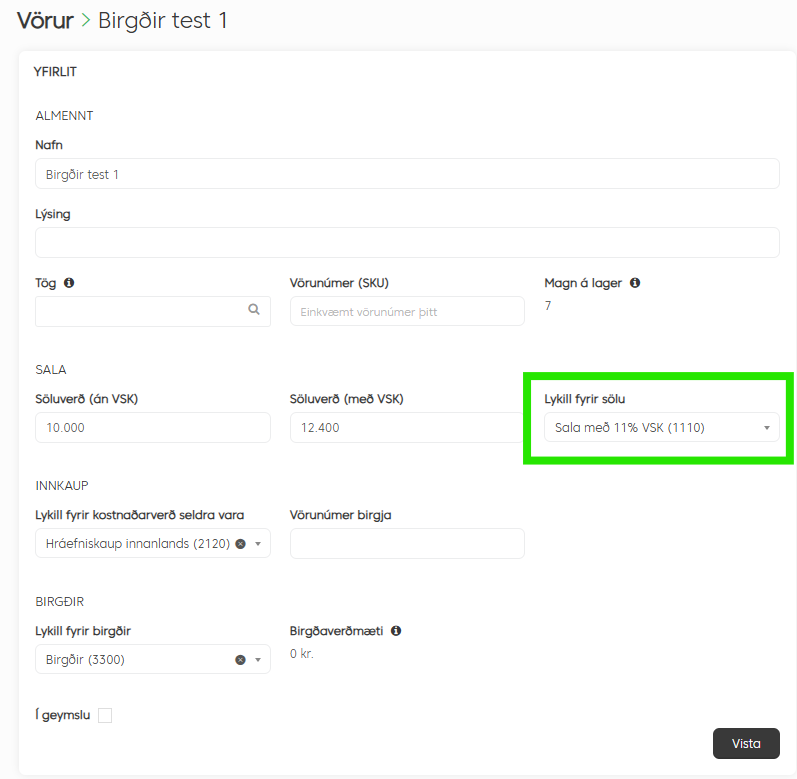
A product sale from an invoice goes straight into Payday's accounting, on the ledger account set as the sales account for the product. A ledger account is the number of the account in the books that the entry is recorded on. If you want the sale recorded on a different ledger account, you need to change the ledger account on the product itself.
Frequently asked questions#
Can I search for a product by price when I create an invoice in Payday?
Yes. When you create an invoice for a product in Sales > Invoices, you can search for the product by price, both with and without VAT, as well as by name, description and tags.
Do I need to enter the product's price on the invoice?
No. The product's price appears automatically on the invoice once you have selected the product and the quantity.
Can I create a new customer while I'm making an invoice for a product?
Yes. Click New customer when you select a customer on a new invoice in Sales > Invoices.
Is the stock quantity updated if I reverse an invoice for a product?
When an invoice for a product is reversed in Payday, a new movement is created that reverses the original movement. You can see both movements under Sales > Products > the product > Movements.
