Contractor slips (RSK 2.01)
Entities that were in operation during the past year must submit contractor slips. The deadline for submitting contractor slips is January 20th for the preceding year.
A contractor is defined as an individual or legal entity that, according to a written or verbal agreement, undertakes to perform a specific task or provide a specific service for payment. This also includes purchased driving and transport costs.
Payday compiles transactions for all creditors that have been registered through Expenses. It is possible to delete creditors that the user does not wish to submit, although this is not necessary.
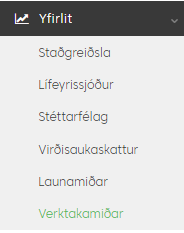
To view the contractor slips, go to Overview > Contractor slips.
The overview shows all the parties from whom purchases were made during the period and for how much. All amounts include VAT.
You can retrieve transactions again and read the data into Excel.
 It is important to review the contractor slips carefully. If, for example, the same name appears more than once, it is best to add the lines together, write the new amount, and delete the other lines. A line is deleted by selecting
 You can view a transaction list for the invoices that make up the total by selecting

If a user has not purchased any contractor work, they do not need to submit contractor slips.
In some cases, an ID number is not included because information about it is not available. If it is a domestic party, the ID number must be entered. If it is a foreign party, the ID number field is left blank, but the address, city, and country fields must then be filled out.
If work is missing from the list, click Expenses > New expense and record the expense. Then go back to Overview > Contractor slips and click "Retrieve transactions". It will then appear on the list.
Once the data has been reviewed, click the "Submit" button to send the data.