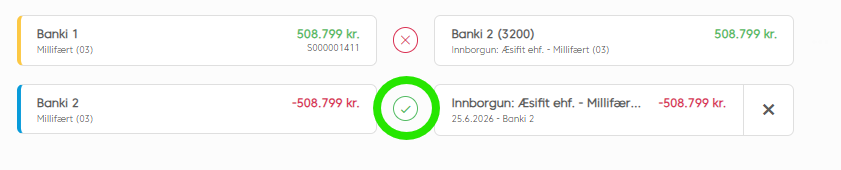
Transfer between own accounts
When booking a transfer between your own accounts or a credit card payment, it is important to make sure you do not double-book.
Here we have a transfer between own bank accounts of ISK 508,799.
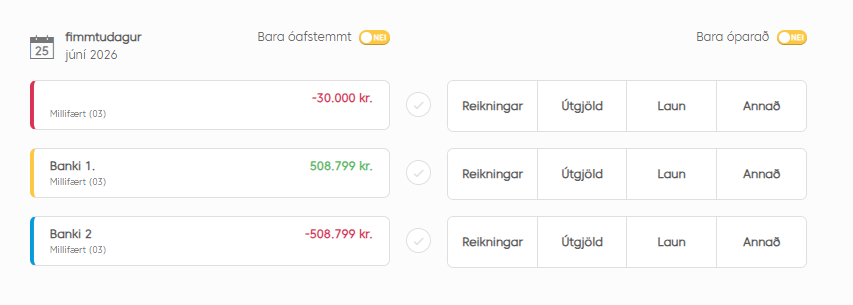
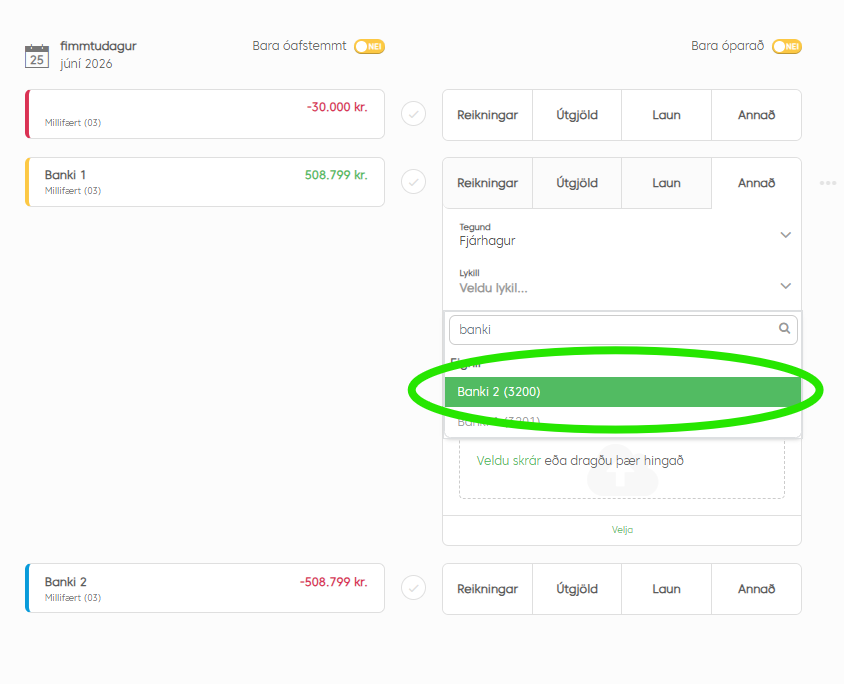
To create the entry, click on other > the plus sign > select the counter-account, which in this case would be bank 2.
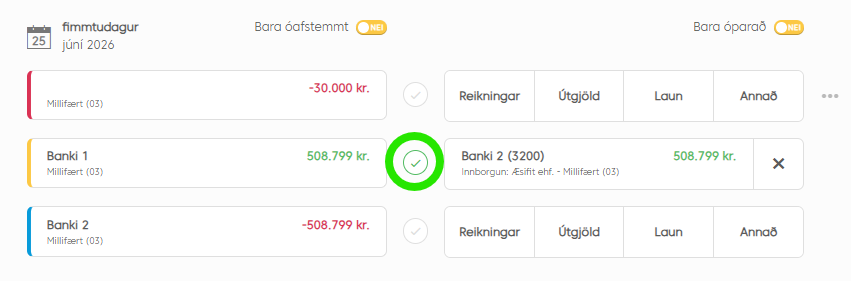
Once that is done, you need to match the transaction by clicking the green check mark.
Then it is very important that before we reconcile the other transaction, "no" is checked in "only unmatched".
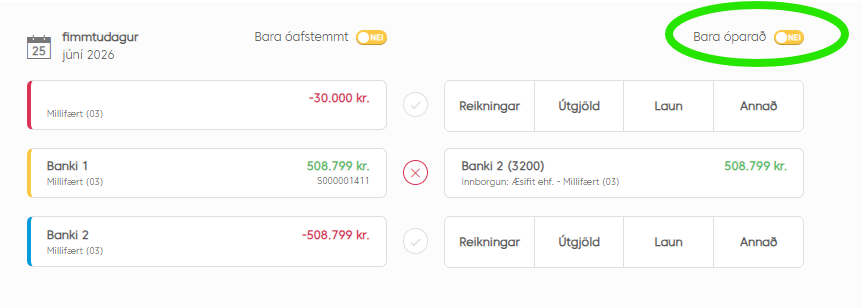
If so, you can click on other (do not click the plus sign) and the transaction should appear. If not, searching for the transaction amount can help.
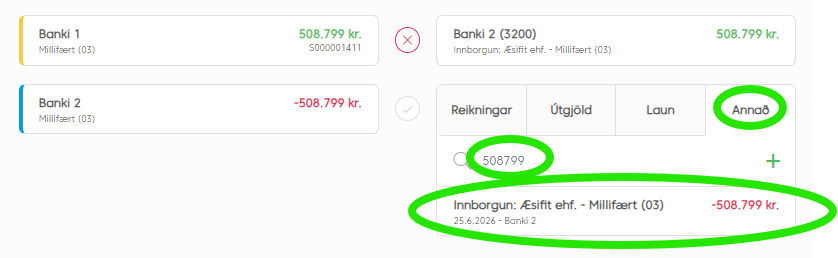
Then you can match the transaction. Now you are all set.