Salary items
When calculating payroll, you need to select a salary item, i.e., the type of salary, such as daytime work, night work, monthly salary, etc.
The most common salary items have already been set up, such as monthly salary, daytime work, overtime, and night work, among others.
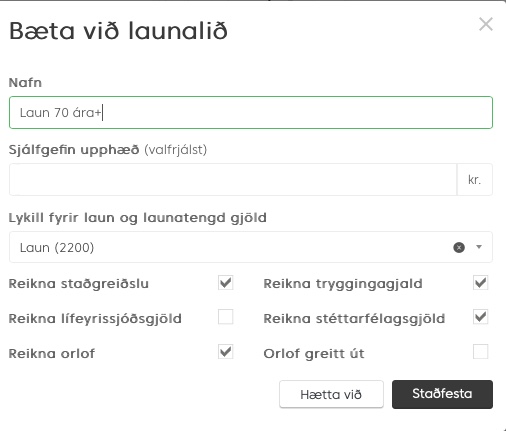
You can create a new salary item under Settings > Company > Payroll. This applies, for example, to employees who have reached the age of 70 and therefore do not pay into a pension fund.
When setting up a salary item, you choose how the system handles payroll calculations.
Here is an example of a salary item where no pension fund contribution is paid.