
Manual input tax
Manual input tax account 4340 for 24% or 2450 for 11% only applies if you need to calculate 100% VAT on a line in expenses or in the journal. In that case, the entire amount on the line will go to the VAT report.
Example#
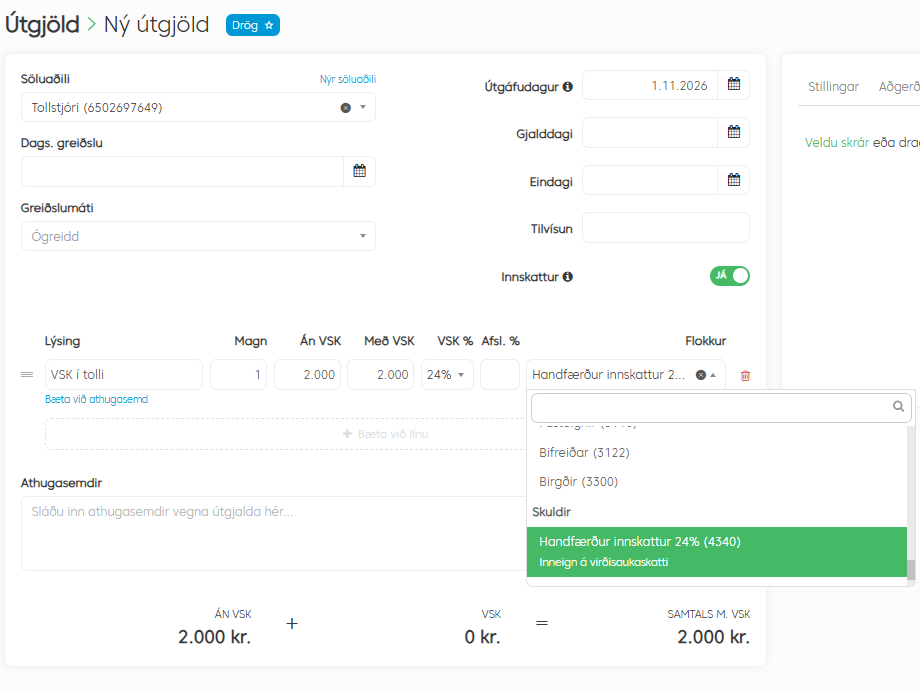
Here is an example of an expense with a line of ISK 2,000 (which is the VAT amount on the invoice) that needs to be posted to manual input tax so that we can claim the full amount as input tax.
Enter the expense: I enter the expense and then select the account Manual input tax 24% under category.
Post: Once that is done, I post the expense by clicking record expense.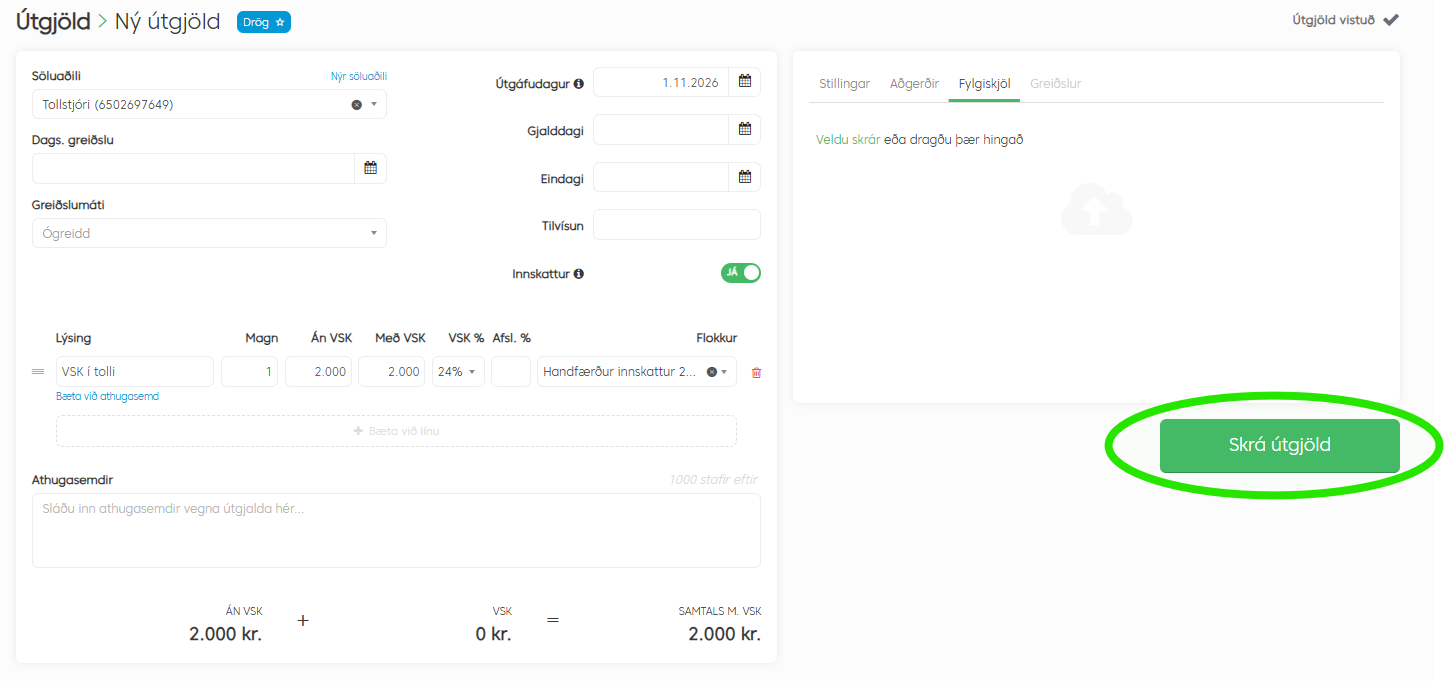
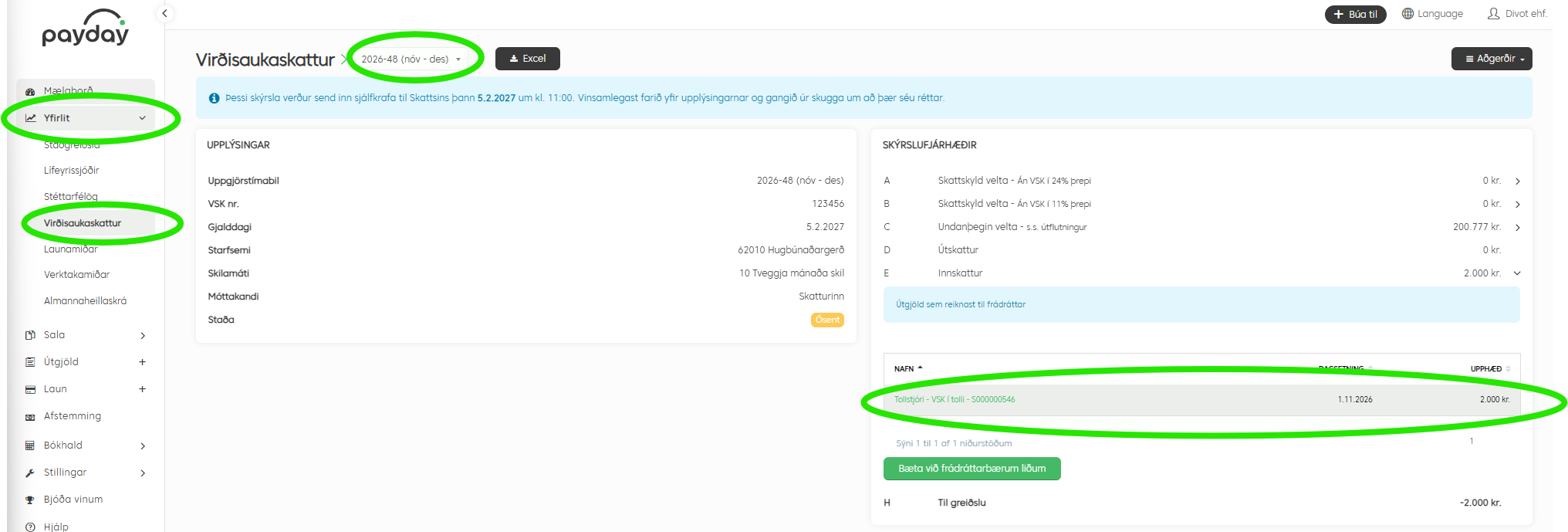
View the VAT report: You can then see how this appears on the VAT report under Overview > VAT > Select the period the expense was posted to > Click the arrow next to input tax.
It is also possible to record import VAT through the journal. See more in the help article VAT and import duties on imports/Import VAT