Posting VISA and Mastercard credit card statements
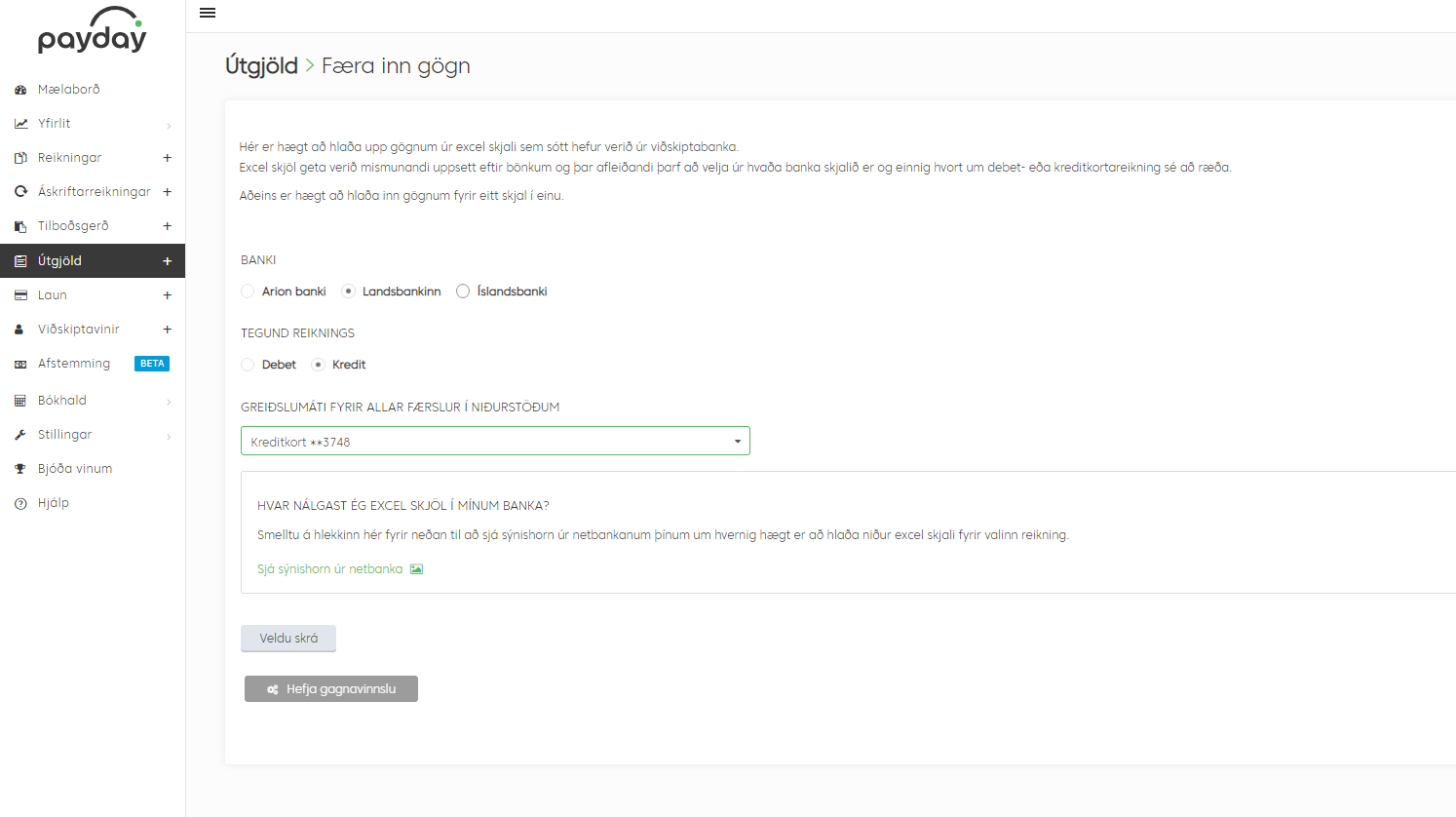
The most convenient way to post expenses paid with a credit card is through the expenses page, where you select "Sækja gögn úr banka" (Get data from bank).
Start by going to your online bank and downloading an Excel file of the transactions you want to post.
Once that is done, go to "Hlaða upp Excel skjali" (Upload Excel file) and select which bank the file is from. You need to choose whether it is a bank account or a credit card, and select the payment method, which is credit card in this case. Select the downloaded file and finally click "Hefja gagnavinnslu" (Start data processing).
 This brings up the list of all transactions, and you can remove transactions if needed.
Here you can select the ledger account, VAT percentage, and whether input VAT can be claimed.
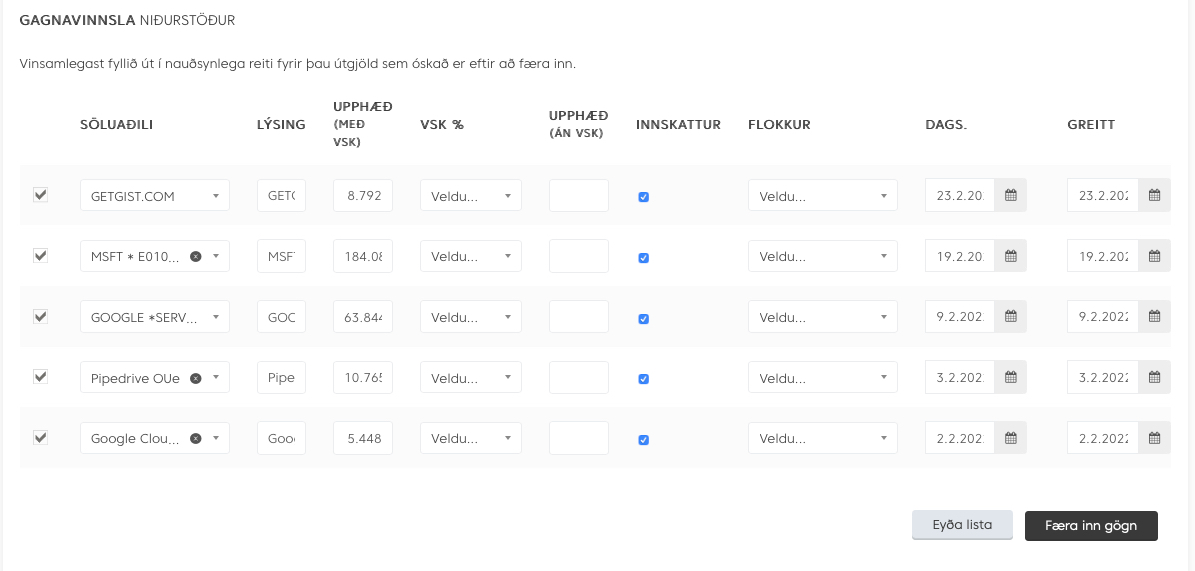
Once you have reviewed the list, click "Færa inn gögn" (Import data) to post the expenses.
Posting credit card payments:
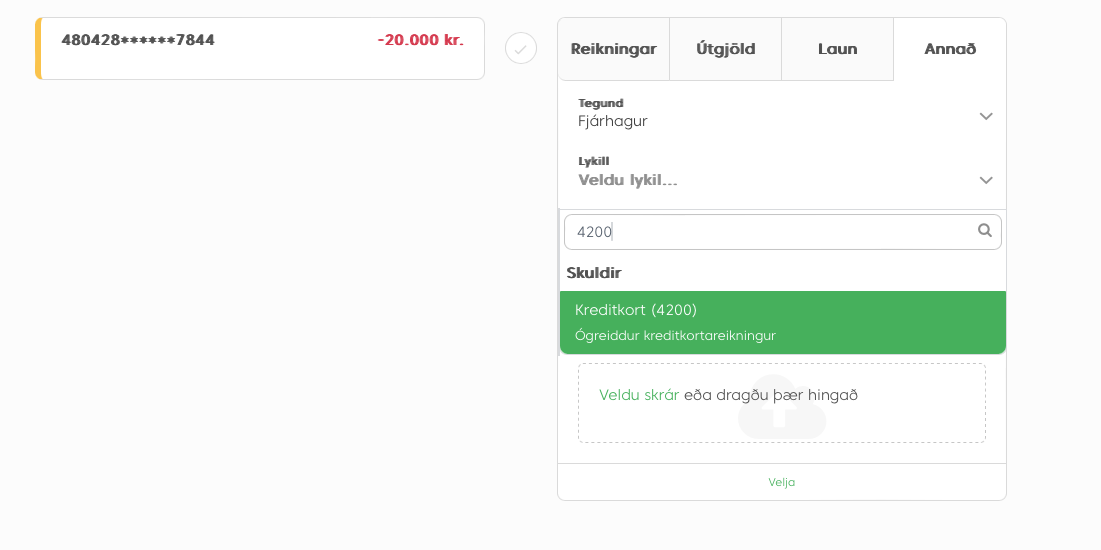
When the credit card is paid, you can post it in reconciliation or the journal.
In reconciliation, click other->plus sign, select account 4200, and match them together.
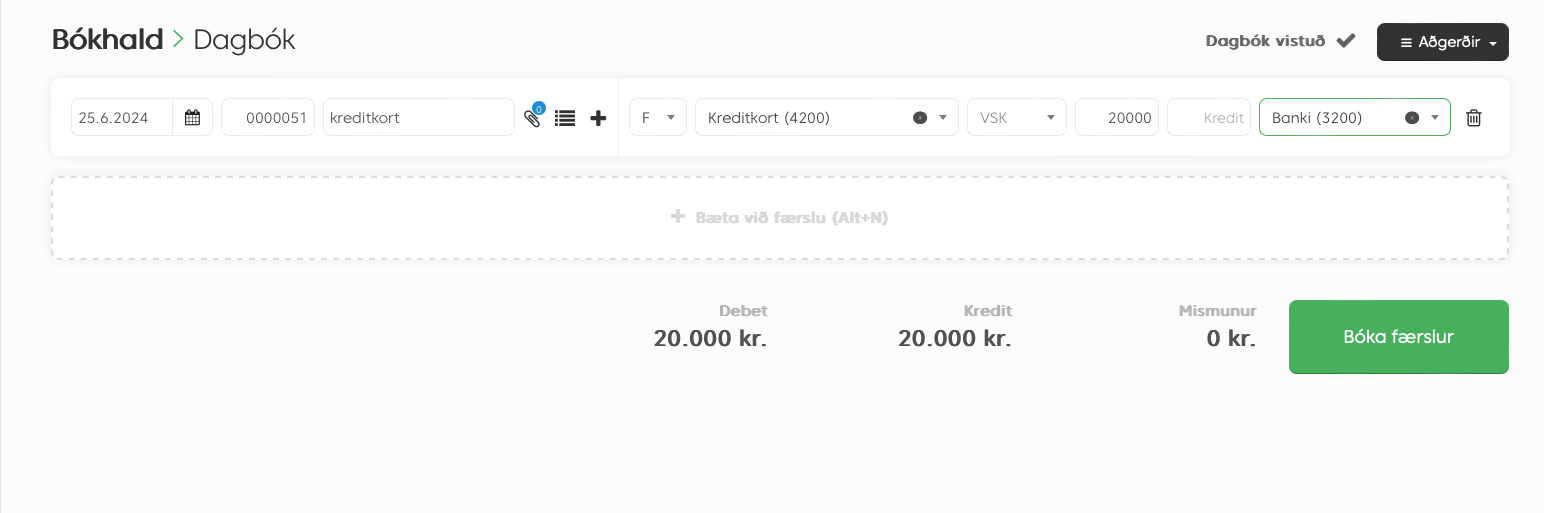
In the journal, debit the credit card (4200) and credit the bank account.