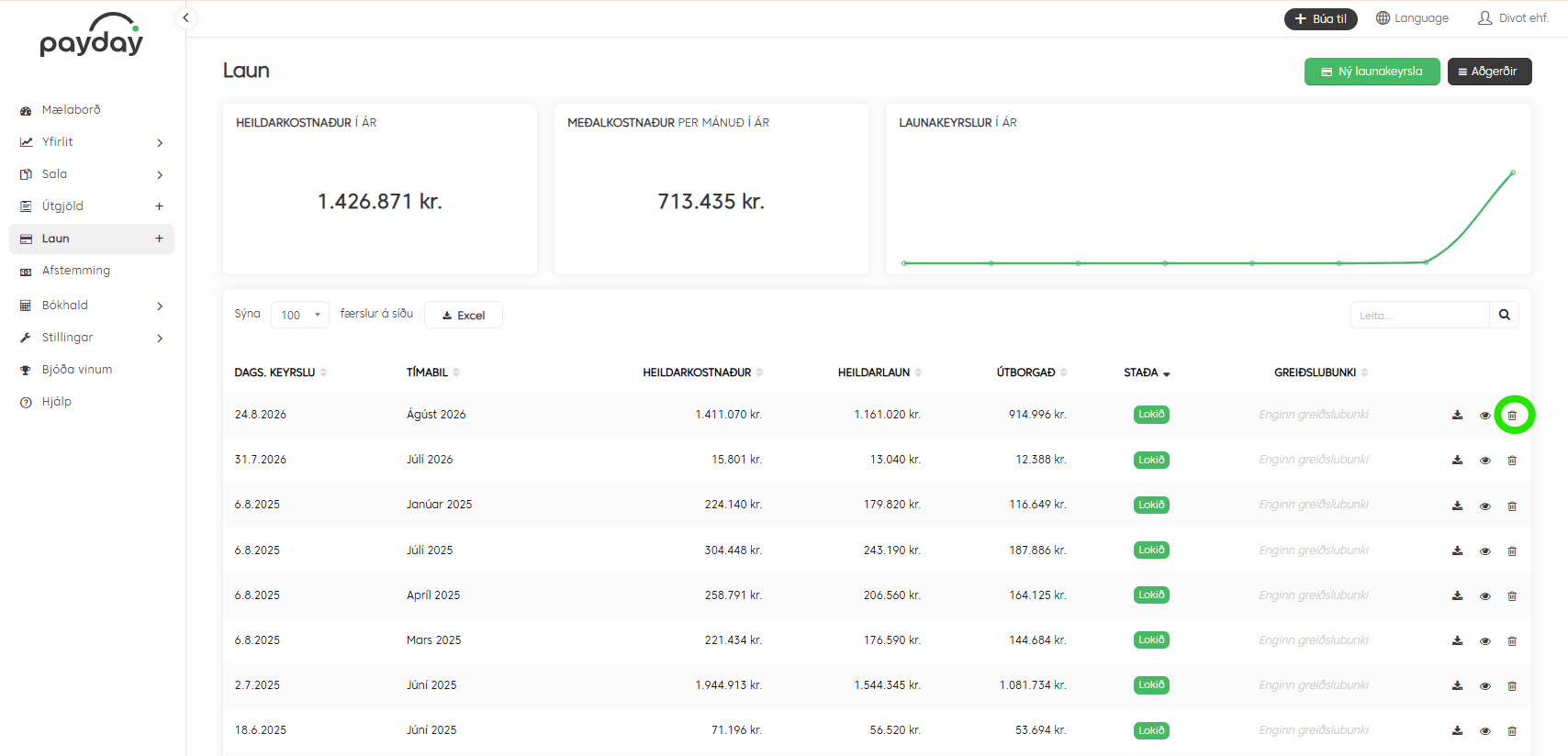
How do I delete a payroll run?
It is not possible to edit a payroll run after it has been created. If an error was made in a payroll run, you can always delete it and create a new one.
You can copy the payroll run under Actions > Copy payroll run within the payroll run.
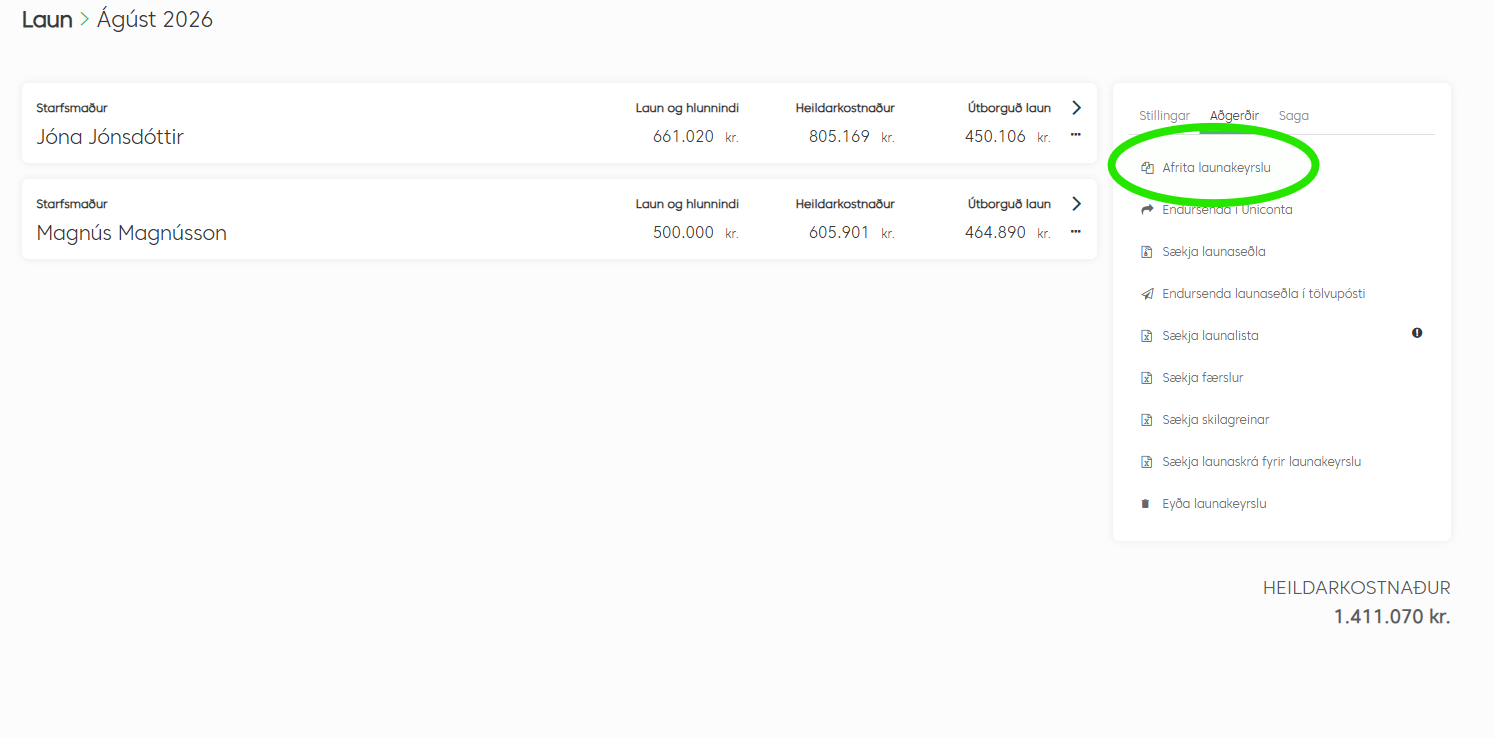
You can then delete a payroll run by clicking on Payroll and clicking on the trash can icon to the right of the payroll run. You can also delete a payroll run by clicking on the payroll run itself -> Actions -> Delete payroll run.
If you need to delete a payroll run for which returns have already been submitted, you must manually delete the returns with RSK and the pension funds.