
Holiday pay
Settings#
You can choose how to handle holiday pay for each individual employee under Settings -> Employees -> Holiday pay.
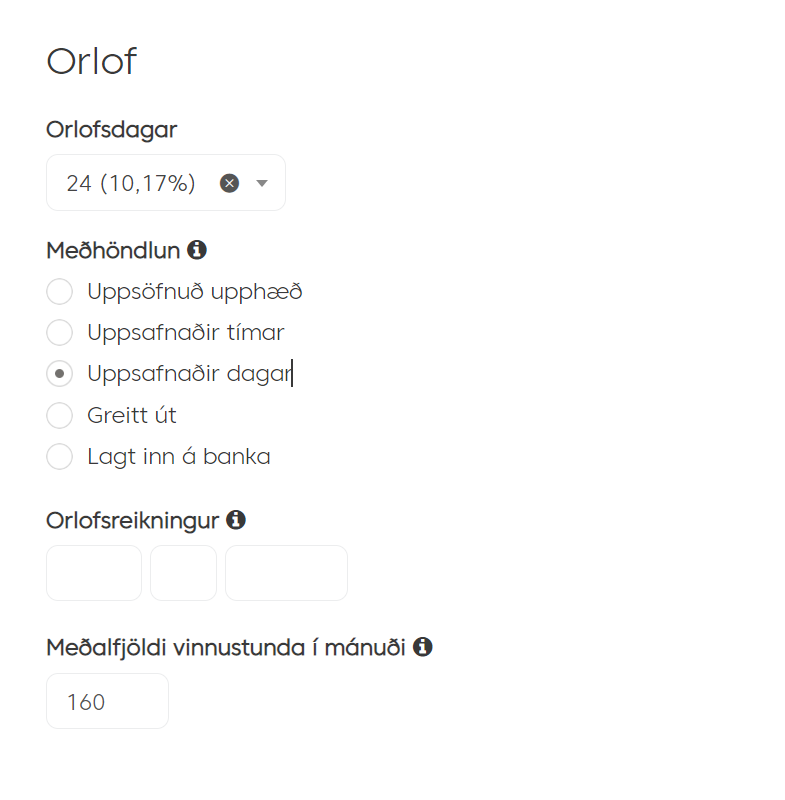
Here you select whether the employee accrues an amount/hours/days, whether they receive the holiday pay paid out directly, or if it is deposited into a bank account. Here you can also enter the average number of working hours per month, which is solely used to calculate the rate for utilizing holiday pay.
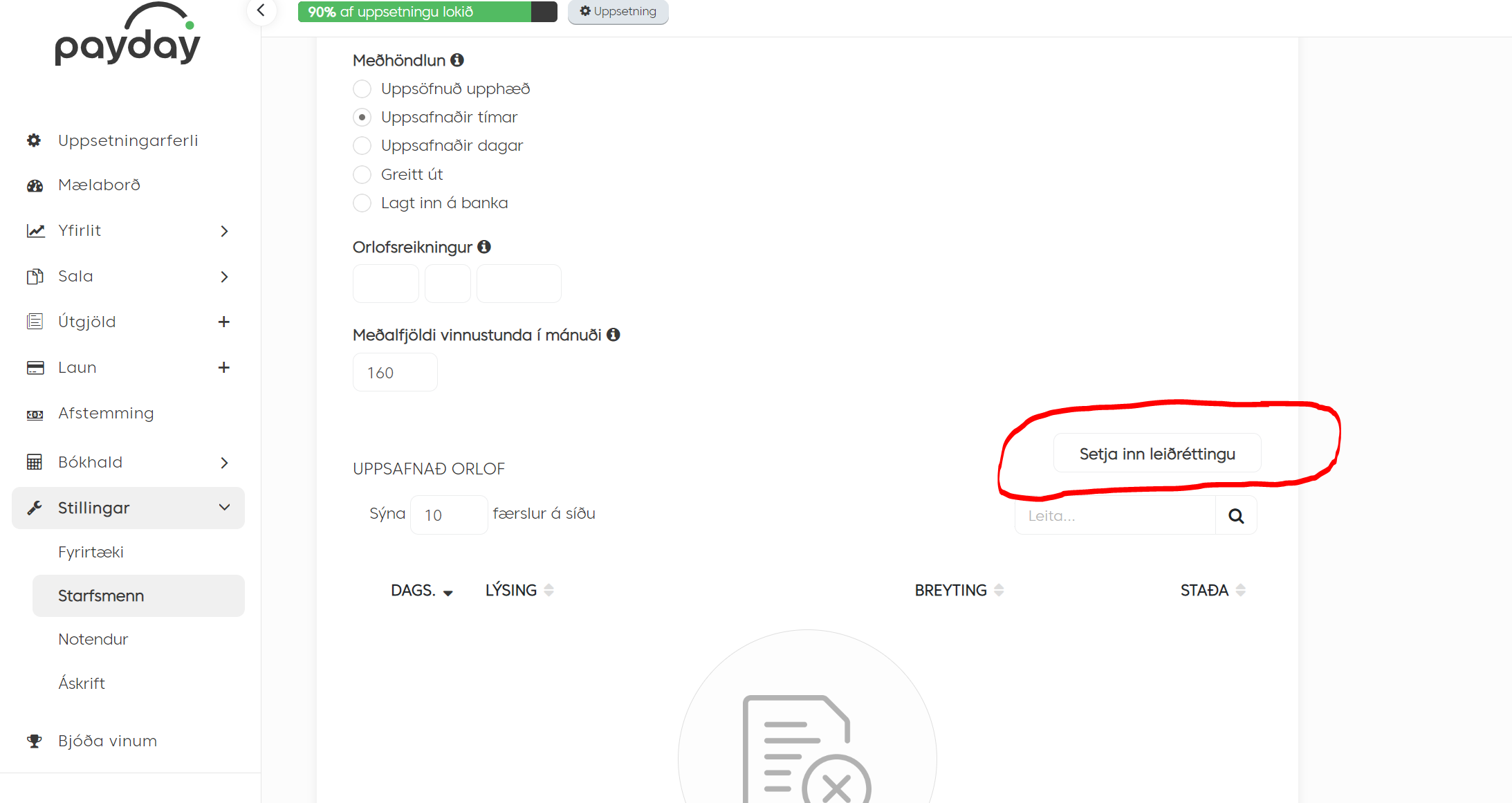
You can also view the holiday pay balance here, along with all transactions that make up the balance.
To enter starting balances or correct the current balance, select Settings -> Employees -> Holiday pay -> Enter correction
During a payroll run, the system calculates the accrued holiday pay balance based on the configured settings.
If the accrual is done in days, it is important to fill in the field "Average number of working hours per month" in the settings to ensure the calculations are correct.
Holiday pay used#
When accrued holiday pay is utilized, i.e. paid out, it is very important that the correct payroll items are selected so that the holiday pay liability decreases.
Select the appropriate payroll item in the payroll run based on how the employee's holiday pay is set up.
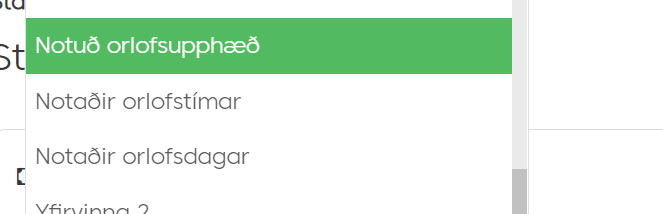
When the payroll run is processed, the employee's accrued holiday pay balance decreases automatically.
If it is chosen that the holiday pay does not calculate holiday pay on the payroll items under Settings > Company > Payroll > Payroll items, then enter one in quantity and zero in amount.