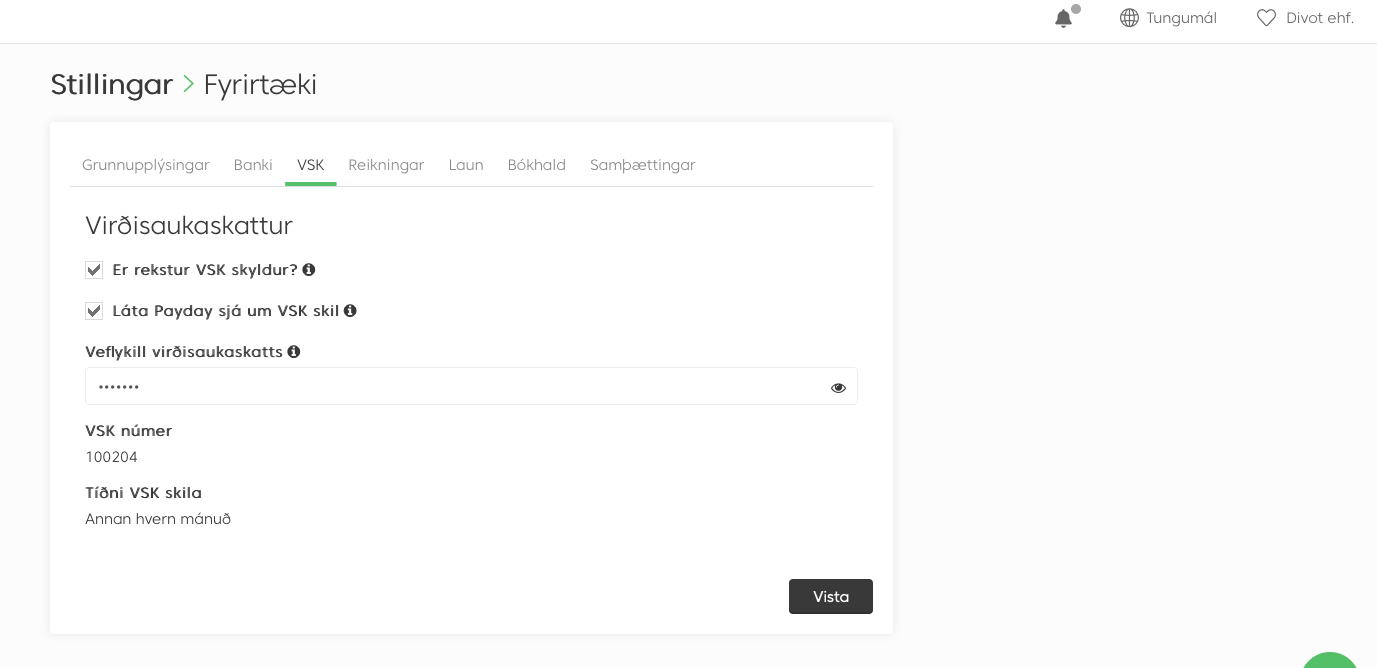
Value Added Tax (VAT) settings
Anyone who wants to send invoices with VAT or collect VAT must have a VAT number registered with the tax authorities.
Those with a turnover under ISK 2,000,000 over a 12-month period do not need to submit VAT and therefore do not need to register for VAT.
Those with a turnover over ISK 2,000,000 over a 12-month period must register for VAT and settle VAT on an annual basis.
Those with a turnover over ISK 4,000,000 over a 12-month period must register for VAT and settle VAT every two months.
General rules regarding VAT-liable entities can be found here: Value Added Tax (VAT)
If you do not have a VAT number and want to send invoices without VAT, you must uncheck the box indicating that the business is subject to VAT.
If you are on the "Nettur" subscription plan, you need to enter your VAT number.
If you are on the "Þéttur" or "Allur pakkinn" subscription plan, you need to enter the VAT web key obtained from the tax authorities.
If you want Payday to automatically submit your VAT report, you must check that option under Settings -> Company -> VAT. Read more about VAT filing here:Submitting VAT returns
Below you can see all the settings in Payday related to VAT.