Set up Payday as a Shortcut on a Mobile Device
Although Payday does not offer a smartphone app, you can still easily create a shortcut on your home screen for the Payday web interface. This process is simple for both iPhone and Android devices.
iPhone
Open Safari: Go to the website payday.is in the Safari browser.
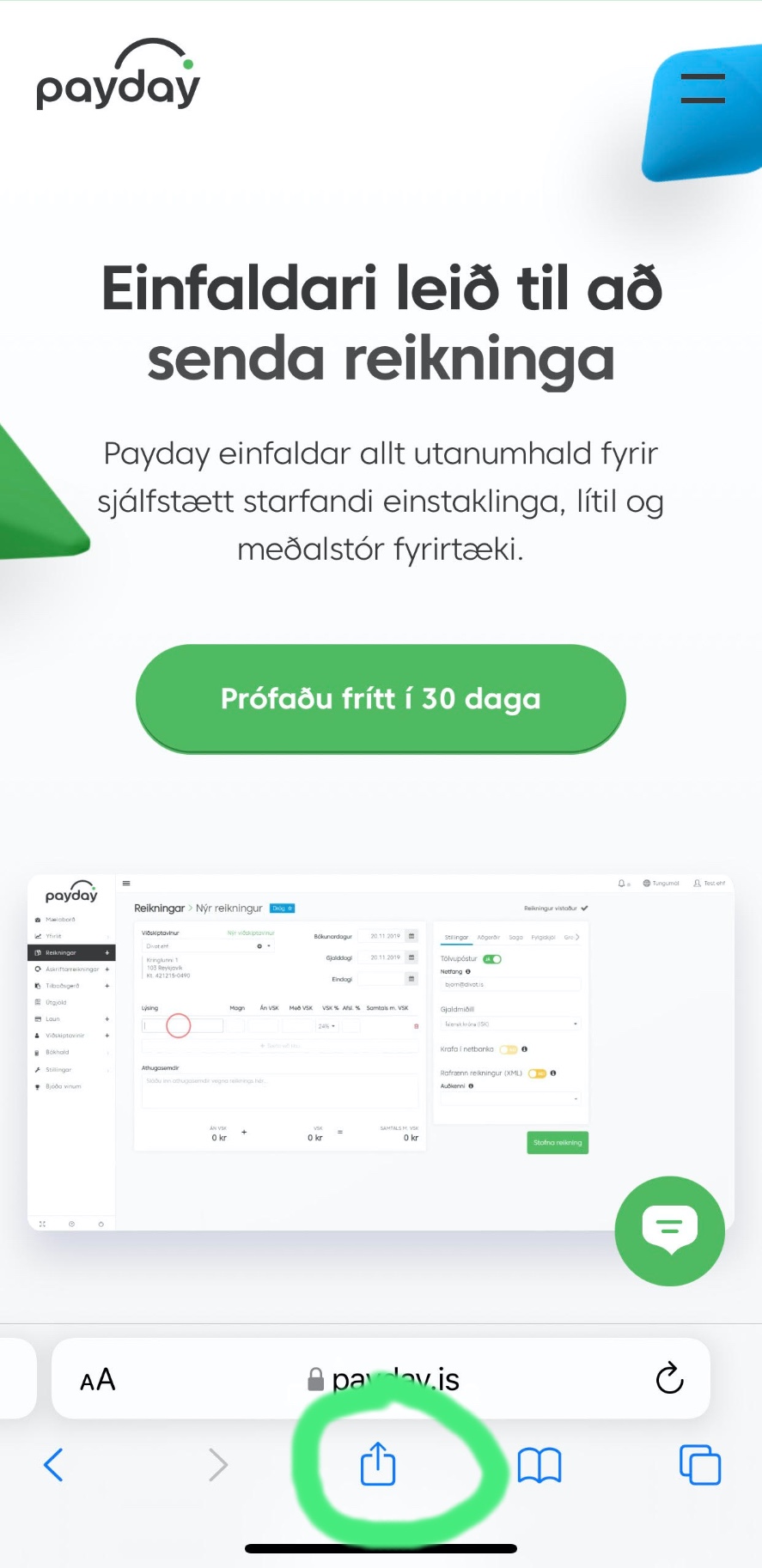
Select the Share Button: Click the share button (a box with an arrow) located in the middle of the bottom toolbar.
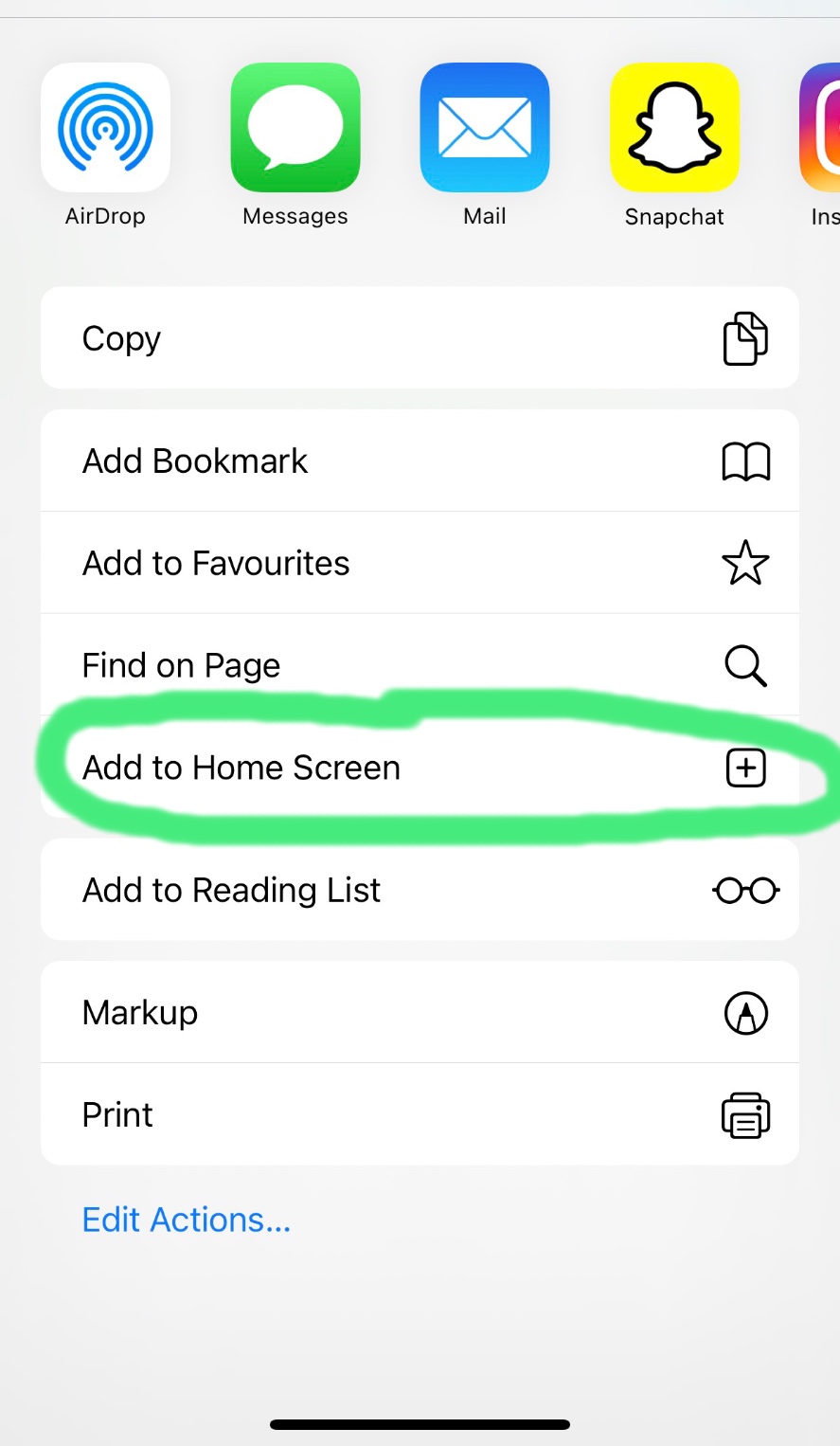
Add to Home Screen: Select "Add to Home Screen" from the menu. Payday will then appear as a shortcut on your home screen and function similarly to an app.
For Android:
- Open Chrome or another Browser: Go to payday.is in Chrome or another browser you use.
- Click "Innskráning" (Log in)
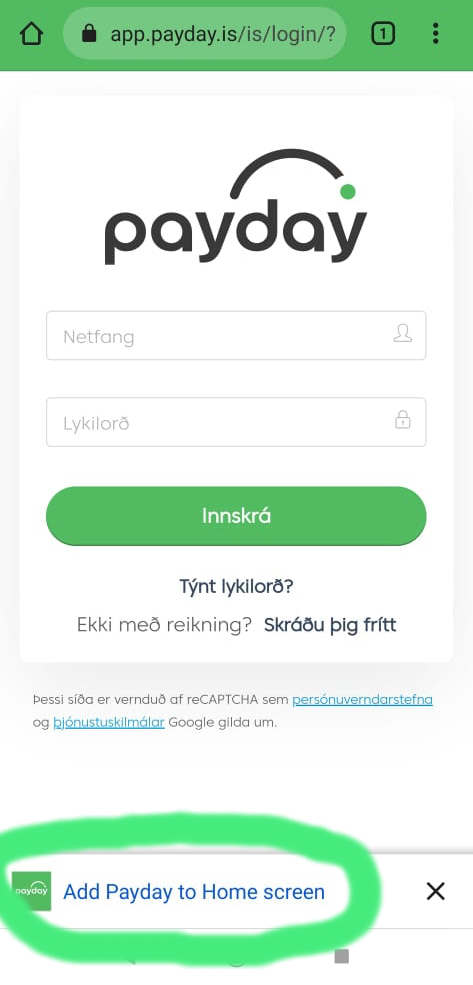
- Add Payday to Home Screen: Select "Add Payday to home screen" from the menu.
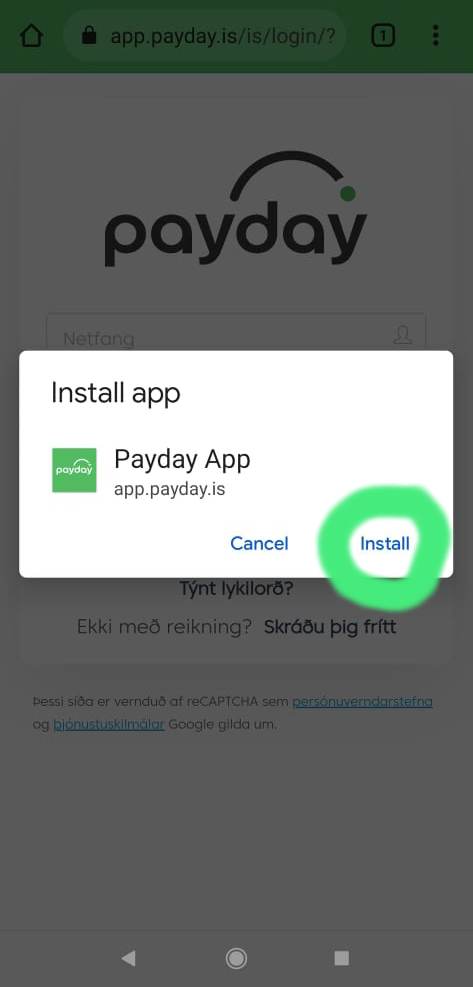
Install: Select "Install" to confirm. Now you have Payday as a shortcut on your home screen and can easily access it.