
Shopify - Product Inventory
Integration with Shopify involves setting up a Shopify app that connects to the Payday API.
Instructions for setting up the Shopify integration can be found here.
Shopify - Product Inventory#
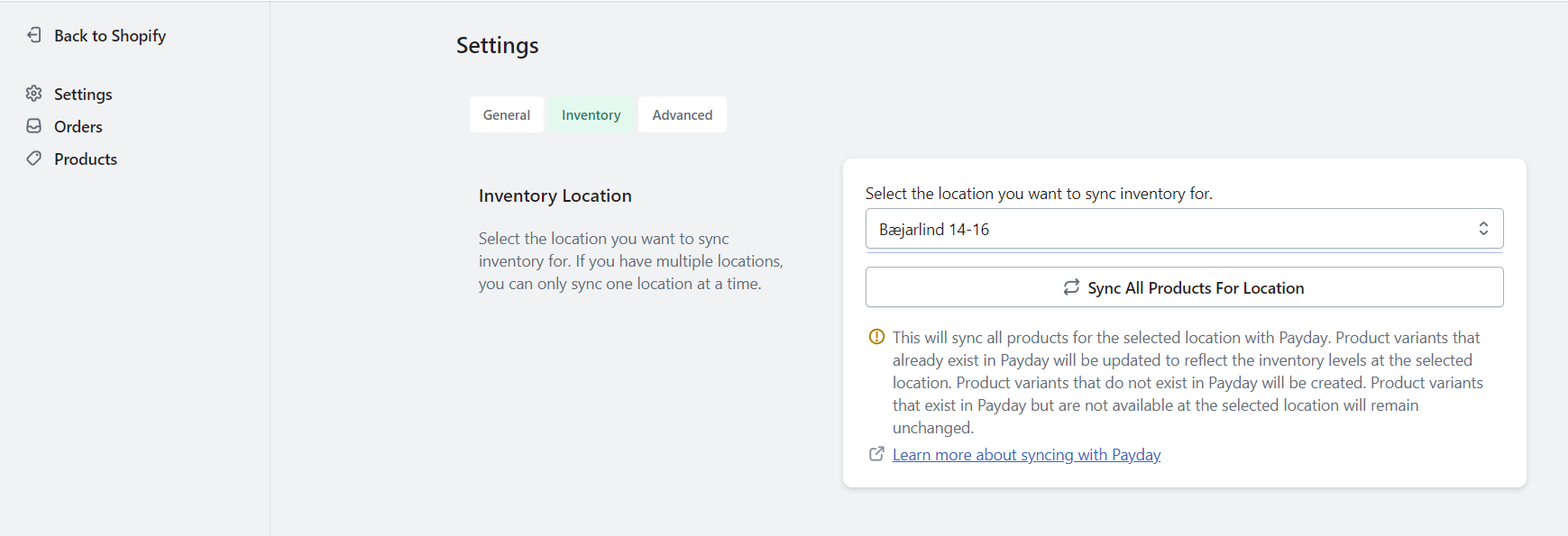
How to set a default location?#
- Open the Integration with Payday Shopify app.
- Under Settings, open the Inventory tab.
- Select a default location from the drop-down list.
How to sync all product inventory?#
- Open the Integration with Payday Shopify app.
- Under Settings, open the Inventory tab.
- Click the Sync All Products For Location button.
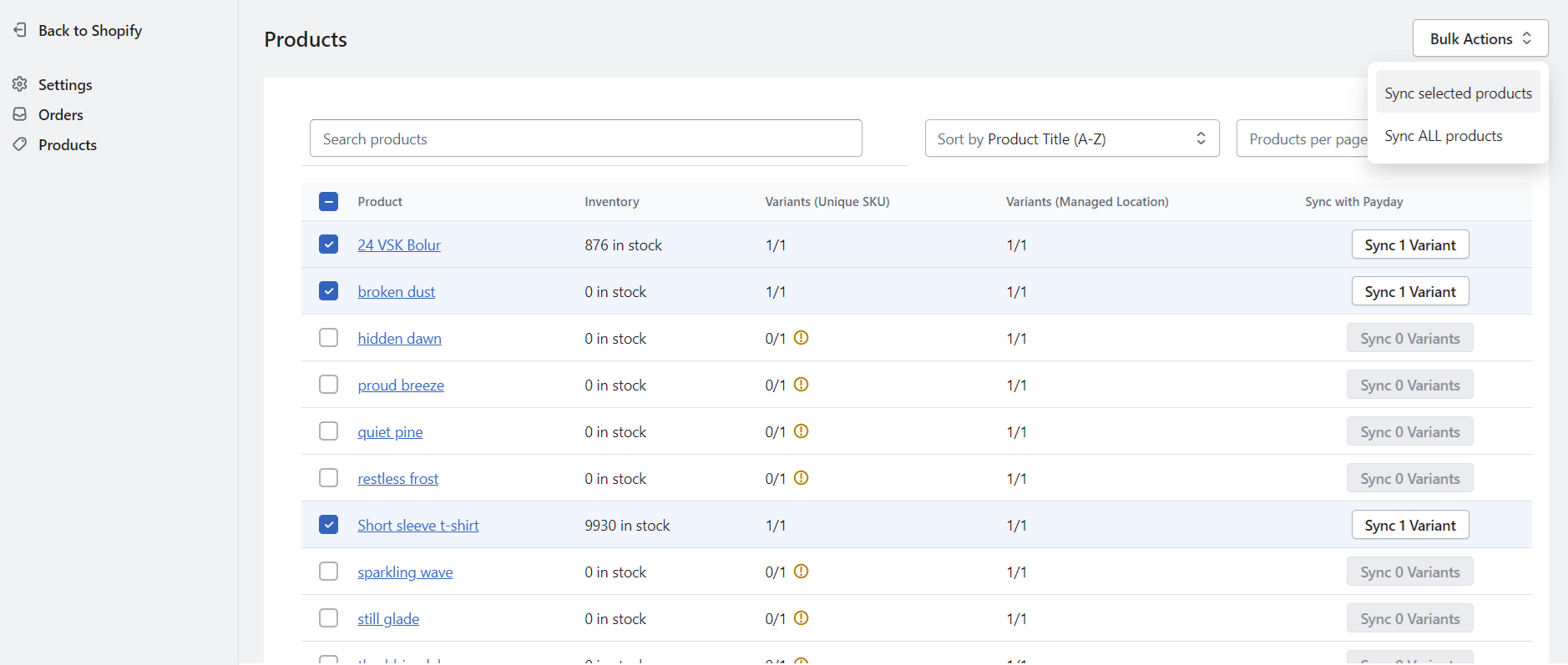
- or, Under Products open Bulk Action.
- Click Sync ALL Products.
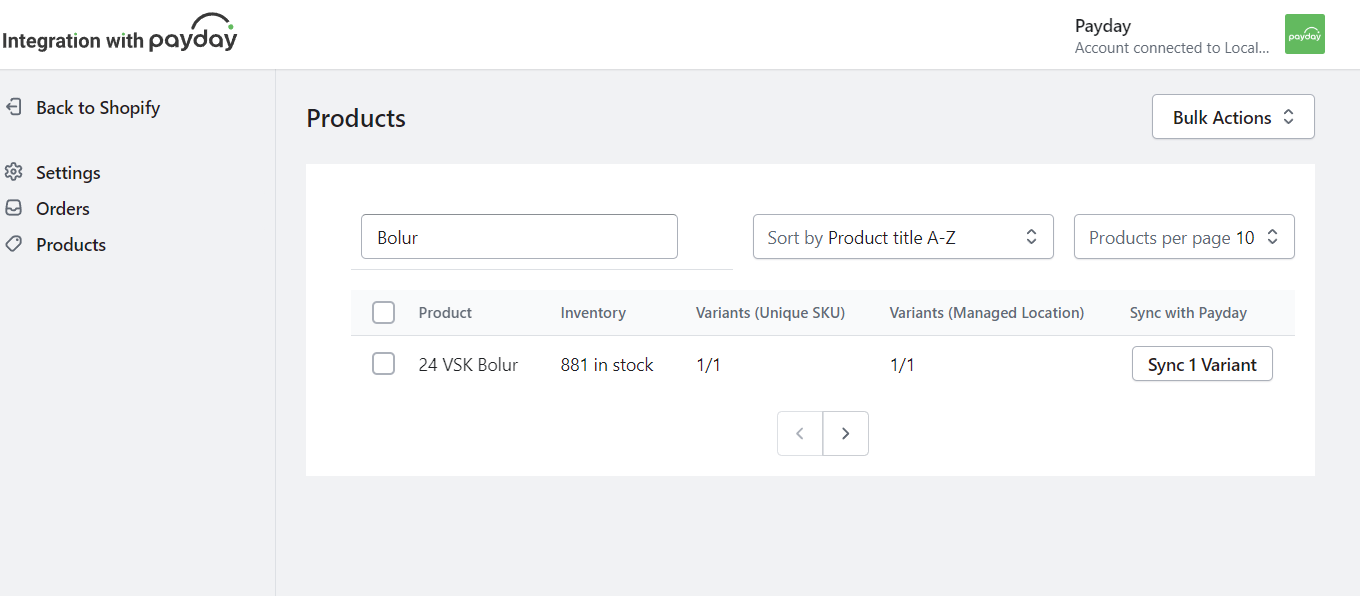
How to sync a single product?#
- Open the Products window. You can find the link on the left side of the app.
- Search for the product in the search bar.
- Click Sync n Variant if you can (n is the number of product variants).
How to sync multiple products?#
- Open the Products window. You can find the link on the left side of the app.
- Check the boxes next to the products you want to sync.
- Open Bulk Actions
- Click Sync n Variant if you can (n is the number of product variants).
If you need further assistance, please contact us at hjalp@payday.is