
Shopify Integration
Integrating with Shopify involves downloading the Payday public app in Shopify.
About the Shopify integration#
The Shopify integration is a public app that customers can download here. The app costs $11 per month.
Key features of the integration:
- Connect payment methods from Shopify to ledger accounts in Payday.
- When an order is placed in Shopify, the customer is registered in Payday based on their email address or national ID. See further settings.
- When an order is placed in Shopify, a paid invoice is recorded in Payday with the appropriate ledger account.
- Option to send the invoice by email when the invoice is created.
- Payday only retrieves data from Shopify, not vice versa.
Prerequisites for using the Shopify integration#
- The customer must be subscribed to Allur pakkinn (The Full Package).
Setting up the Shopify integration#
When you click the link, you must first grant the app access to the data from your store.
Click on Install App
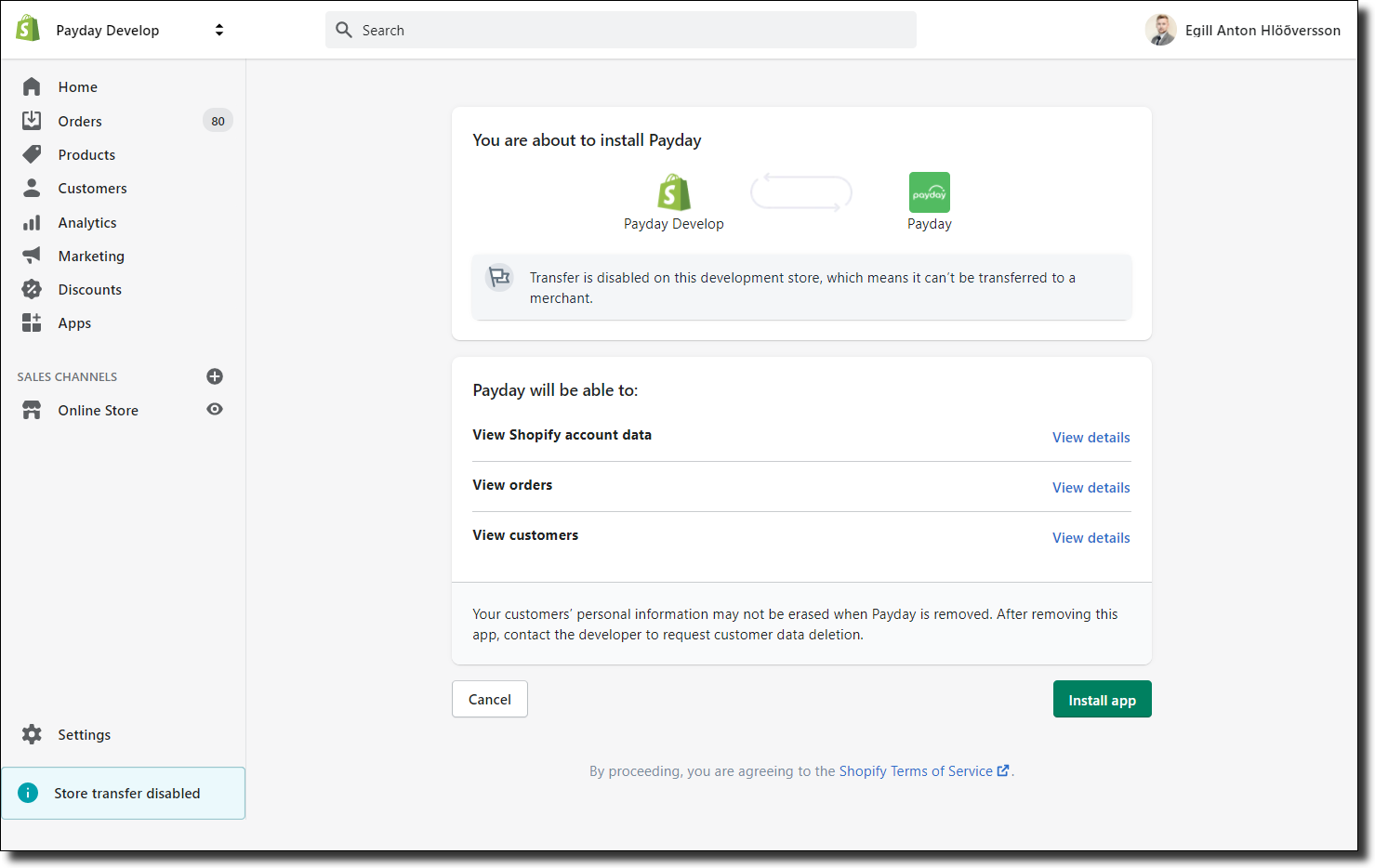
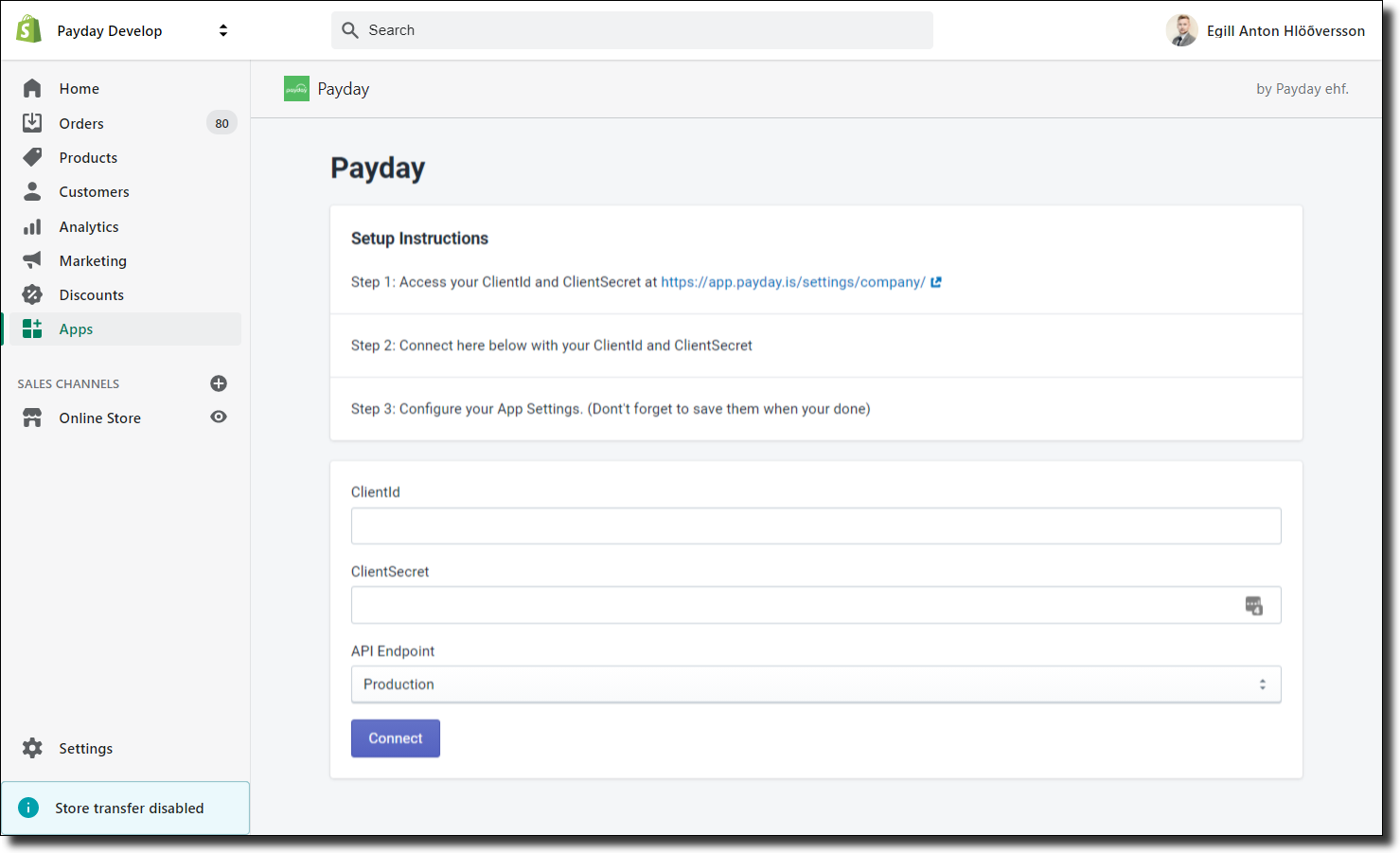
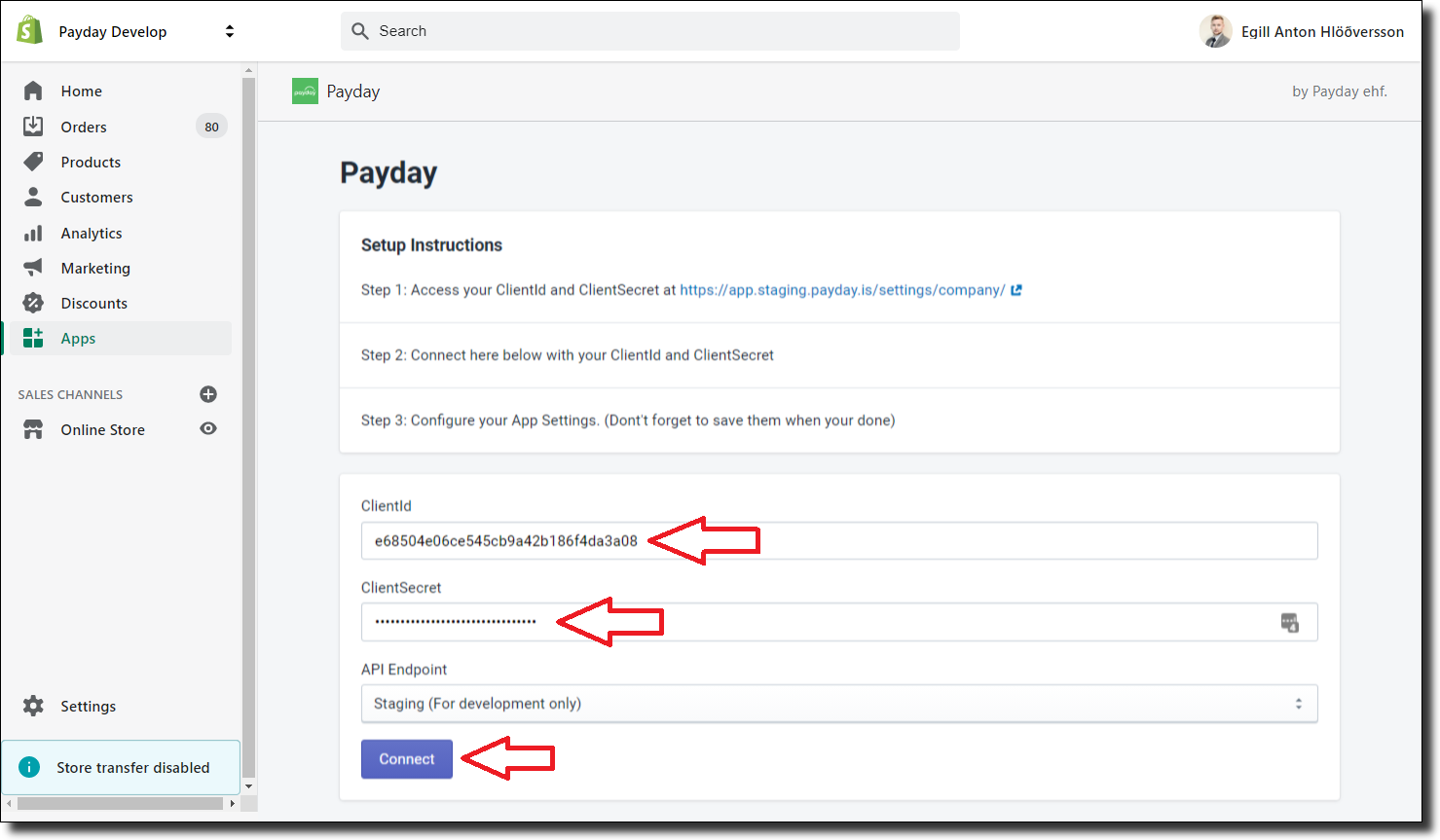
Once the store has finished installing the app (which may take a few seconds), a window should appear asking you to log in with your ClientId and ClientSecret.
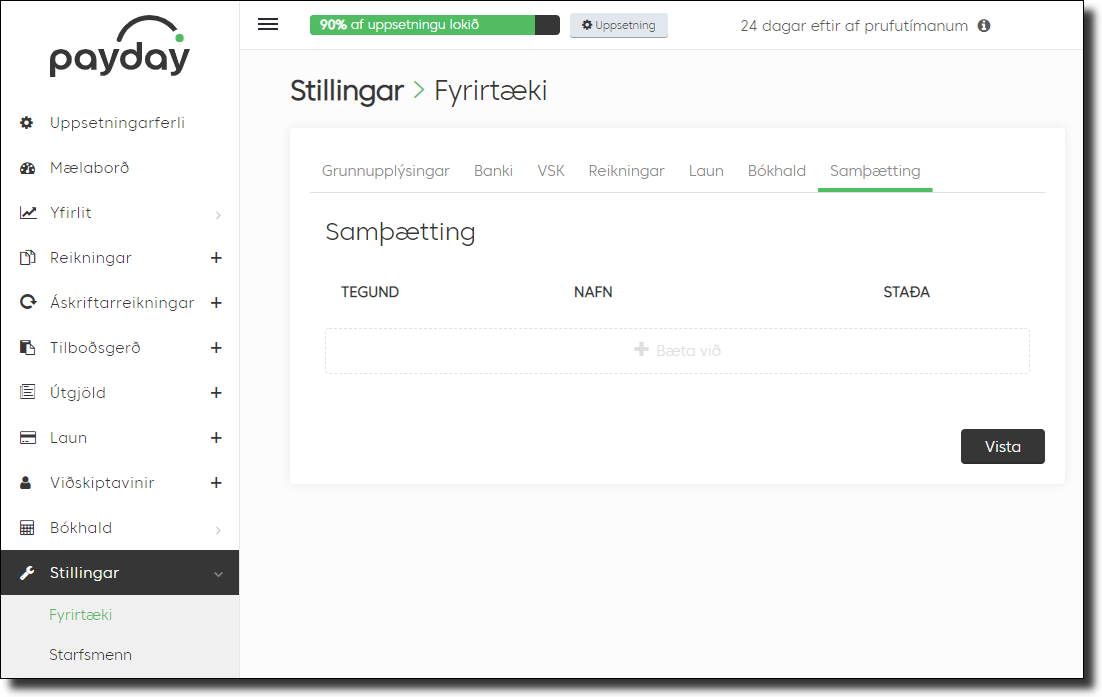
This information is available inside Payday under Stillingar > Fyrirtæki > Samþættingar (Settings > Company > Integrations).
Click on Bæta við (Add)
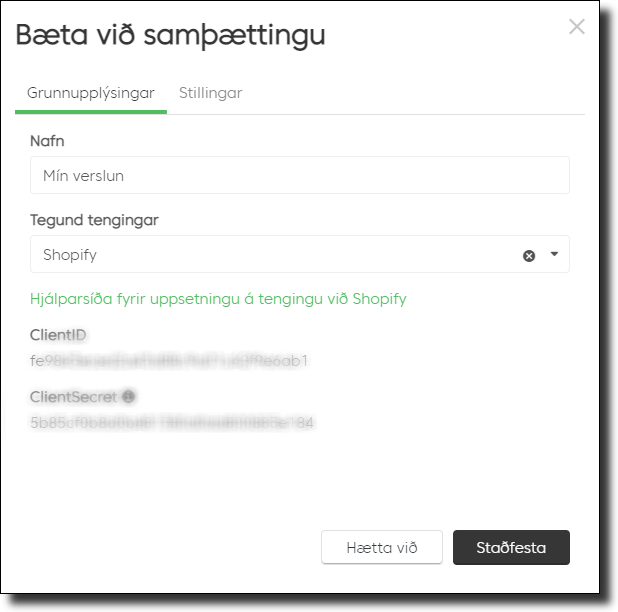
Copy the ClientID and ClientSecret into the columns and click Staðfesta (Confirm).
NOTE: API Endpoint should be set to Production unless you are using a development environment.
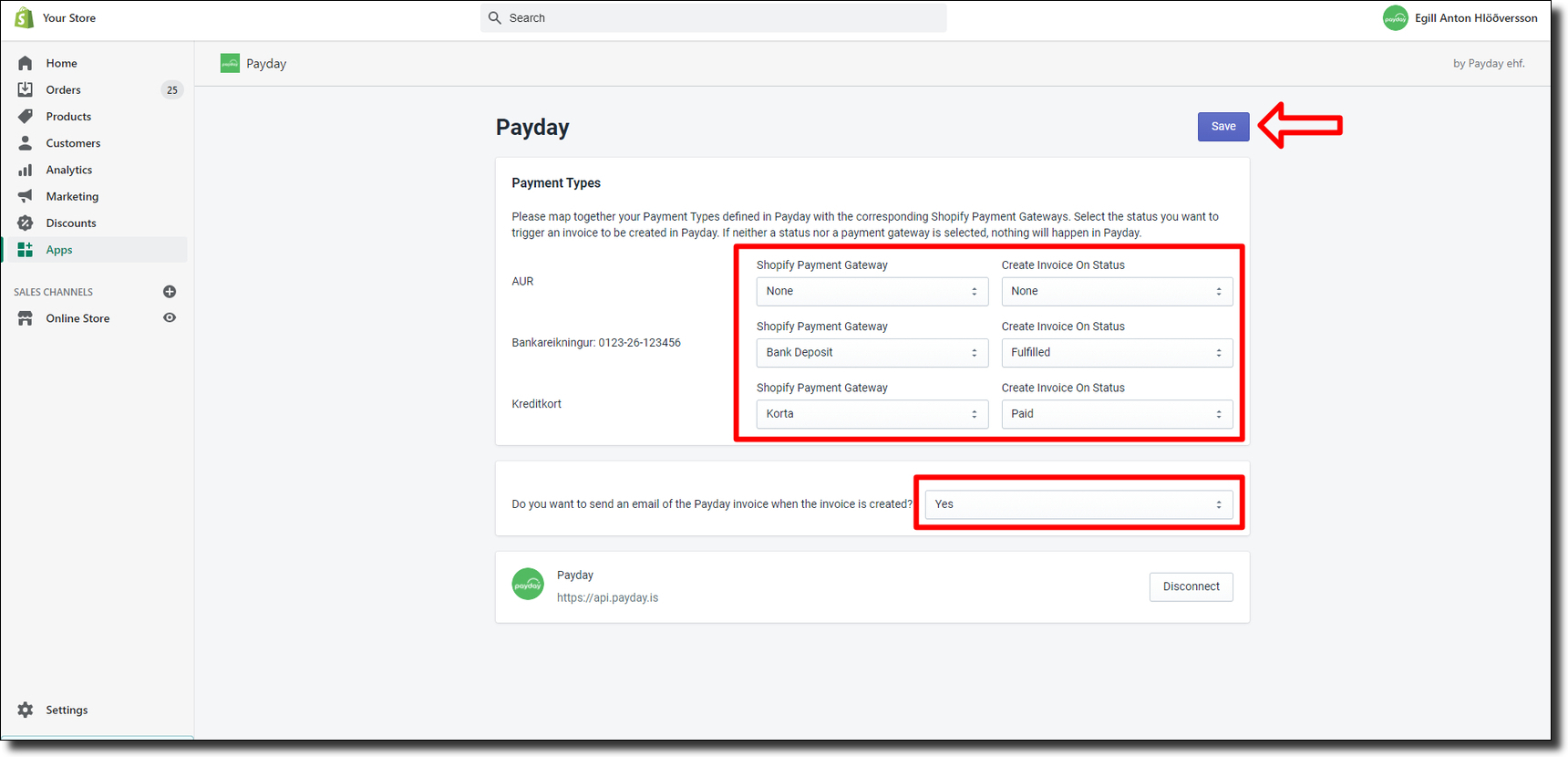
Now you should see the settings page where you can map your payment ledger accounts from Payday to the payment methods available in Shopify.
When you click Save, the app should save the settings, and when a new order is created in Shopify, a paid invoice will be created in Payday marked with your payment ledger account.
This depends entirely on your settings.
If your payment service does not appear in the drop-down list, please contact us at Payday and ask us to update the list for you.
NOTE: It is recommended to have one ledger account in Payday for each payment service in Shopify.
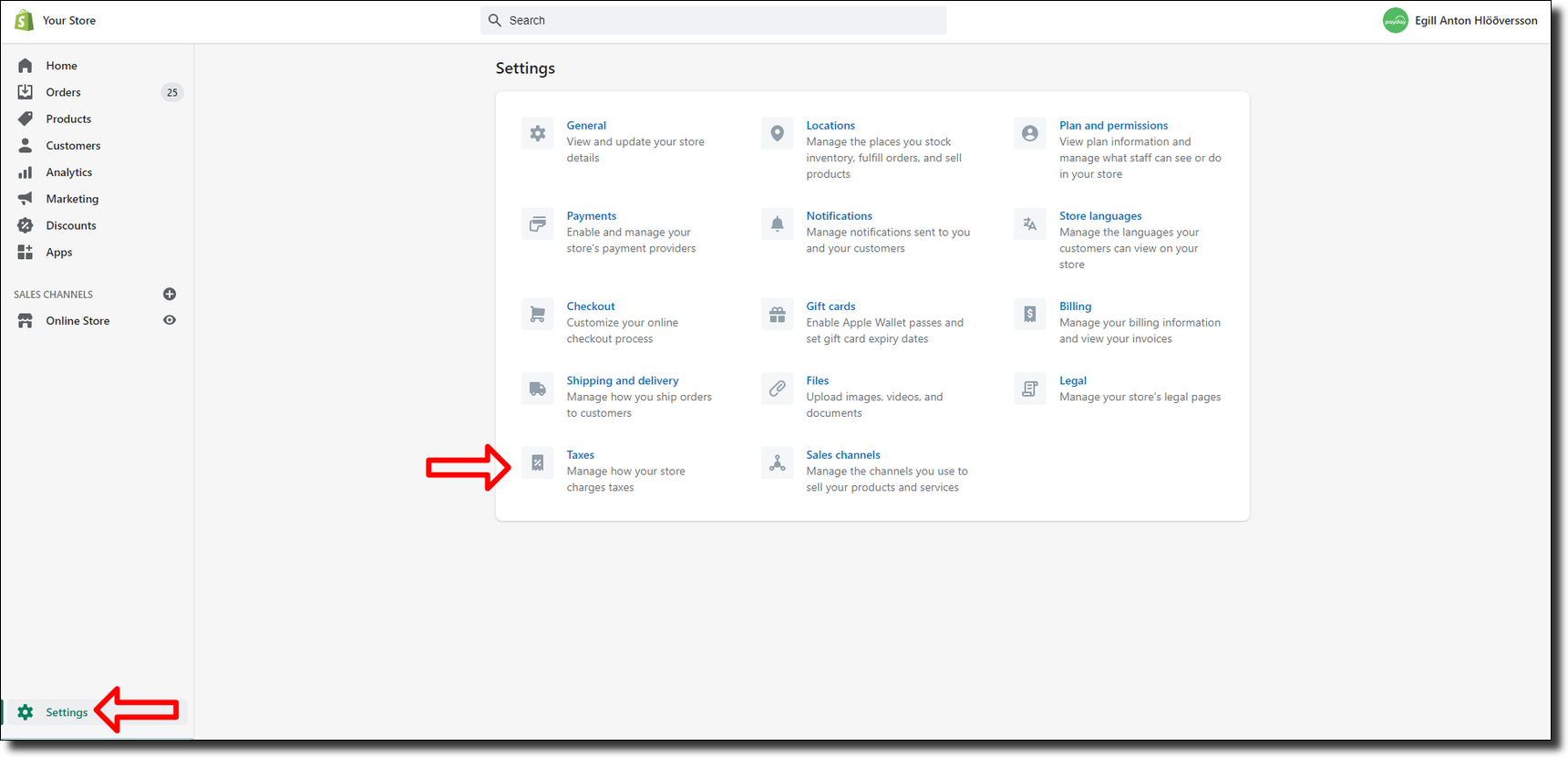
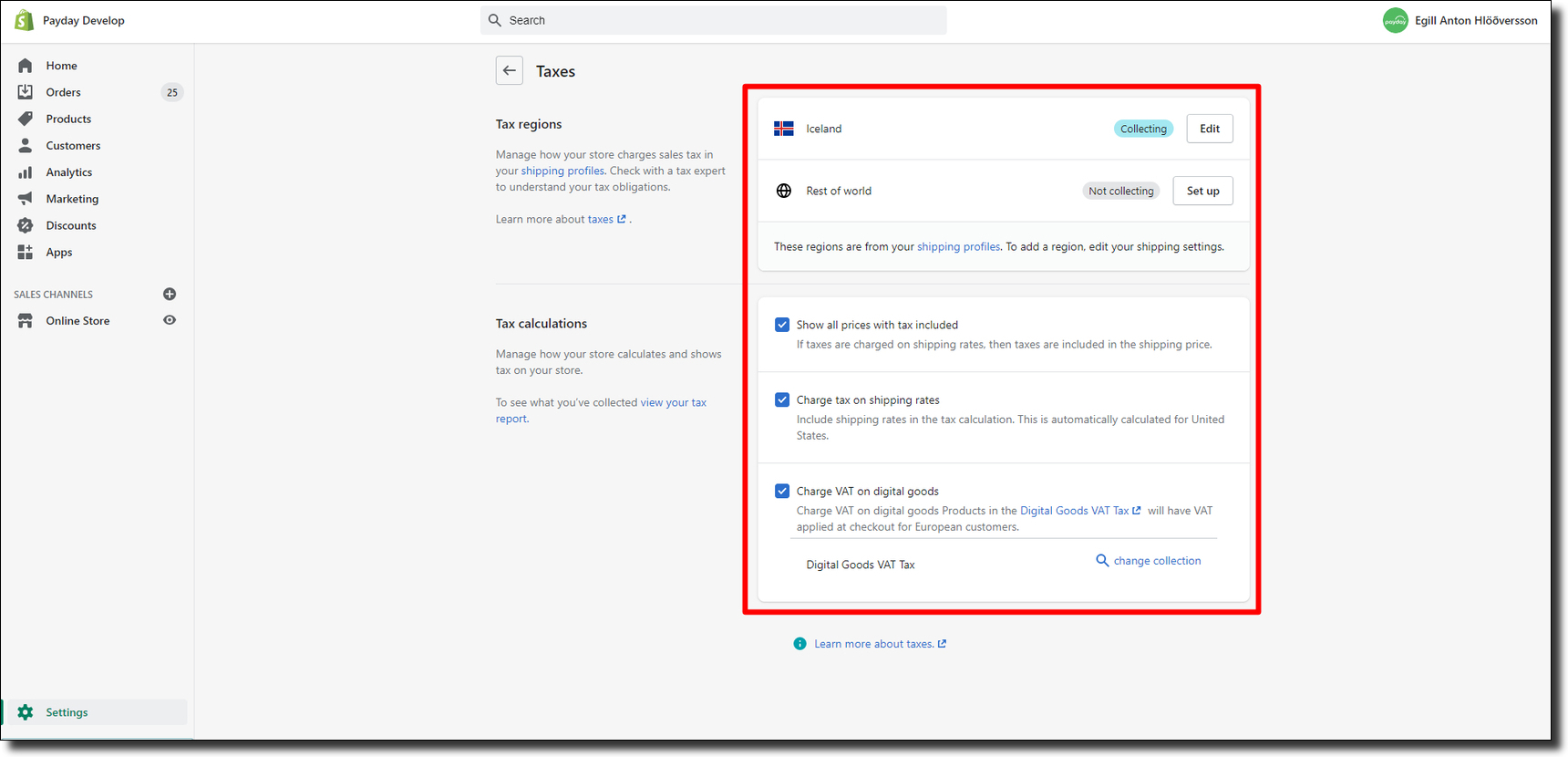
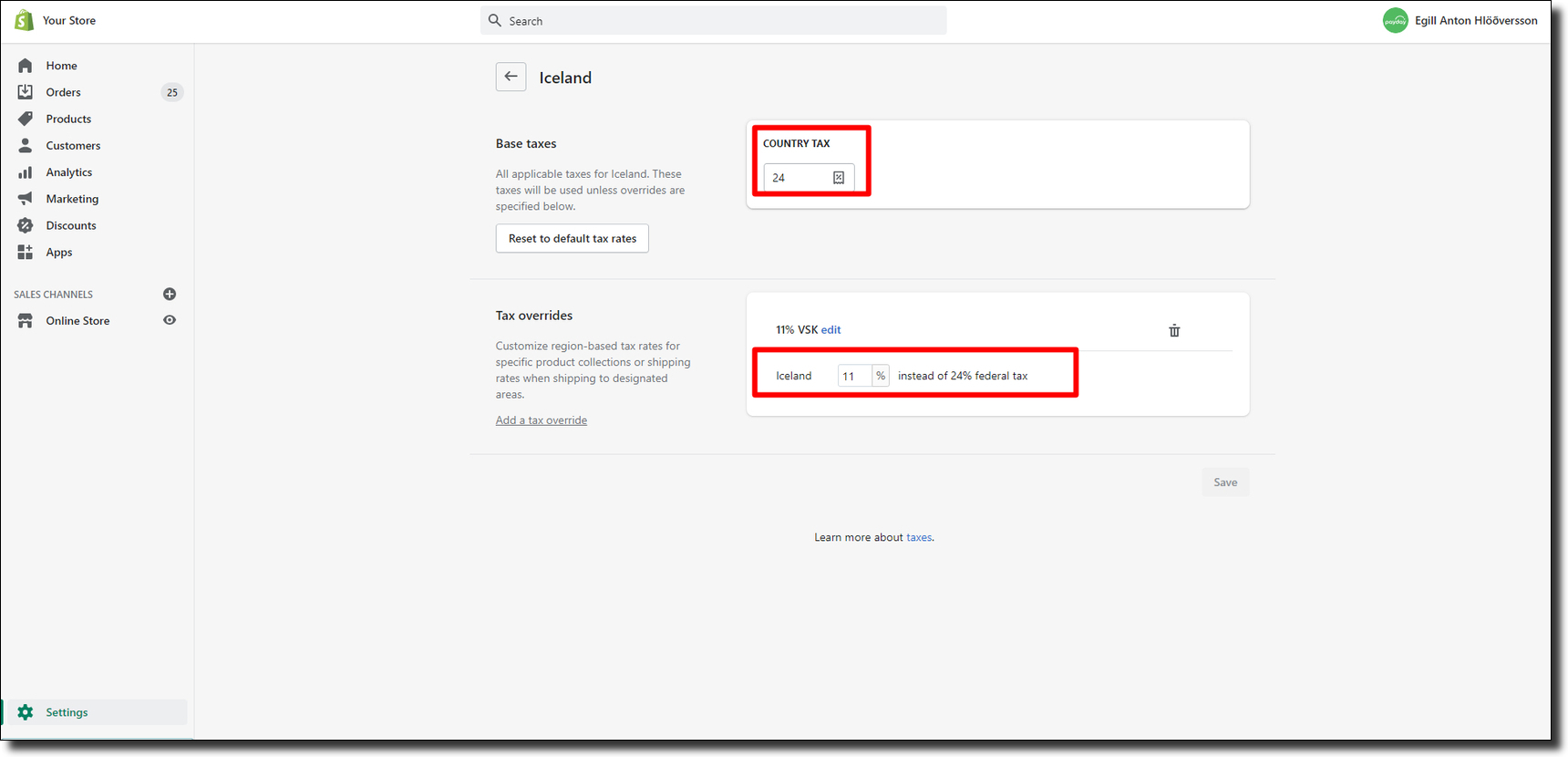
Now everything should work correctly if your tax settings are set up properly in Shopify.
Create a ledger account in Payday#
If your payment method in Shopify requires a ledger account, you need to create a new ledger account in Payday.
It is recommended to have one ledger account for each payment gateway.
For example:
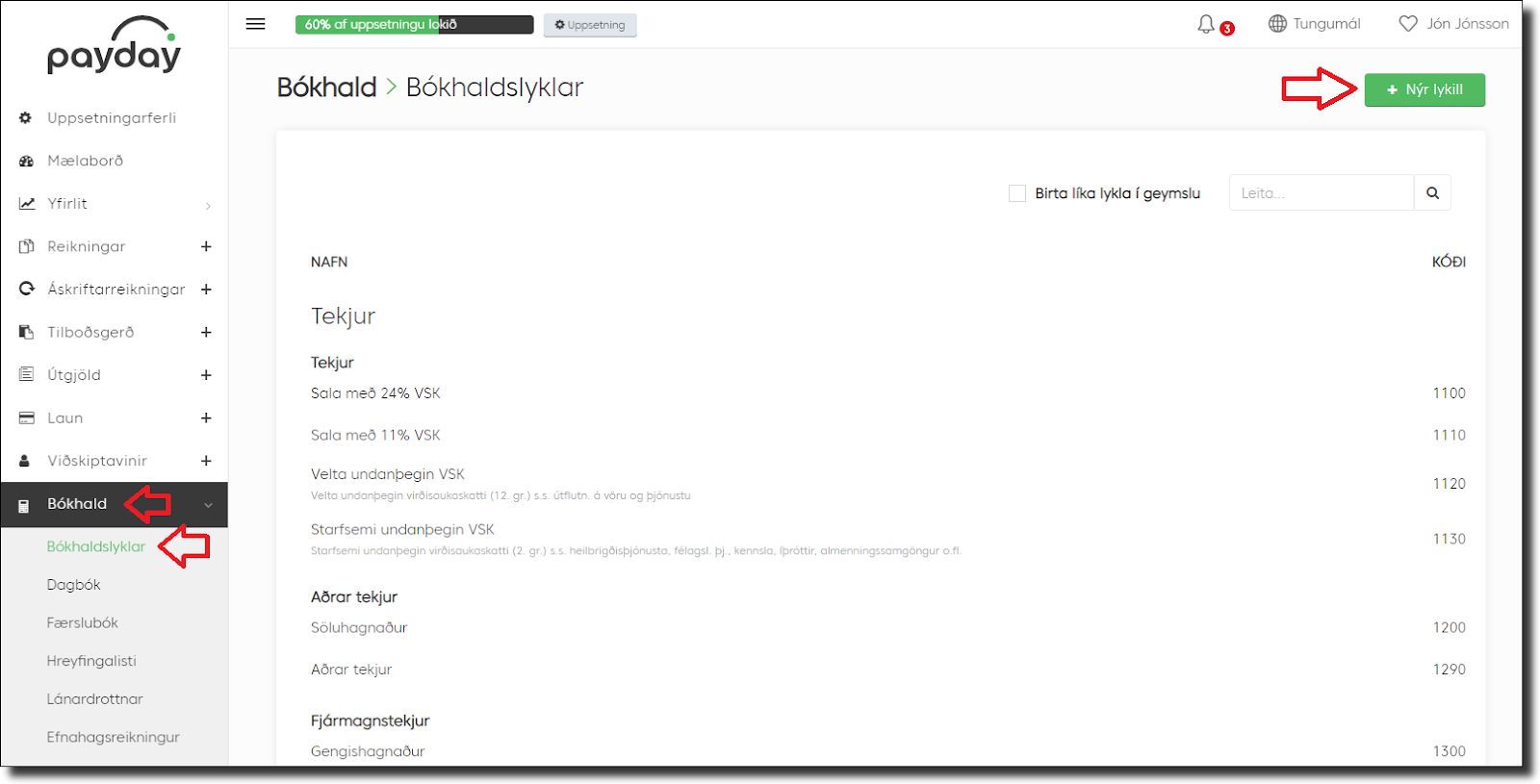
In my Shopify store, I offer my customers the option to pay by credit card (Valitor) when they place an order. Go to Bókhald > Bókhaldslyklar (Accounting > Ledger Accounts) and click on Nýr lykill (New Account).
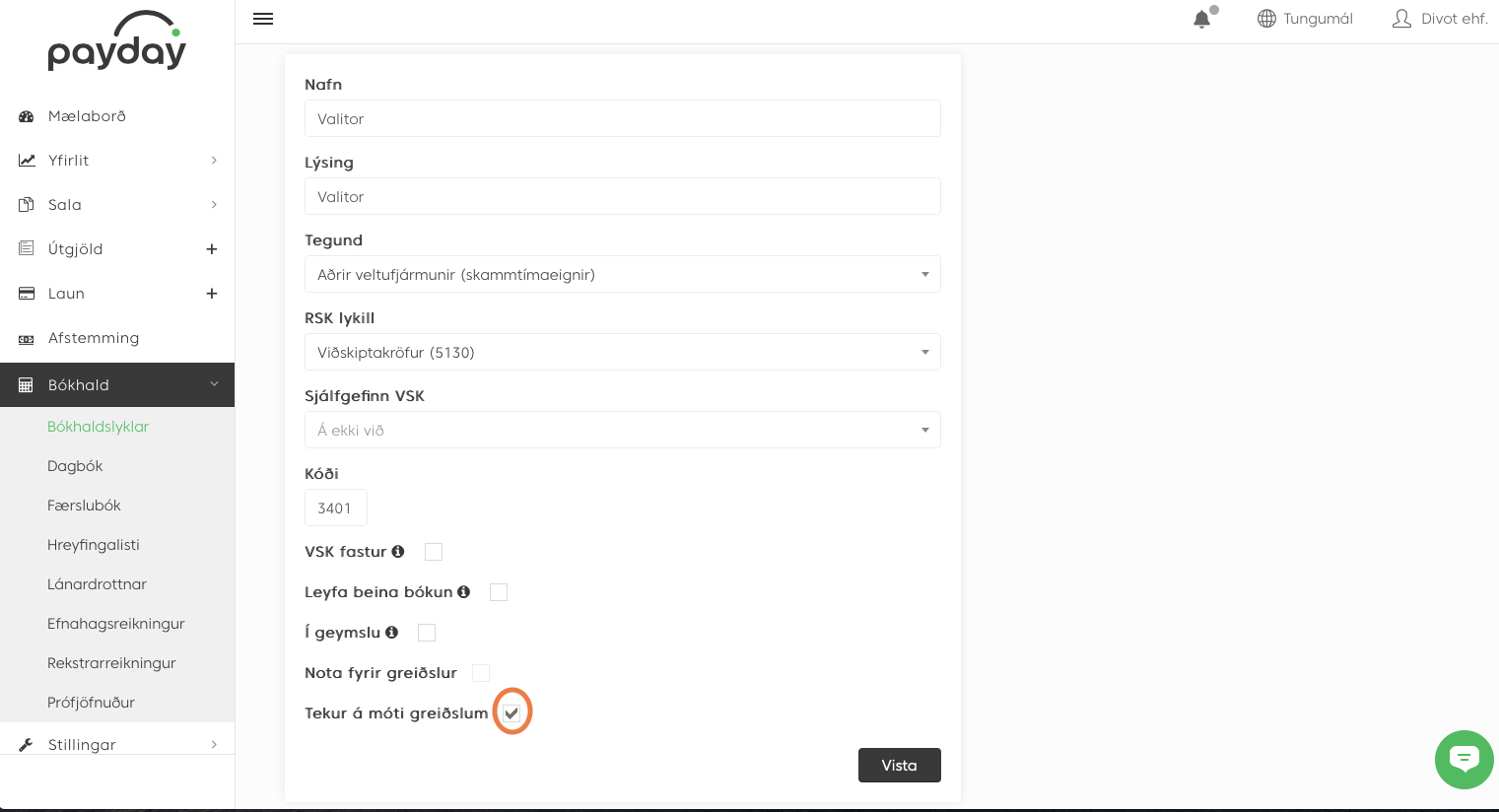
Give the ledger account a clear name and description. Then select the type "Aðrir veltufjármunir (skammtímaeignir)" (Other current assets) and the RSK key "Viðskiptakröfur (5130)" (Accounts receivable).
To create a ledger account in Payday that will appear in Shopify, you must check the box Tekur á móti greiðslum (Receives payments).
Finally, click Vista (Save).
NOTE: When a new account is created, you must "Disconnect" and "Connect" again in the Payday Shopify app for the account to appear in the settings.
If you need further assistance, please contact us at hjalp@payday.is