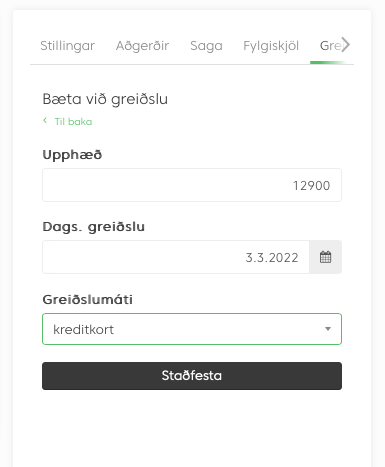
Payment methods
Payment methods for expenses:
When recording payments for expenses, for example, you can choose from different payment methods. Initially, several payment methods are defined, i.e., the bank accounts that have been set up, credit cards, and debt to owner.
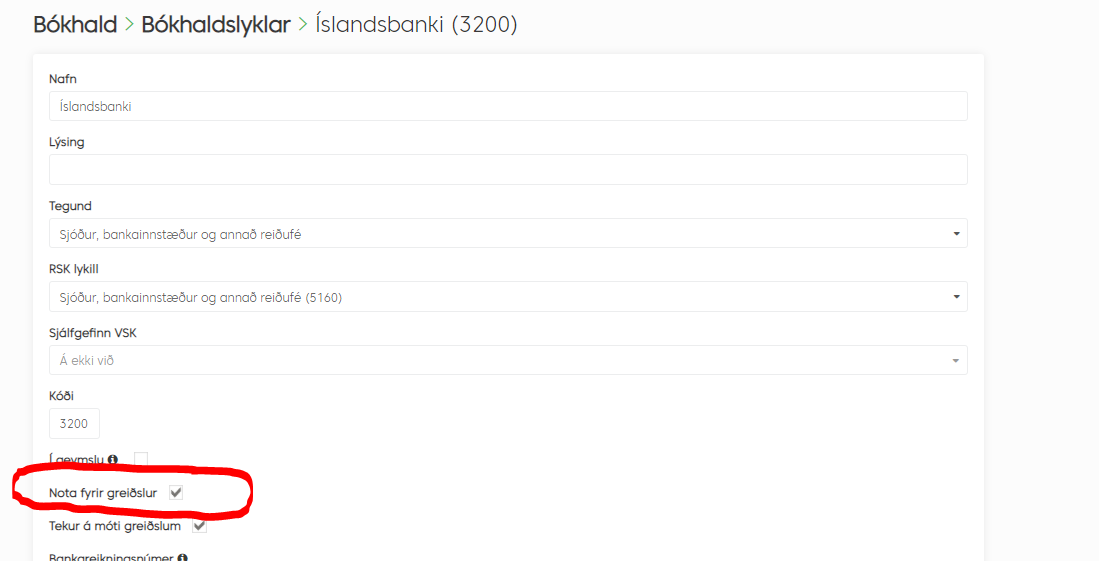
To create a new payment method, a new ledger account is created, see the accompanying Create, edit, delete or hide a chart of accounts key
For the new ledger account to appear as a payment method, it is necessary to check "Nota fyrir greiðslur".
Payment methods for invoices:
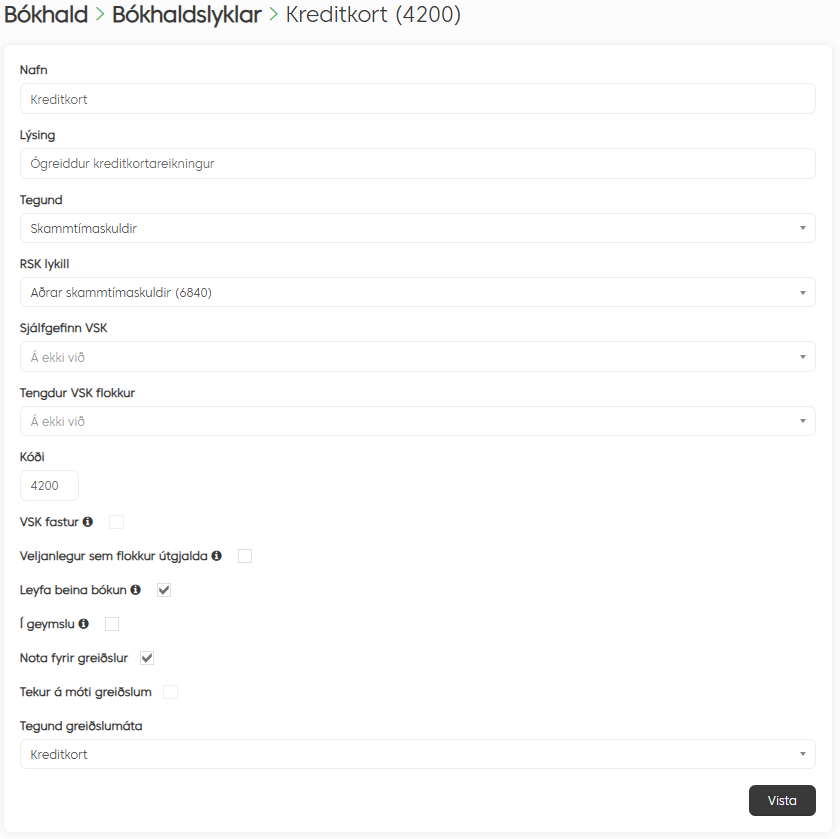
It is possible to use different payment methods when paying invoices, e.g., half was paid in cash and half with a credit card. In that case, a new ledger account must be created. This is done by clicking Accounting > Chart of Accounts and New Account.
Give the ledger account a clear name and description. Then select the type "Skammtímaskuldir" and the RSK key "Aðrar skammtímaskuldir (6840)".
Make sure to check "Tekur á móti greiðslum" so that this ledger account accepts payments. You also need to check "Kreditkort" in the payment method type so that the credit card appears in the reconciliation.
When an invoice is then created, it is not immediately marked as paid but rather created.
Once the invoice has been created, click on it->Actions and Mark invoice as paid.
Then you can choose from payment methods and can have more than one payment method.