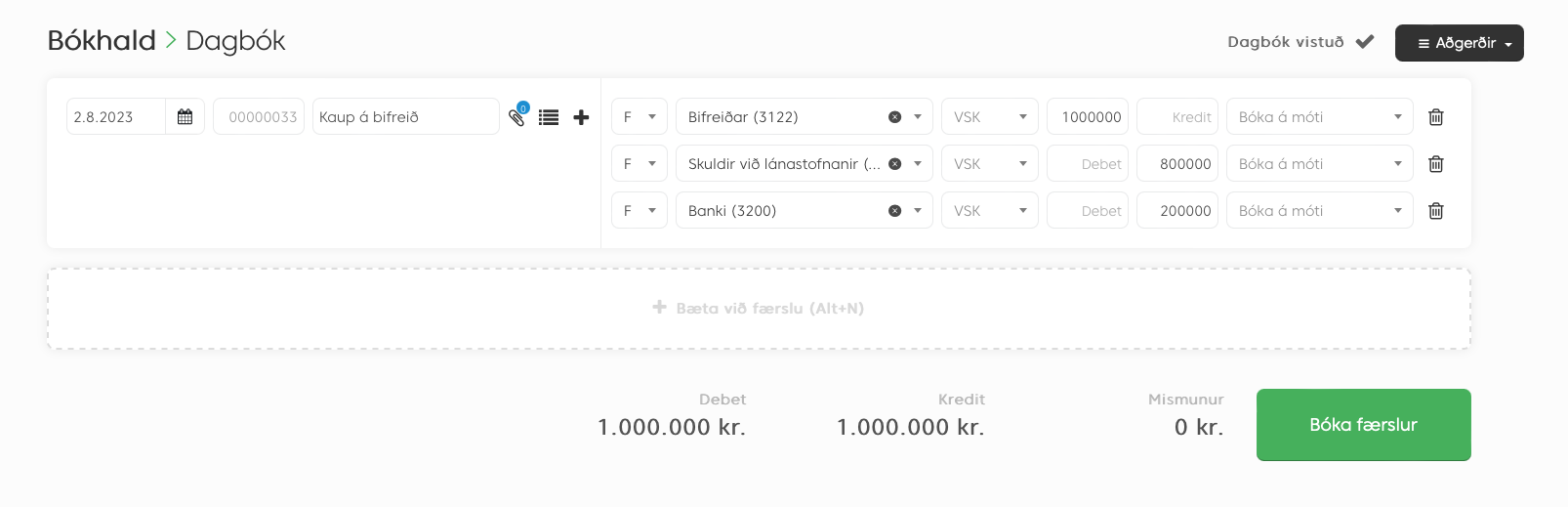
Book the purchase of a car/vehicle
When booking the purchase of a vehicle, it is done through the journal.
Book the purchase of a car with VAT:
Book to Vehicles (3122) in Debit and select the VAT percentage.
The offsetting entry is booked to the payment method used. If paid in cash from a bank, the bank account is selected as the offsetting account (usually key 3200)
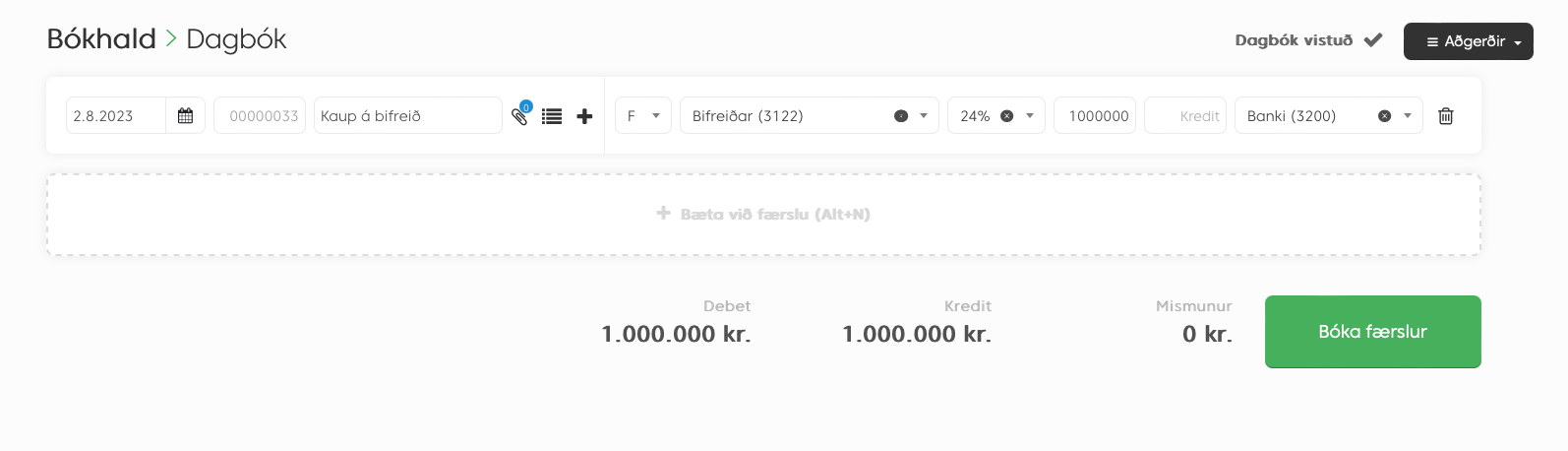
Loan with VAT:
When a car is purchased and a loan is taken, it is booked as follows:
Book the amount the car cost to vehicles in debit and select the VAT percentage.
Click the plus sign to create a new line.
The amount taken as a loan is placed in credit under "Liabilities to credit institutions" (4100)
Another line is created and the cash payment is booked in credit to the bank account (usually key 3200)
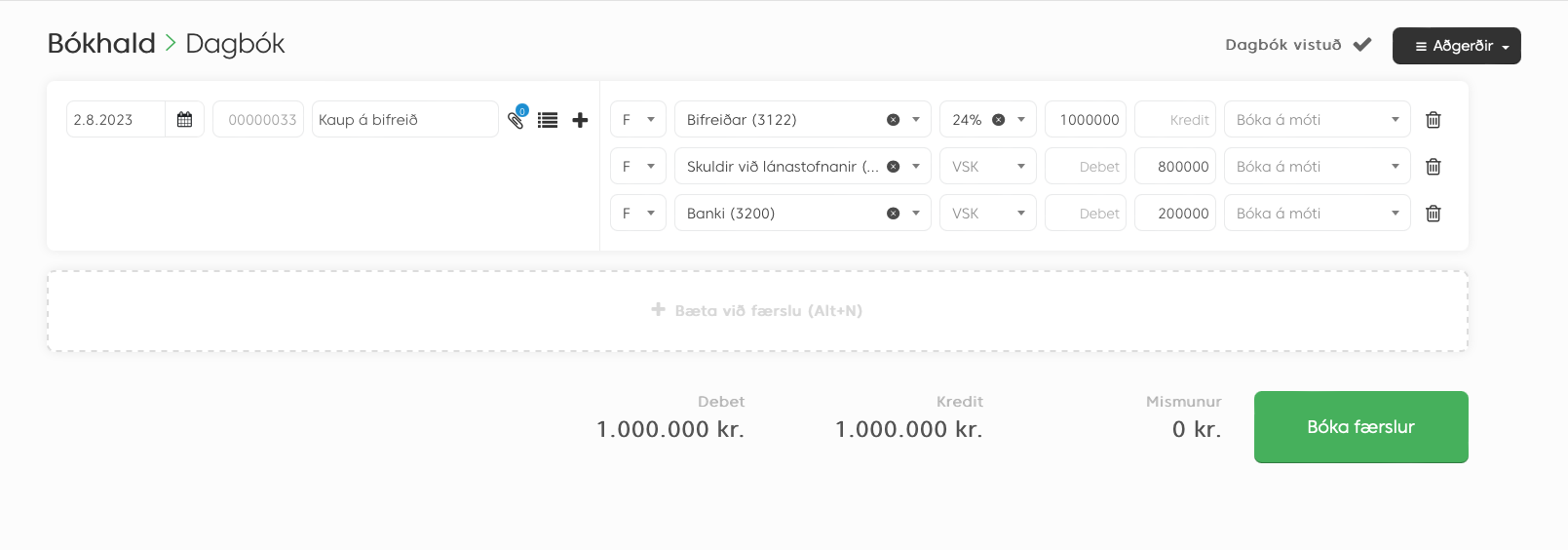
Without VAT:
When booking the purchase of a car without VAT, it is done in the same way as with VAT, except that "not applicable" is selected in VAT.
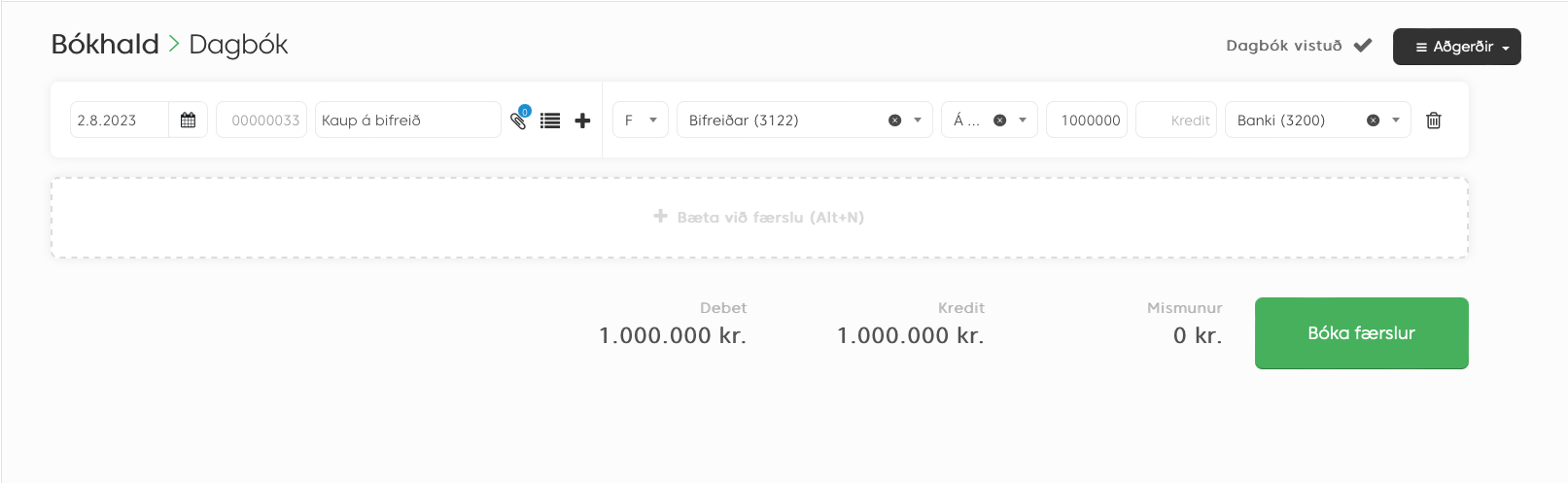
Loan without VAT:
When booking the purchase of a car without VAT and a loan is taken, it is done as follows:
Book the amount the car cost to vehicles in debit and select nothing in VAT
Click the plus sign to create a new line.
The amount taken as a loan is placed in credit under "Liabilities to credit institutions" (4100)
Another line is created and the cash payment is booked in credit to the bank account (usually key 3200)