
Integration with Booking Factory
About the Booking Factory integration#
Integration with Booking Factory involves setting up an API connection between Booking Factory and Payday.
Key features of the add-on:
- Customers are created
- Orders from Booking Factory are transferred directly into Payday as invoices
- When orders are marked "To invoice" in Booking Factory, invoices are created in "Drafts" in Payday, which can then be further processed
- The systems synchronize once a day
Prerequisites for connecting to Payday with Booking Factory#
- The customer must be subscribed to the Allur pakkinn (Full Package) subscription plan in Payday
- The customer must have an active account with Booking Factory
Setting up the integration with Booking Factory#
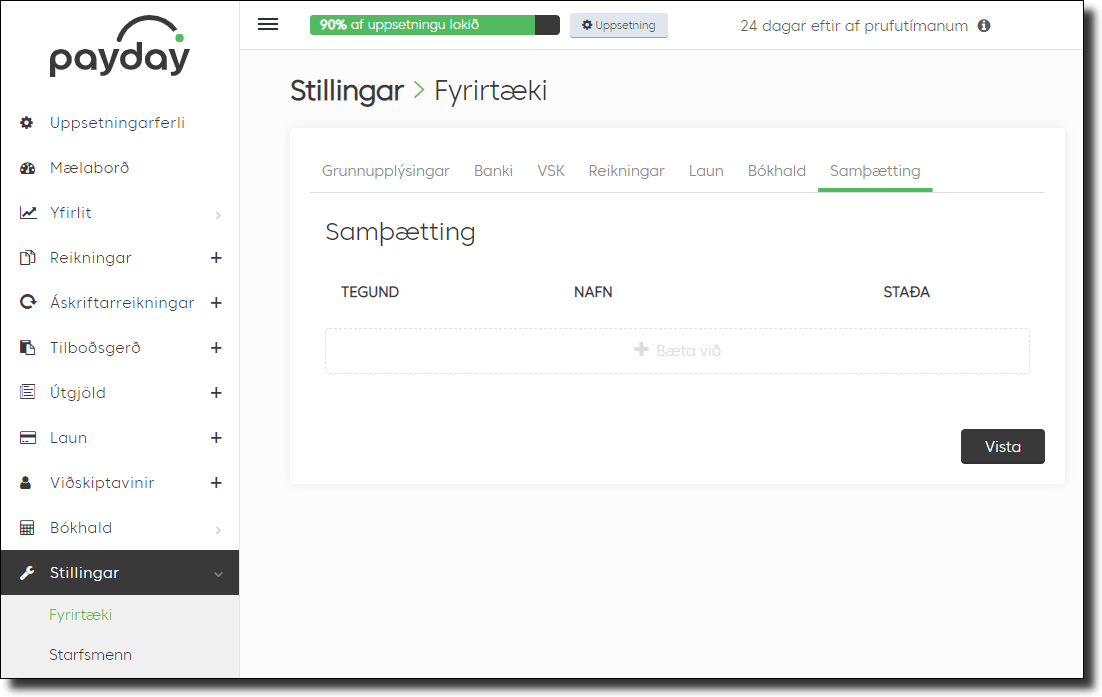
1. Go to Settings > Company > Integrations in Payday and click Add#
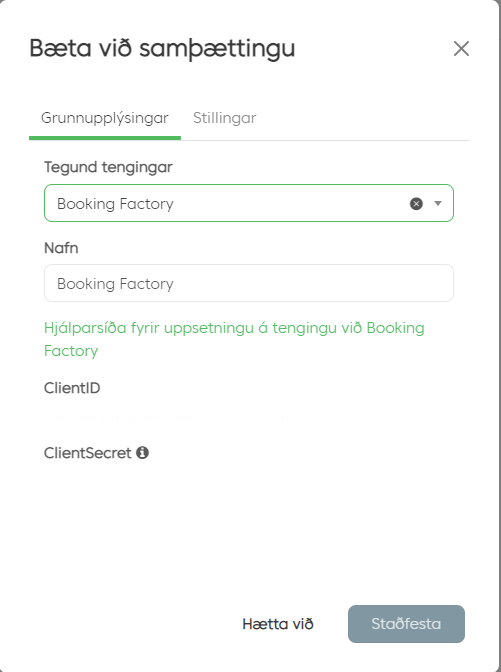
2. Select Booking Factory under Connection type.#
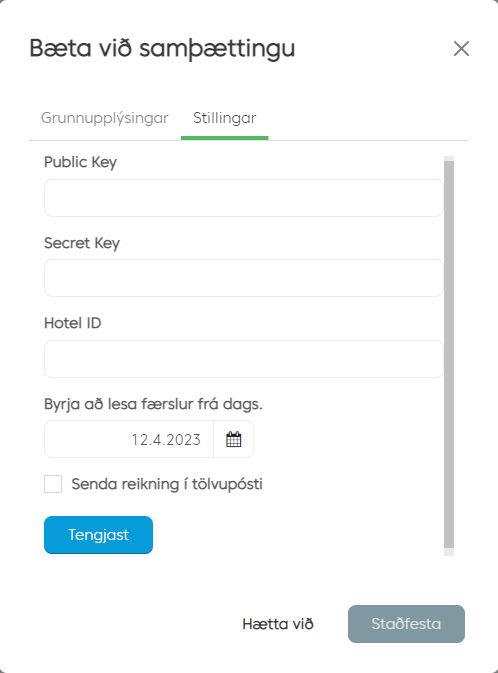
Under Settings, enter the Public Key, Secret Key, HotelID, the date from which you want to start importing transactions (today's date is set by default), and whether you want invoices to be sent by email to customers. Then click "Connect".
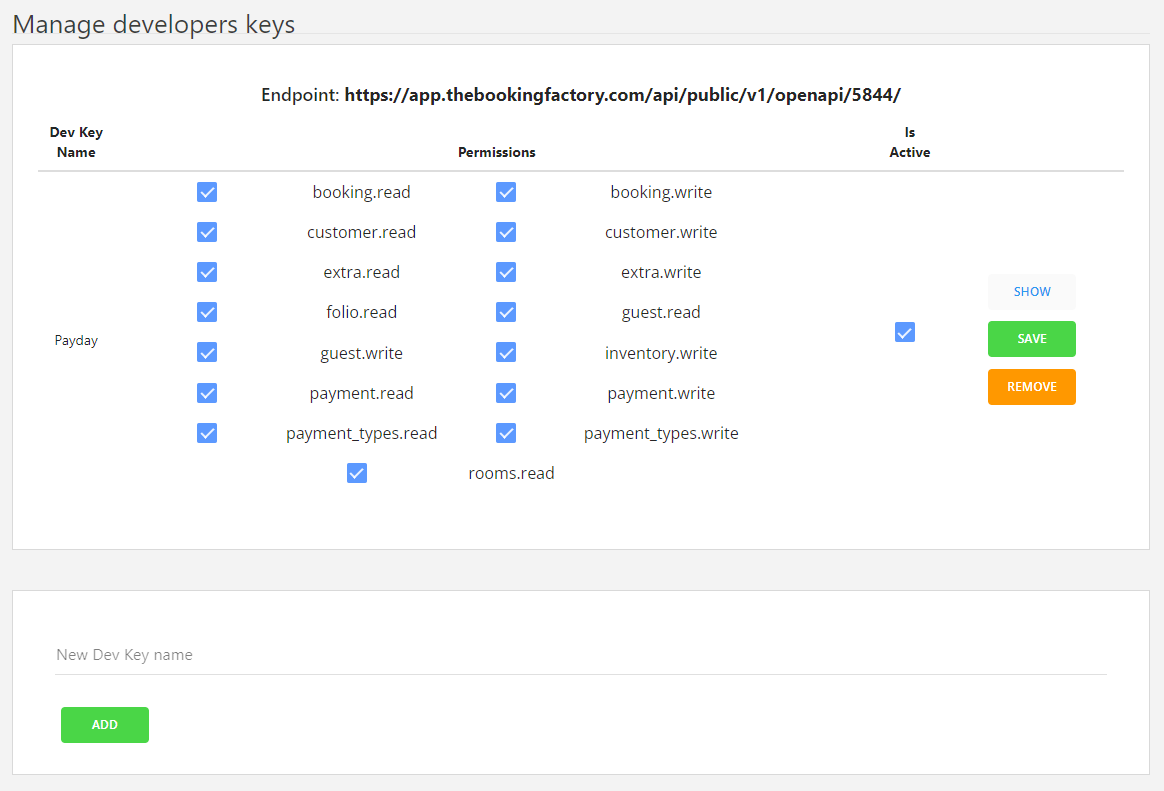
To obtain the Public Key, Secret Key, and HotelID, go to Settings > Connectivity Settings > Developers Keys in Booking Factory and register a new key, check all the checkboxes, click "Save", and then "Show" to display the keys. The HotelID is displayed at the top of this page, at the end of the "Endpoint" URL.
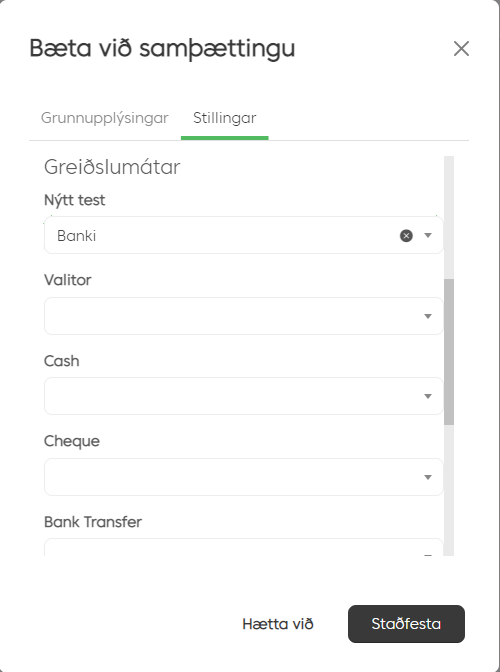
3. Map payment methods and ledger accounts in Payday.#
The window will display the payment methods available in Booking Factory, and you need to map these payment methods to the corresponding ledger accounts in Payday.
Finally, click Confirm to save the changes.
Congratulations! You have now set up your new integration with Booking Factory.#
Create a ledger account in Payday #
If your payment method in Booking Factory requires a ledger account, you must create a new ledger account in Payday.
It is recommended to have one ledger account for each payment method.
For example:
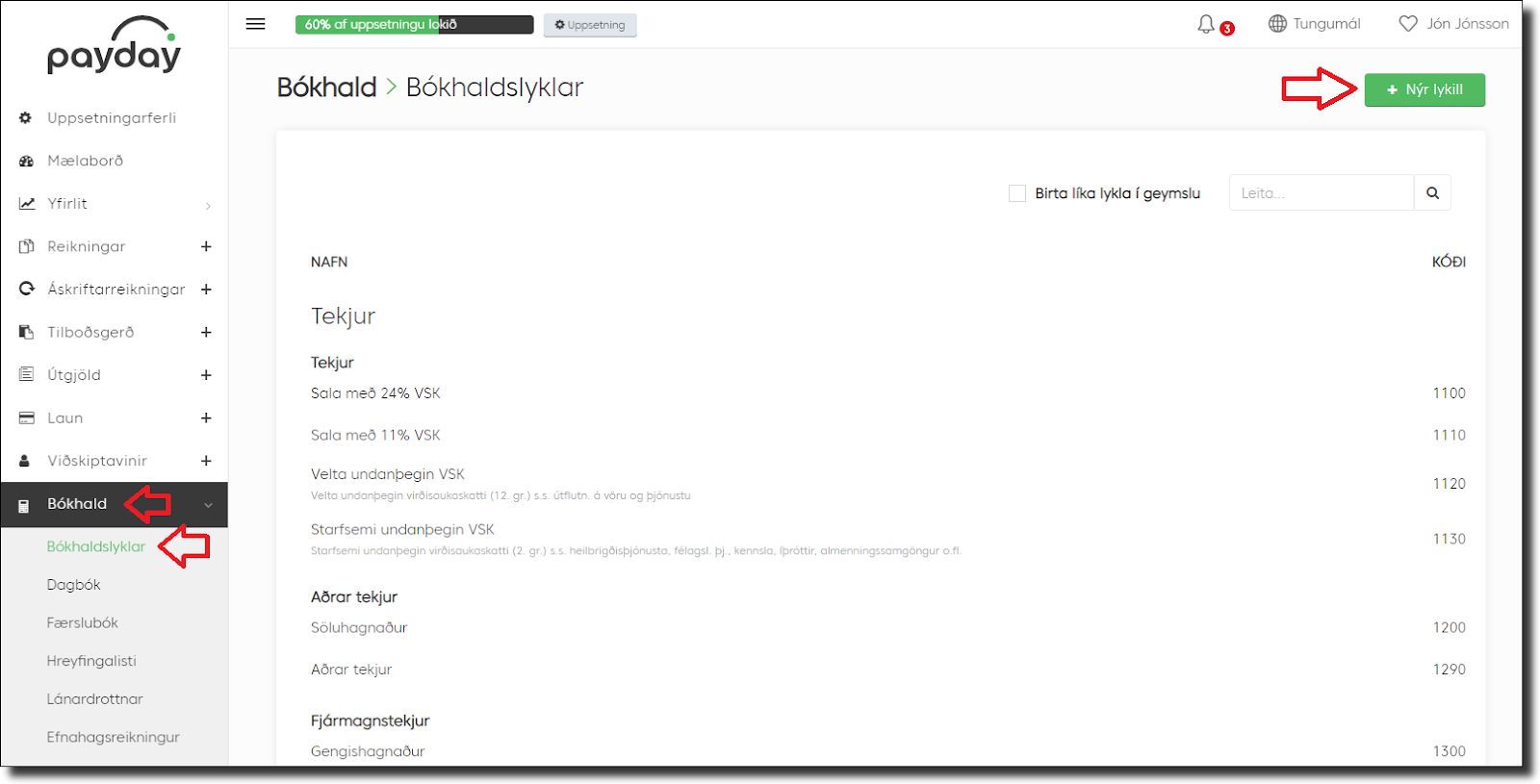
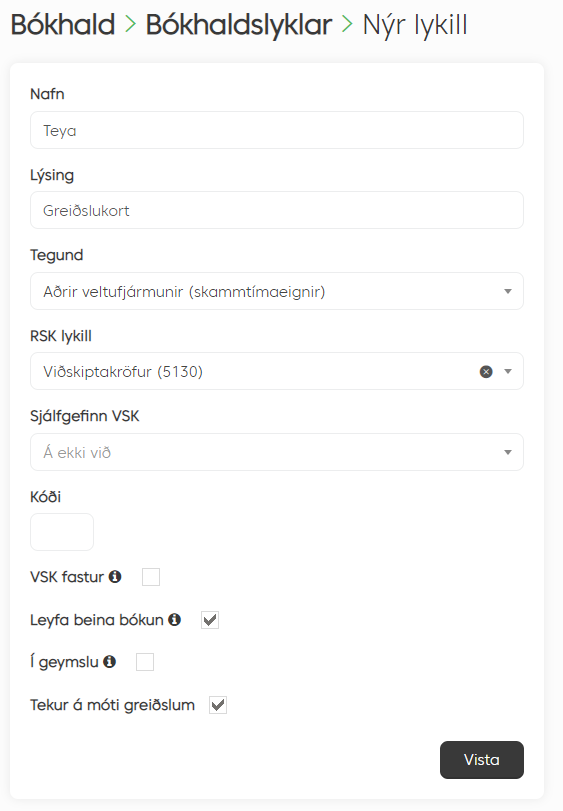
In Booking Factory, I offer my customers to pay by credit card (Reya). Go to Accounting > Ledger Accounts and click New Account.
To create a ledger account in Payday that will appear under Settings > Company > Integrations, you must check Receives payments.
Finally, click Save.
If you need further assistance, please contact us at hjalp@payday.is