Create an invoice from a sales order
Create an invoice from a sales order
To create an invoice from a sales order, click Sales > Sales Orders and select the sales order you want to create an invoice from.
Next, click Actions.
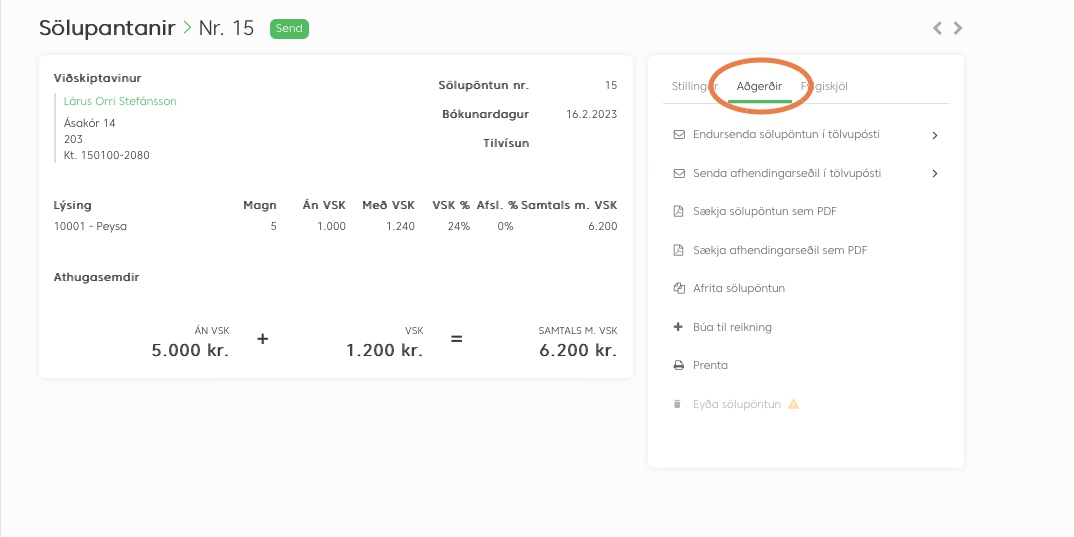
Then click Create invoice.
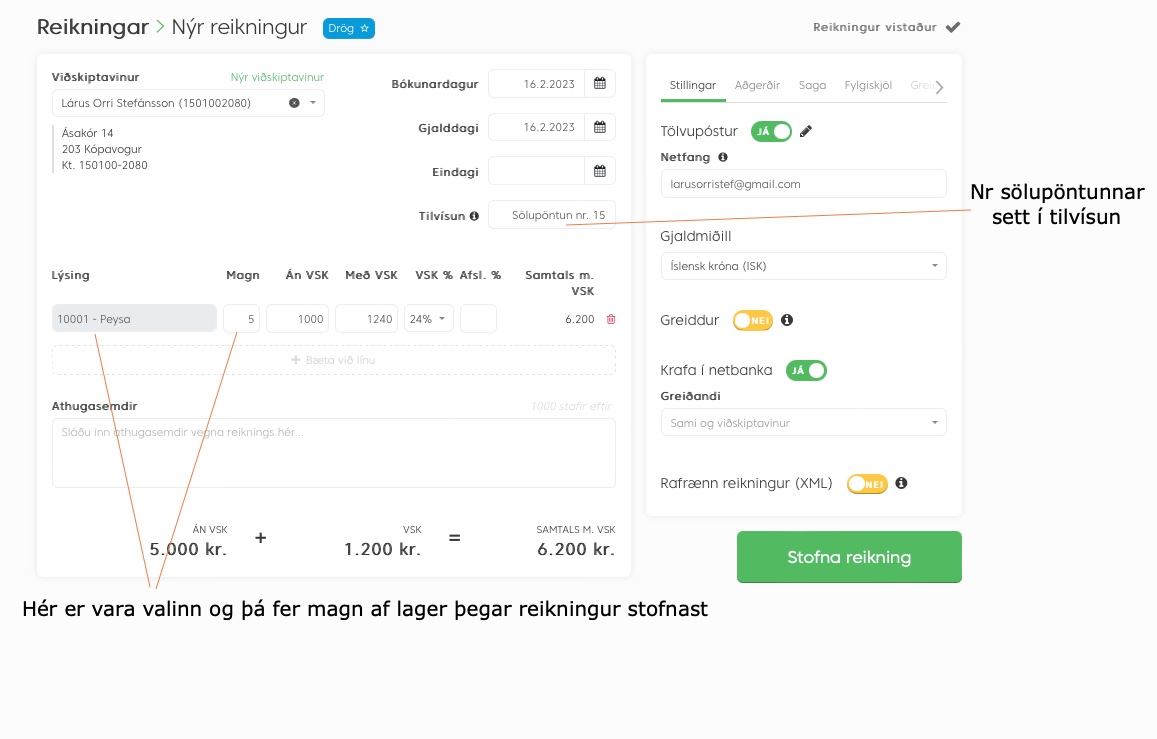
The invoice form will then appear.
You can edit the invoice before it is created, for example by changing the quantity or price.
Once the invoice is completed, click create and it will then be sent. Any inventory that had been reserved for the sales order is released.
If an item was selected on the invoice, the quantity is deducted from the inventory stock.