
Cannot log in with two-factor authentication
Two-factor authentication does not arrive as a code in a text message or a notification. Instead, you need to open the authenticator app you used to enable the two-factor authentication. If you did not use an app for the setup, the code is likely in one of these locations.
iPhone
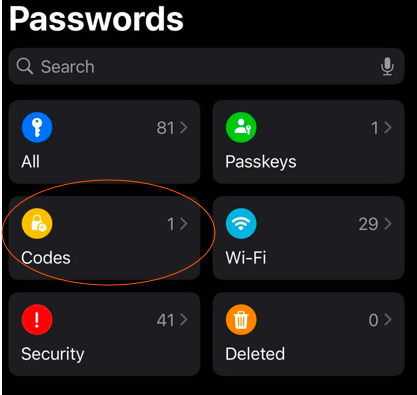
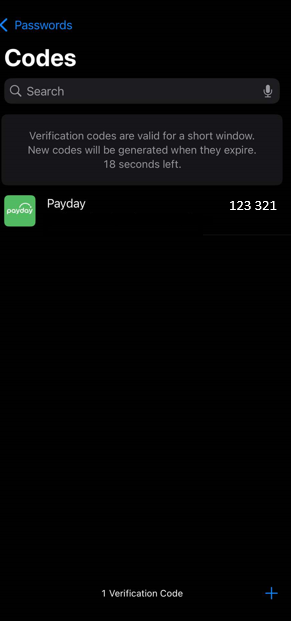
If you used the camera to scan the QR code instead of the app, the code should appear under the “Passwords” app. If you open the Passwords app, the code should be there under “Codes”
Samsung
If you used the camera on a Samsung phone, the “Samsung Pass” app might have been selected, in which case the code should be in ”Samsung Wallet”.
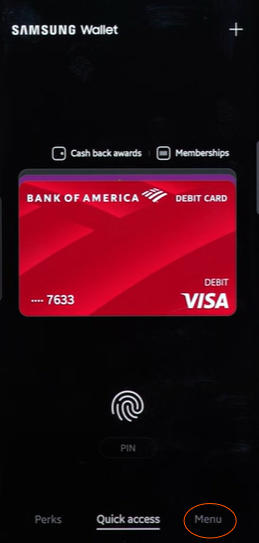
First, you need to click on "Menu"
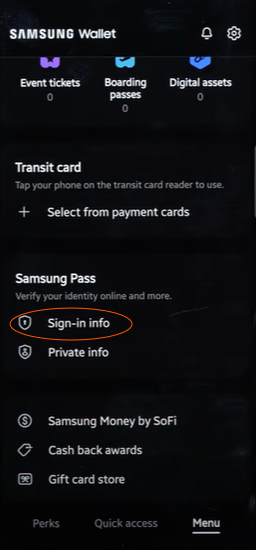
Then click on “Payday” and the code should appear
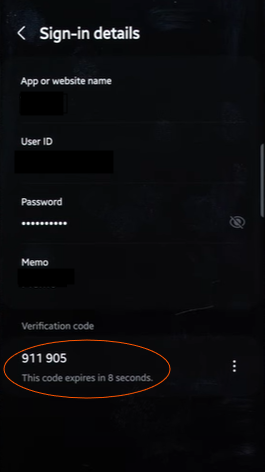
The code should appear here.
If the code cannot be found here, it is best to contact us at hjalp@payday.is