
Two-factor authentication
Two-factor authentication (2FA) increases the security of your account. When logging in, you enter a six-digit code from an authenticator app on your phone, in addition to your password.
Did you change your phone or lose it? See the section "New or lost phone" below.
1. Download an authenticator app#
Choose one of these apps and download it to your phone:
| App | Android | iPhone |
|---|---|---|
| Google Authenticator | Google Play | App Store |
| Microsoft Authenticator | Google Play | App Store |
| LastPass Authenticator | Google Play | App Store |
2. Enable two-factor authentication in Payday#
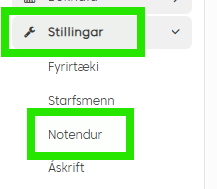
- Go to Settings > Users and click on your user. On the left side of the menu in Payday.
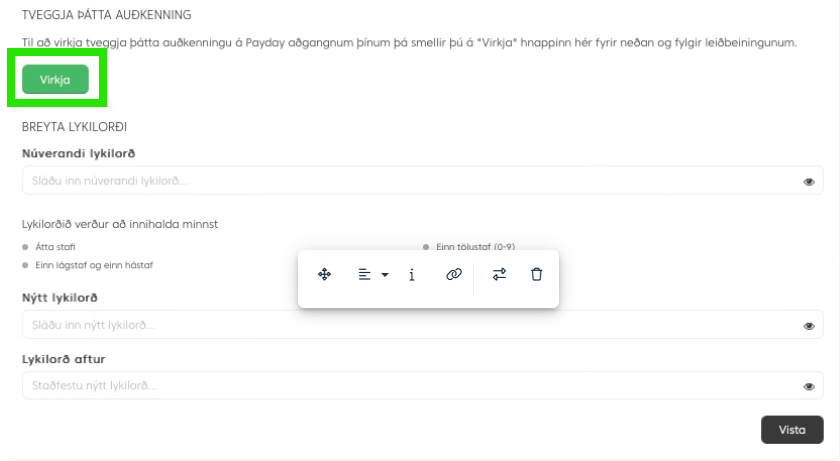
- Click Enable next to two-factor authentication.
- Open the authenticator app and scan the QR code displayed in Payday.
- The app will show a six-digit code. Enter it in Payday.
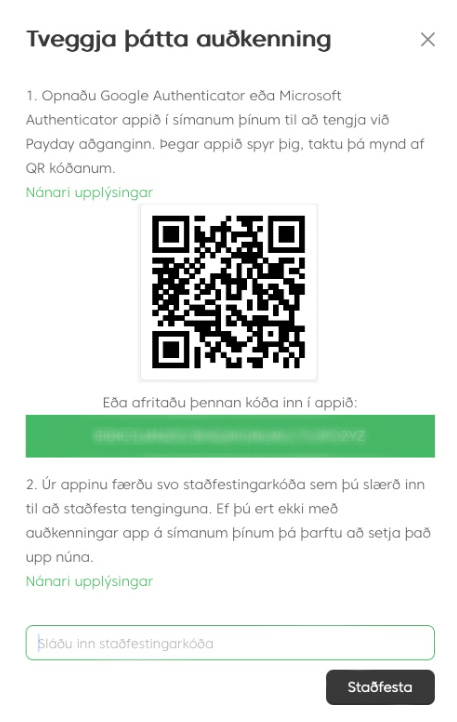
NOTE The image is an example, do not scan the code in the image
3. Logging in afterwards#
Each time you log in, open the authenticator app and enter the six-digit code displayed there.
New or lost phone#
- Can't get in? See the article: Cannot log in with two-factor authentication
Why is this mandatory?#
This prevents unauthorized parties from accessing your account even if they have your username and password.