
Integration with SalesCloud
About the SalesCloud integration#
Integration with SalesCloud involves setting up a SalesCloud App that connects to Payday.
Key features of the add-on
- Orders from SalesCloud are transferred directly into the journal
- Sales on account in SalesCloud accumulate into a draft invoice for the respective customer in Payday
- The systems synchronize once a day
- You must start by contacting SalesCloud to set up the Payday app in SalesCloud
Prerequisites for connecting Payday with SalesCloud#
- The customer must be subscribed to Allur pakkinn.
Setting up integration with SalesCloud#
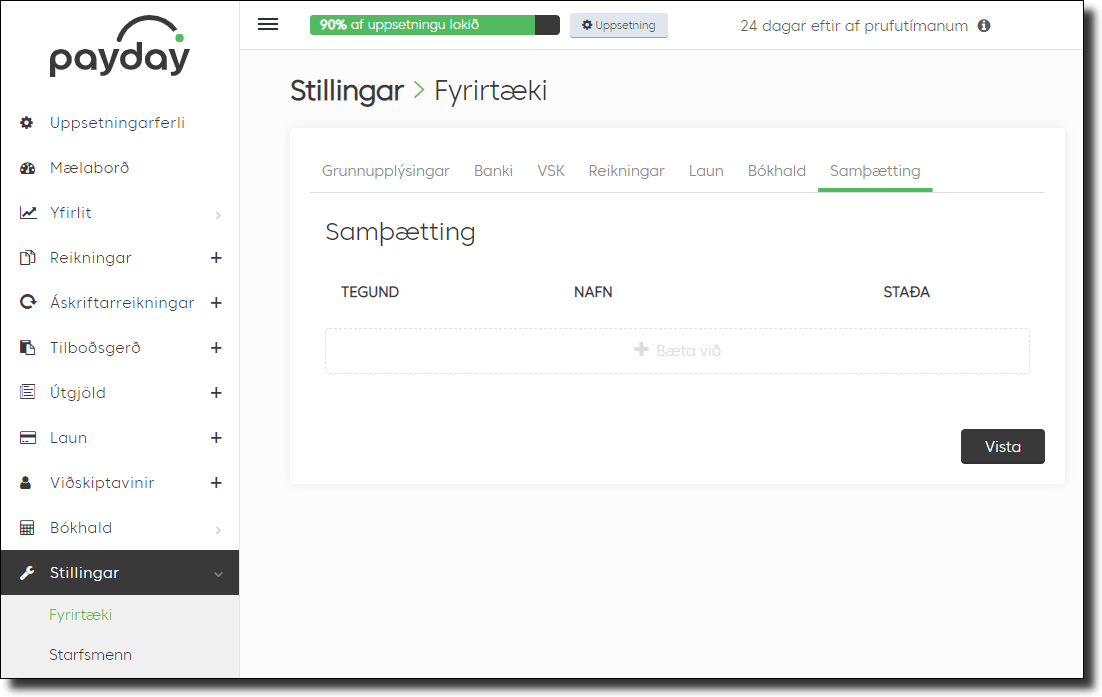
1. Go to Settings > Company > Integrations in Payday and click Add#
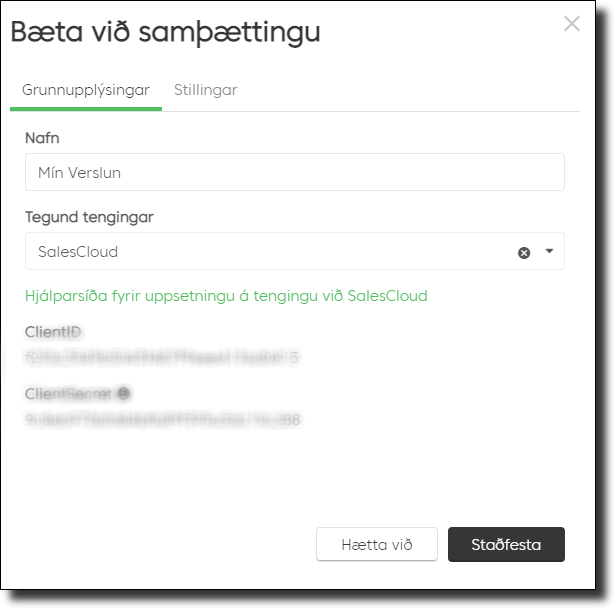
2. Select SalesCloud under Connection type#
NOTE! Copy the ClientID and ClientSecret before confirming. You will need this information in the next step.
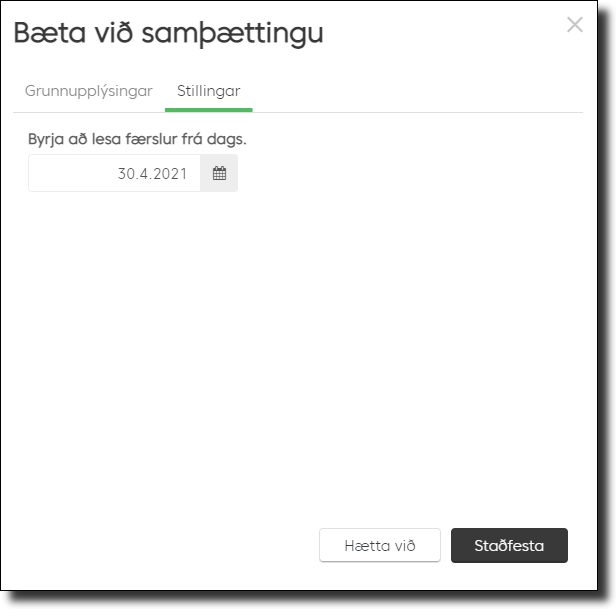
Under the Settings tab, you can select the date from which you want to start importing transactions (today's date is set automatically).
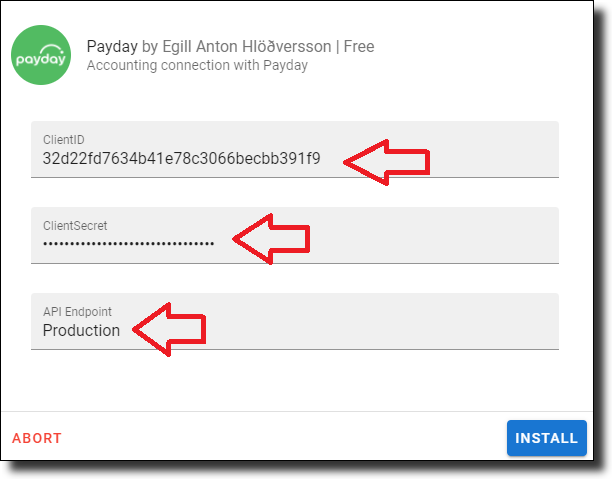
3. Contact SalesCloud so they can set up the Payday app#
4. Enter the ClientID and ClientSecret from the previous step into the fields and select Production as the API Endpoint. Finally, click Install.#
You have now established a connection between Payday and SalesCloud. Now you need to configure the integration.
5. Go back to Settings > Company > Integrations in Payday and click on the integration you just created.#
In the window, select Settings and map the payment methods in SalesCloud to the appropriate ledger accounts in Payday.
NOTE! It may take a few seconds for Payday to retrieve information from SalesCloud. You might also need to close and reopen the window to display the list.
Finally, click Confirm to save the changes.
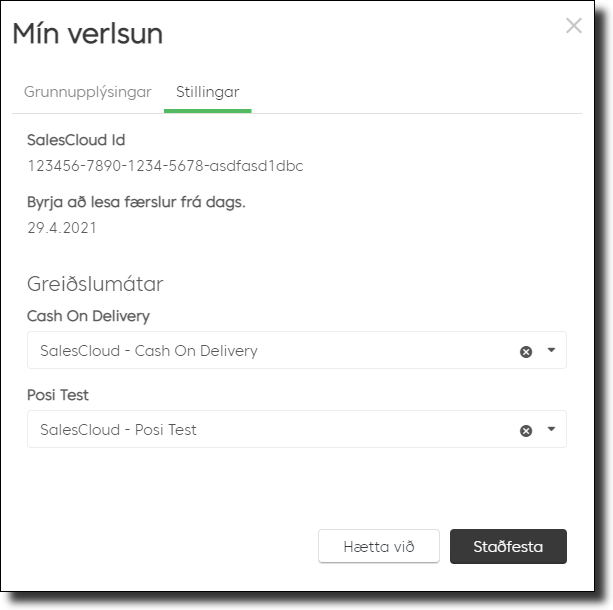
Congratulations! You have now set up a new integration with SalesCloud.
Create a ledger account in Payday #
If you want payments with a specific payment method in SalesCloud to go to a separate ledger account in Payday, you need to create a new ledger account in Payday.
It is recommended to have one ledger account for each payment method.
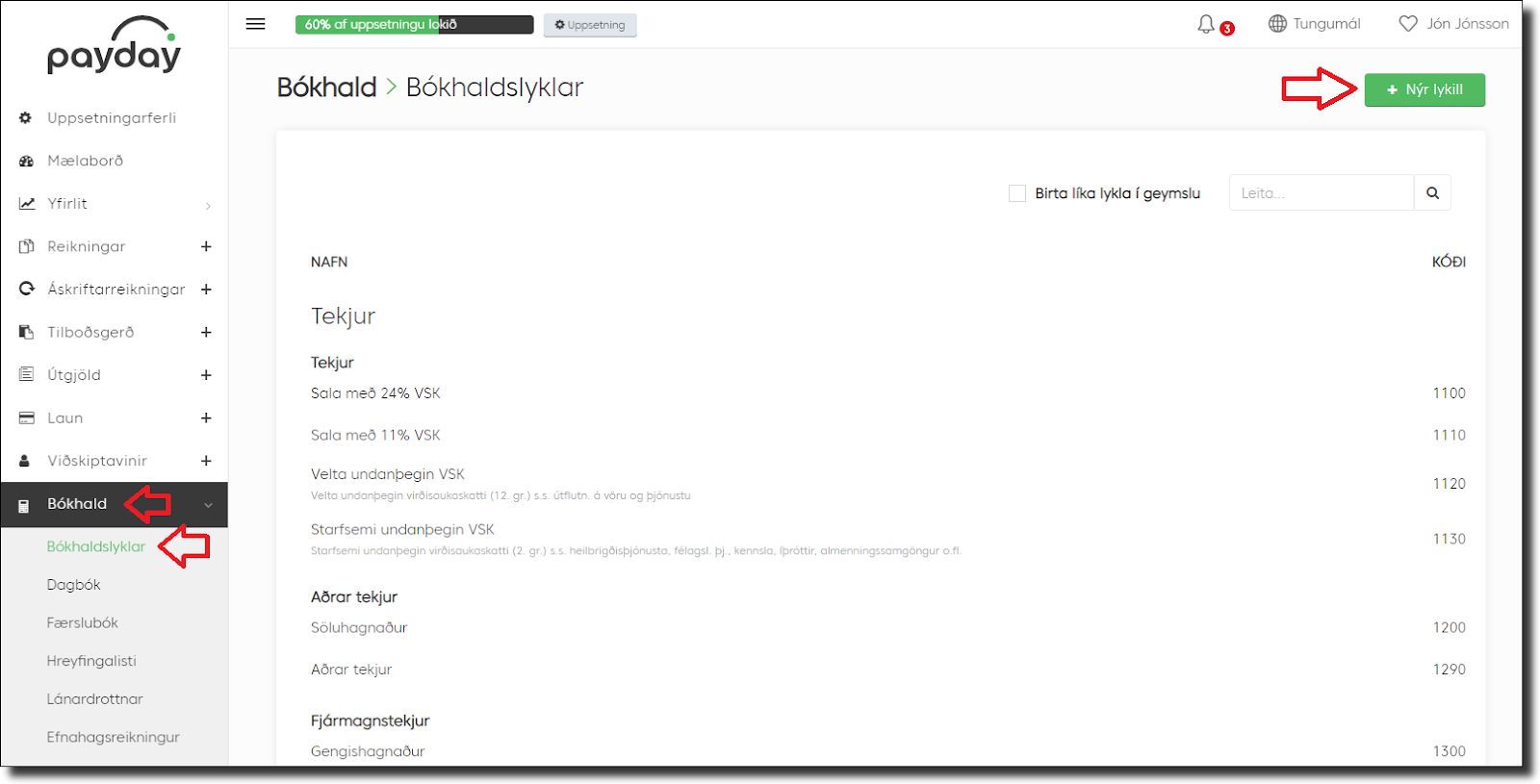
To create a ledger account, go to Accounting > Chart of Accounts and click New Account.
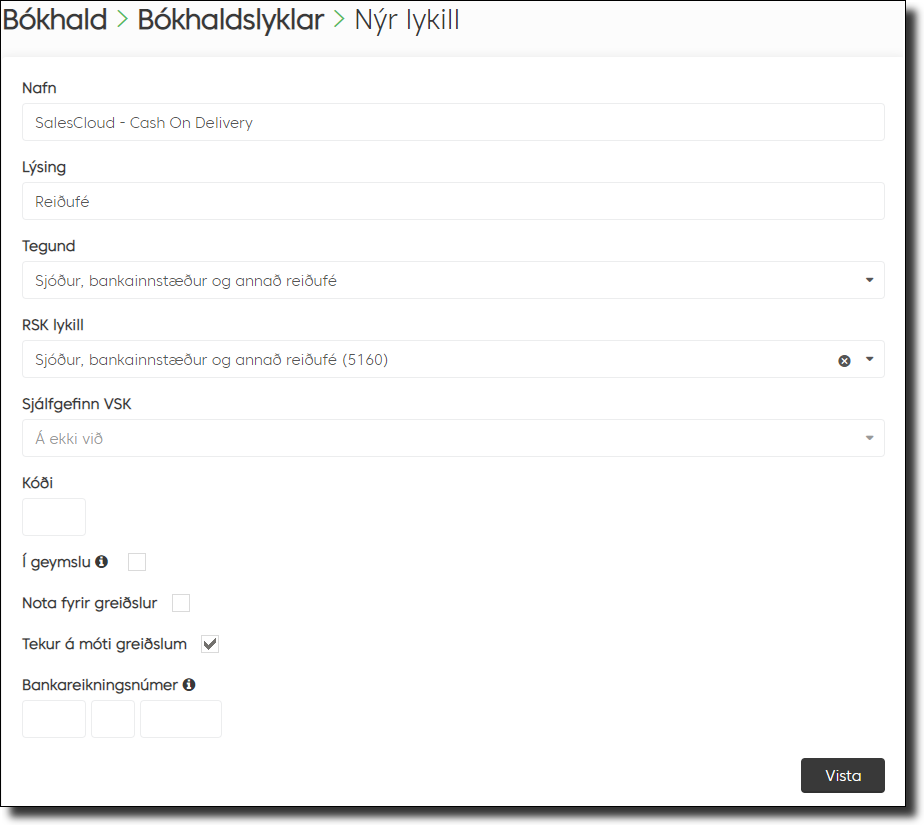
To create a ledger account that will appear in the integration settings under Settings > Company > Integrations, you must check Receives payments.
Finally, click Save.
Sales on account in SalesCloud#
Some customers prefer to buy on account and receive an invoice, for example, once a month. When a sale is made on account in SalesCloud, a draft invoice is created for the respective customer in Payday. If a draft invoice already exists for the customer, the items are added to that invoice. The invoice must then be sent manually within Payday.
If you need further assistance, please contact us at hjalp@payday.is