
Reconciliation
Expenses and invoices can be reconciled directly against vendors and customers.
To reconcile against customers, click Sales > Customers and click the "Reconcile" icon next to the customer, or click Actions and "Reconciliation".
To reconcile against vendors, click Accounting > Vendors and the "Reconcile" icon next to the vendor, or click Actions and "Reconciliation".
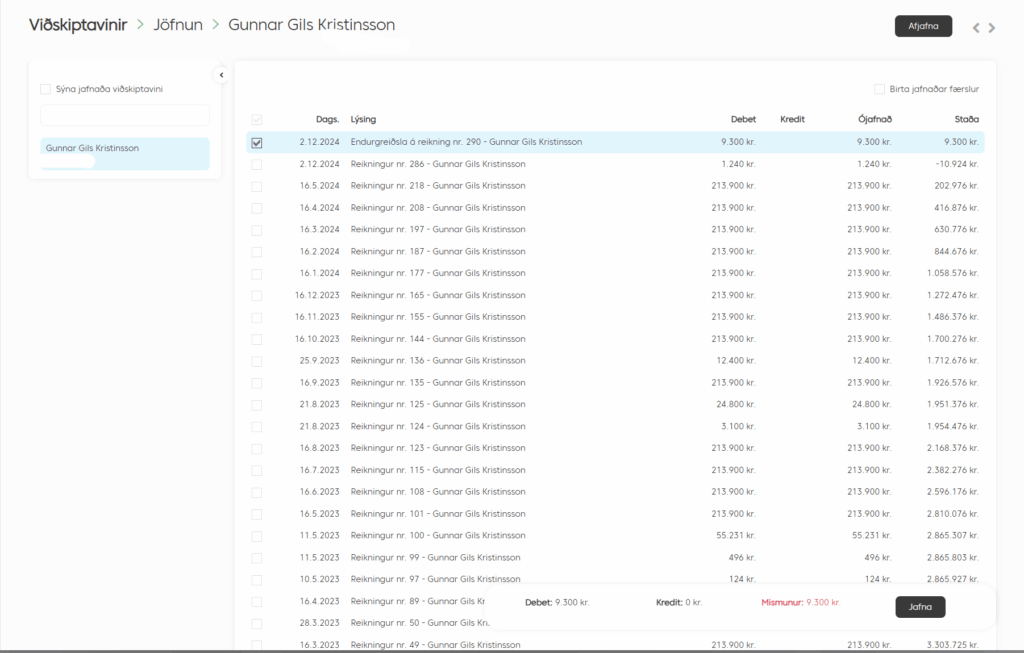
This greatly simplifies reconciliation and provides a clearer view of the overall balance with each party. To reconcile, check the boxes for the lines you want to reconcile and select reconcile.