
Integration with Godo
About the Godo integration#
Setting up the integration with Godo involves retrieving information from Payday to forward to the team at Godo, who will assist in setting up the integration. It is important to follow all the steps outlined below.
Key features of the integration:
- Invoices, credit notes, and customers from Godo are created in Payday based on orders that take place in Godo.
Prerequisites for connecting Godo to Payday#
- The customer must be subscribed to Allur pakkinn.
Setting up the integration with Godo#
1. Open Payday and click on Settings > Company > Integrations > Add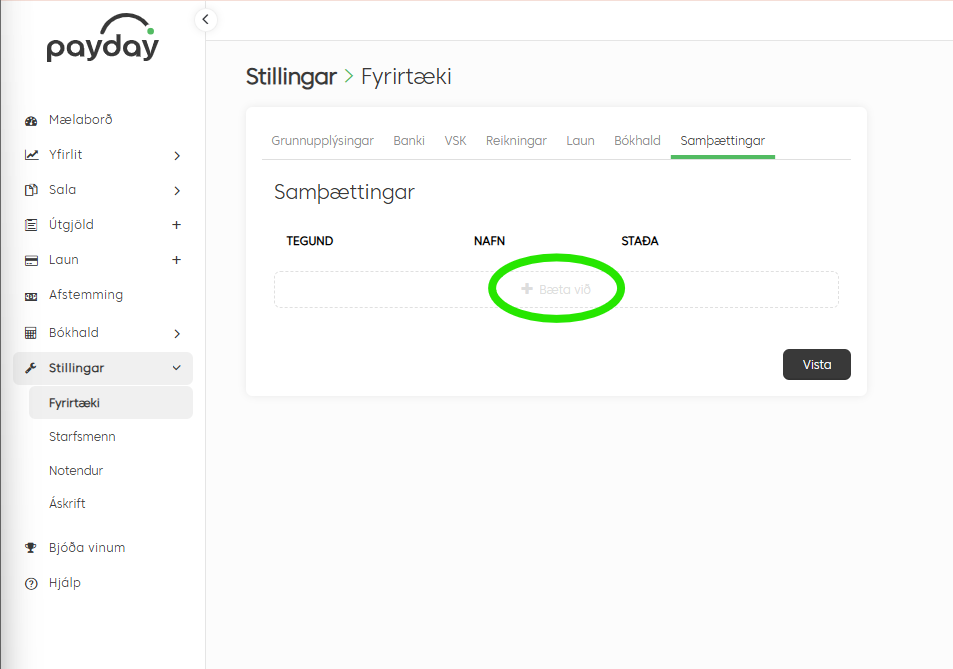
There, select the connection type "PaydayAPI". You can then access the ClientID and ClientSecret, which need to be copied and later sent to Godo. Important to copy this before clicking save.
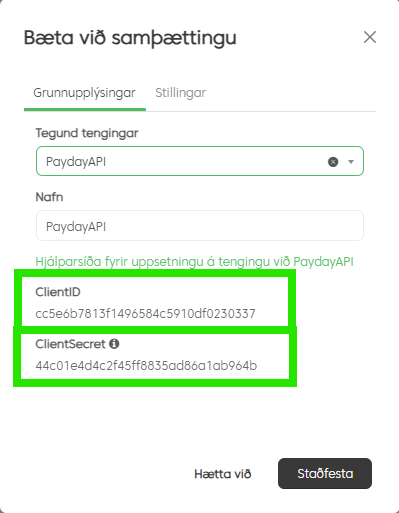
Once you have saved, you can proceed to create products for the lodging tax.
Under Sales > Products > New product. It is important to select a Product Number (SKU); this is optional but must be forwarded to Godo.
The sales account key is VAT-exempt revenue (1120)
It is also good to enter the price, which is ISK 800 in the year 2026. Then you can save the product.
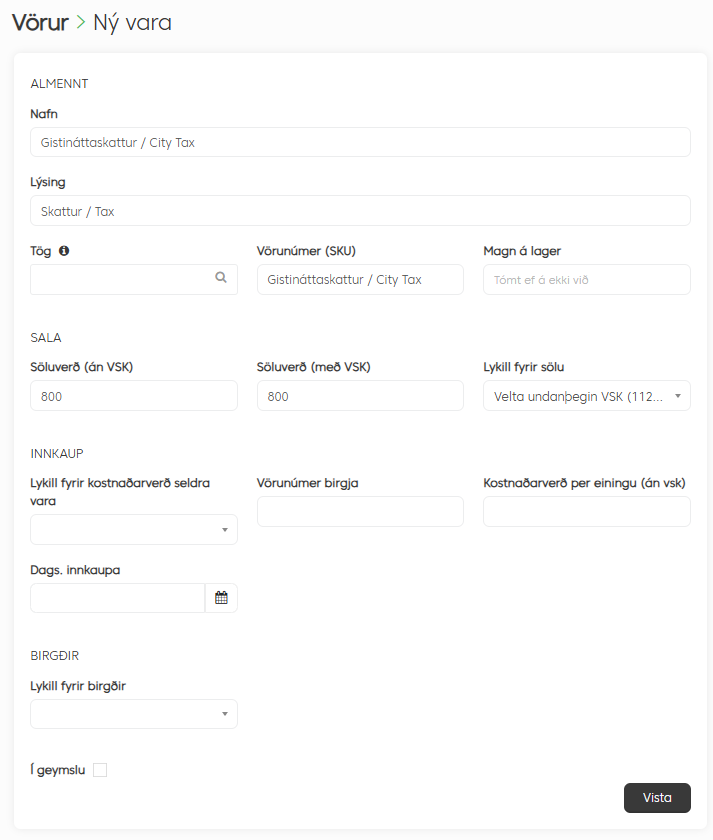
Next, you need to create a product for the accommodation.
Click on Sales > Products > New product.
Then, in the product, select Description, Product Number (SKU), Sales Price, and the Sales Account Key. See image:
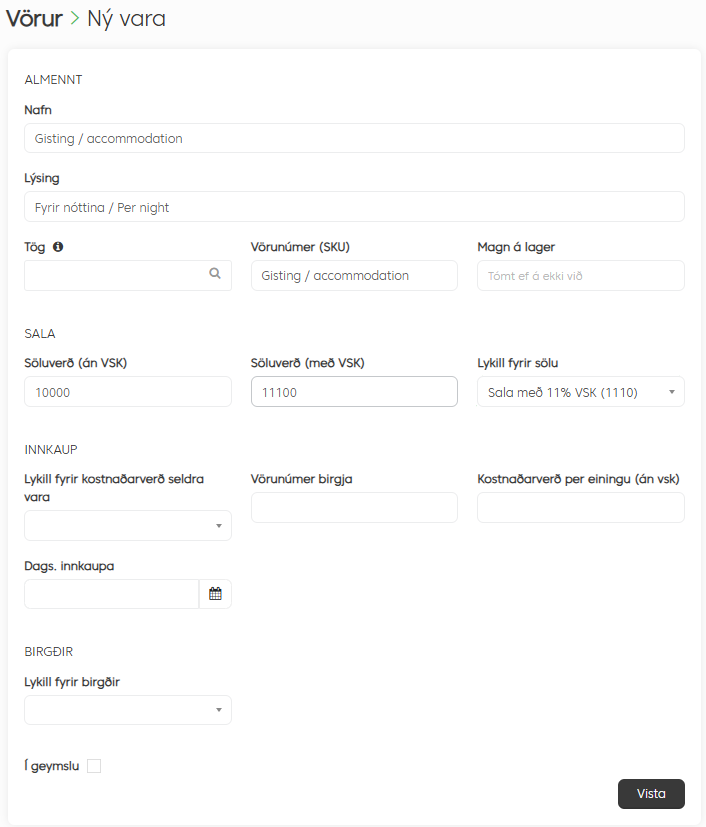
Once this is done, you can save the product.
Send information to Godo#
Next, you need to send the following in an email to Godo.
- ClientID
- ClientSecret
- Product Number (SKU) for lodging tax
- Product Number (SKU) for accommodation
Important! You then send an email to support@godo.is and they will connect the systems together for you.