
Getting started with Payday Accounting
When you start using Payday accounting, the system records the transactions entered into the system from the accounting start date, which is configured under Settings > Company > Accounting.
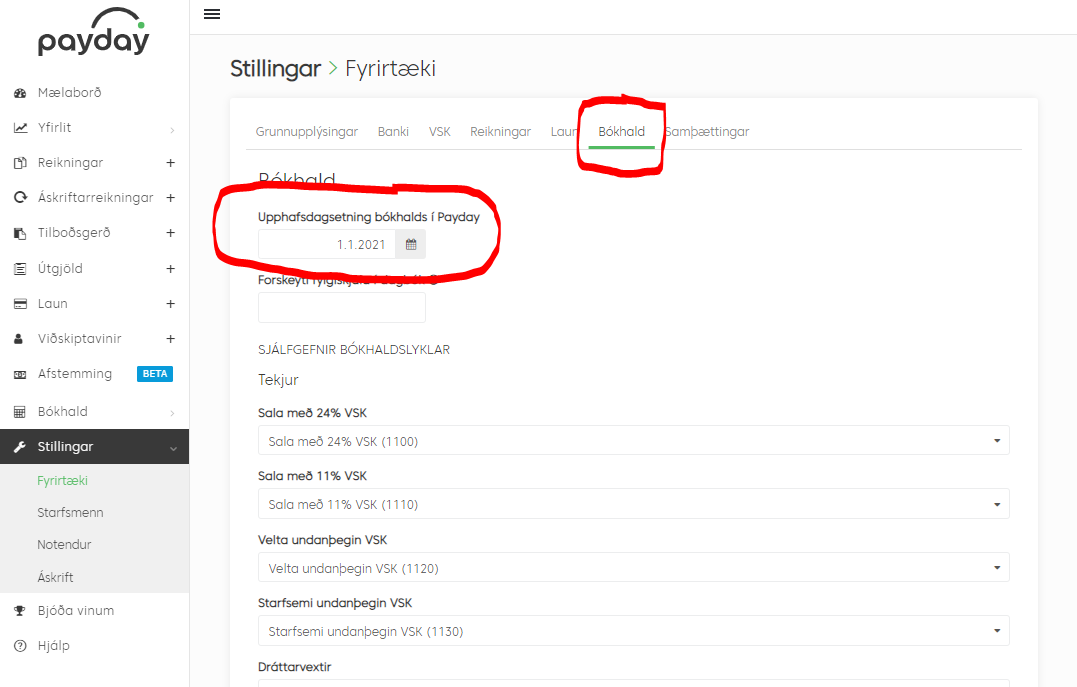
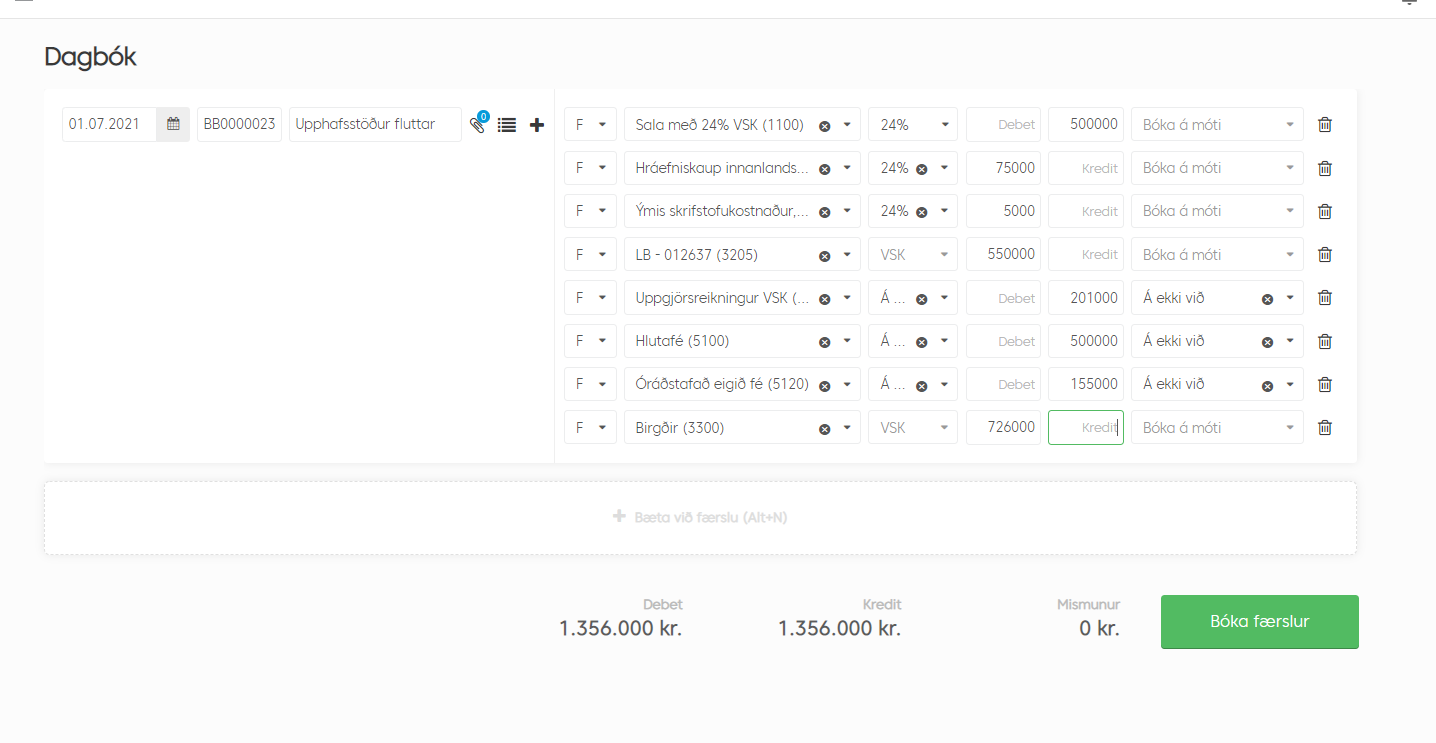
Opening balances:
To ensure that balances on ledger accounts, customers, and suppliers are correct, opening balances must be entered from the previous system.
Start by clicking Accounting > Journal > Actions > Add entry > Record opening balances
If the start date is the first day of the financial year (in most cases January 1), opening balances must be entered for all asset, liability, and equity accounts. These accounts include accounts receivable and accounts payable. Balances for each individual customer and supplier must be entered.
The opening balance is entered into the system through the journal, and all opening balances are recorded under the same document number and date. A new line is created by selecting the + icon.
If the start date is in the middle of a financial year, opening balances must also be entered for all income and expense accounts, which is done in the same manner.
Importing:
You can import Excel lists of Suppliers, Customers, and product catalogs directly into Payday.
Importing suppliers from Excel
Importing customers from Excel