Book deposits from payment services
When booking a deposit from payment services (such as Teya, Rapyd, Valitor, Kass, Aur, Pei, Netgíró, PayPal and others), it is done as follows:
First, you need to create a ledger account for each payment service
Create a ledger account:
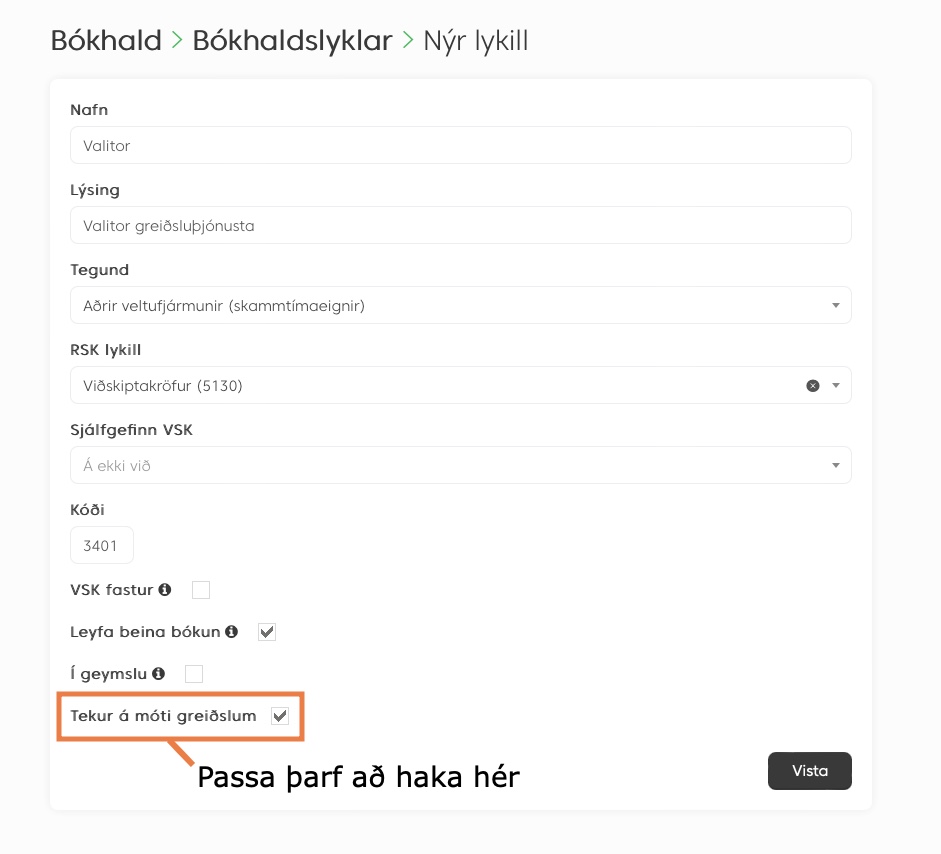
Click on Accounting->Chart of Accounts and New Account.
- Give the ledger account a name and description
- Select Other current assets (short-term assets) and Accounts receivable (5130) in the RSK key
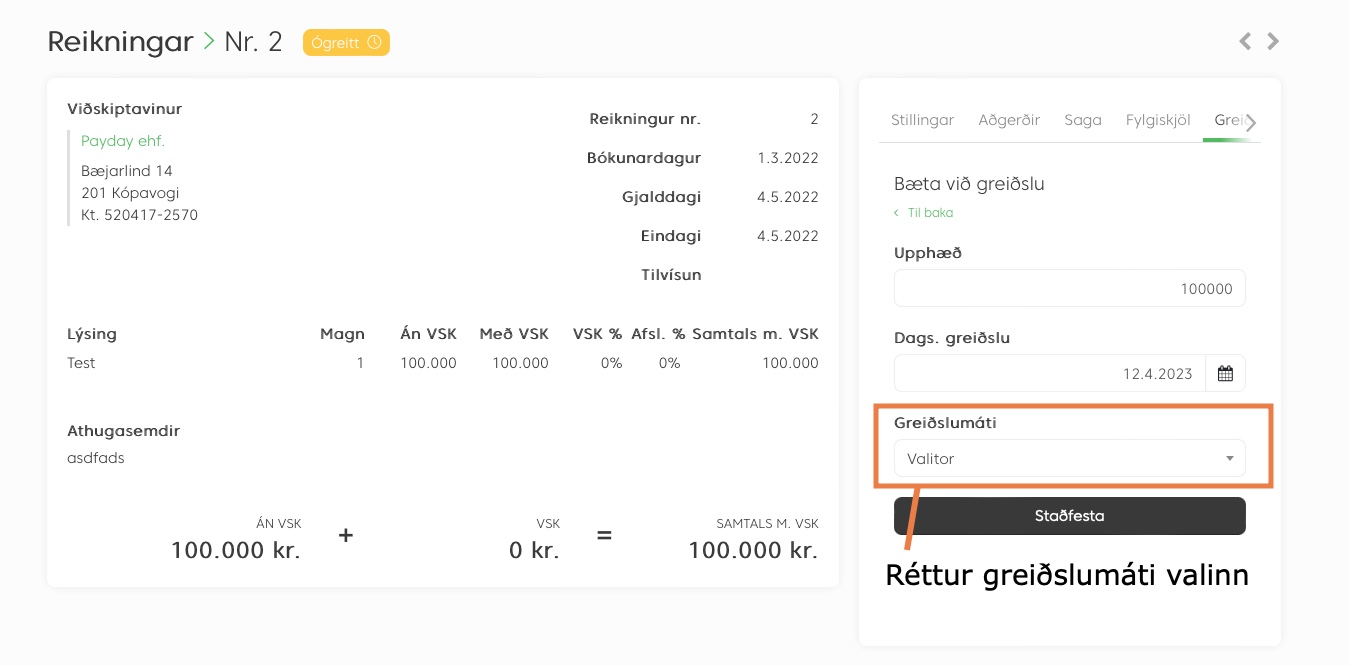
When an invoice is then created and marked as paid, this payment method is selected:
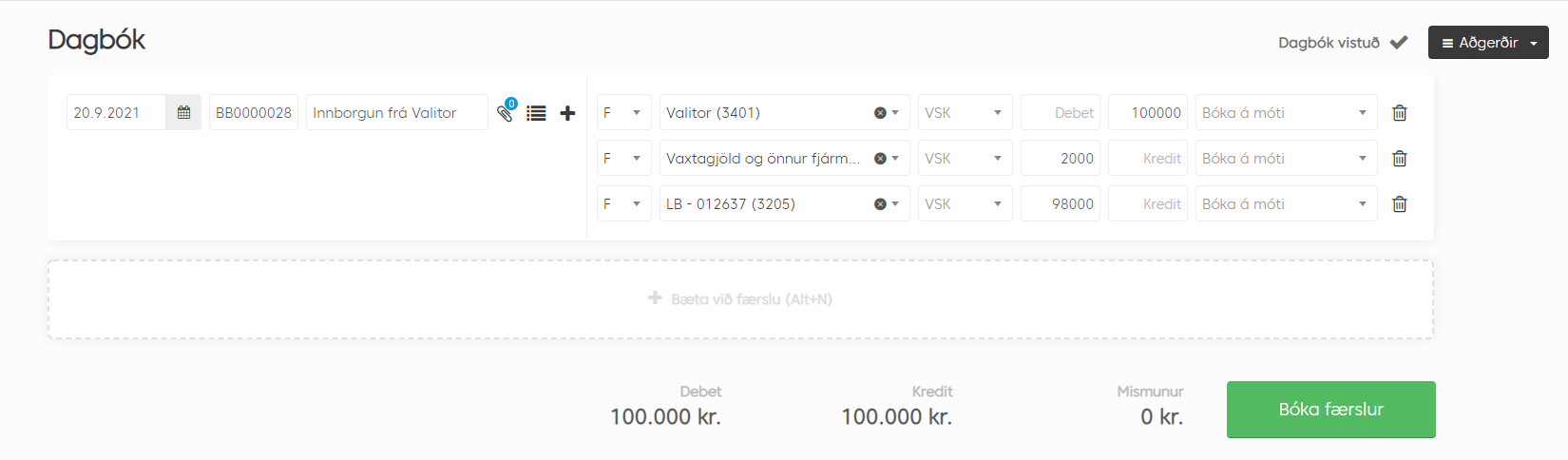
Then, when the actual deposit from the payment service takes place, it is booked as follows:
Journal:
- The amount being settled with the payment service (i.e. total sales amount) is credited to the ledger account for the payment service
- The payment service fee is debited to "Interest expenses and other financial expenses"
- The amount deposited into the bank account (i.e. sales amount minus fee) is debited to the account for the bank account where the deposit is received
Reconciliation:
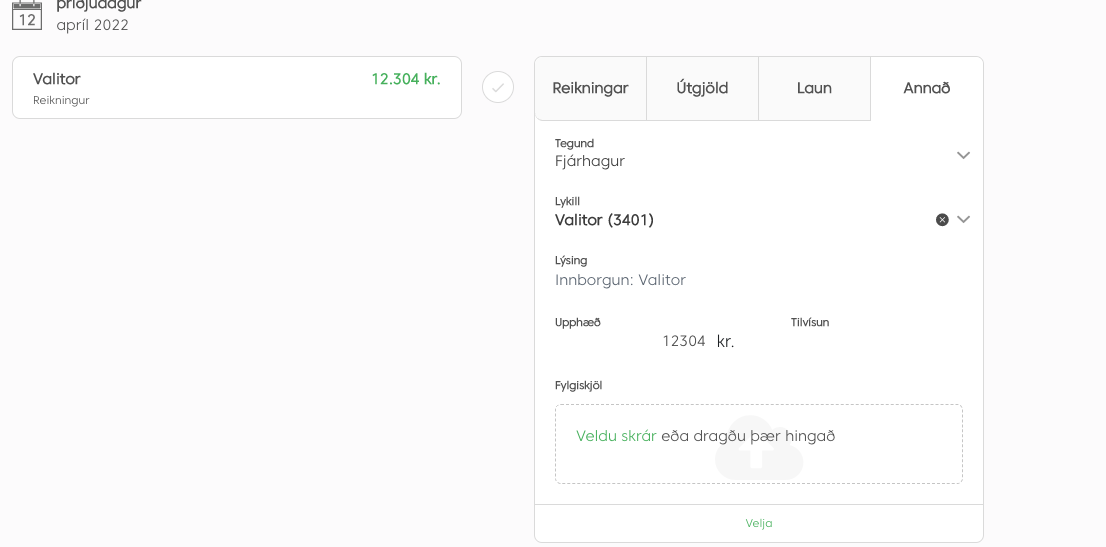
- Click on Other and the plus sign (+) to create a new entry
- Select General Ledger and then the Valitor ledger account
- Then click Select
- Click on the green "check" mark in the middle to pair the entries together