
Customers
Here you can see how to find, create, and delete customers in Payday. Customers are the entities to whom you issue sales invoices.
Customer Overview#
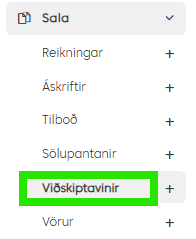
- Go to Sales > Customers.
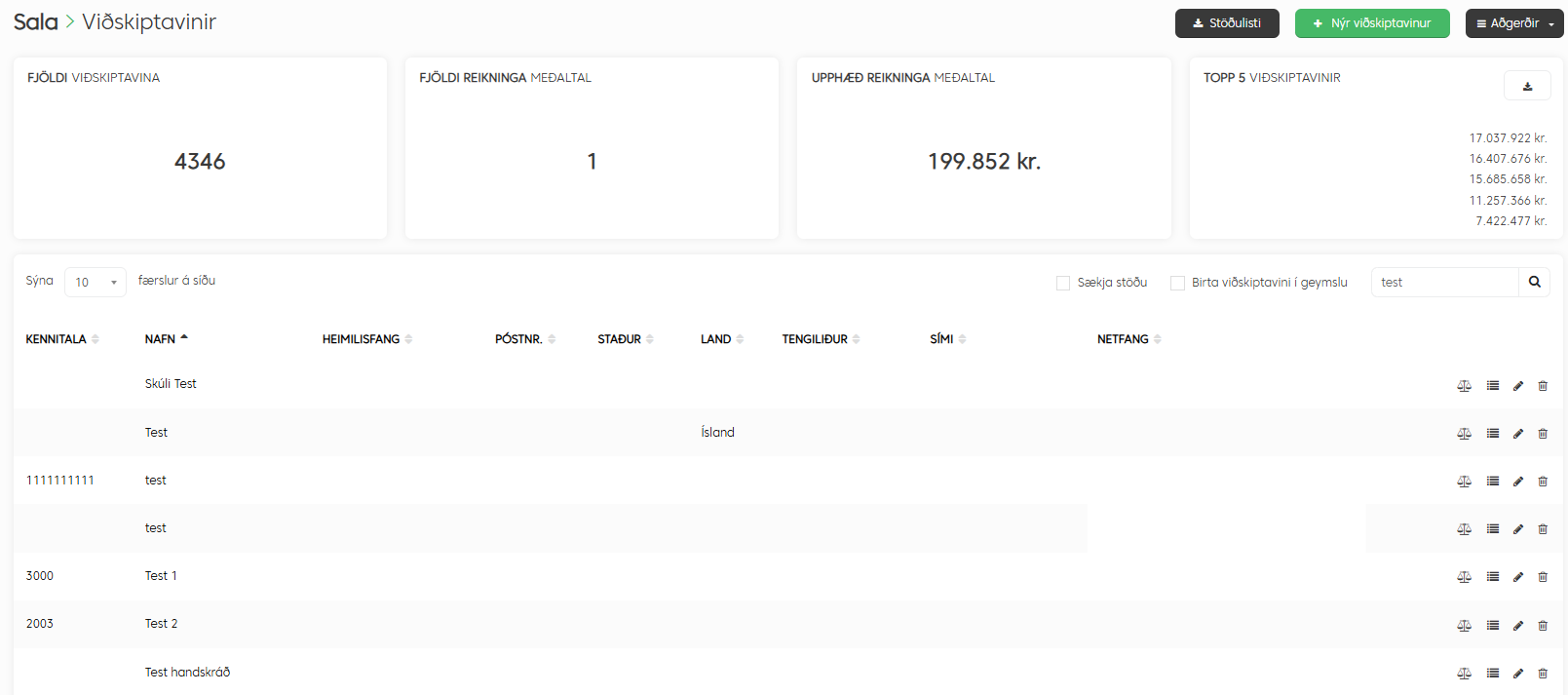
- A list of all customers created in the system will appear, along with basic information about them.
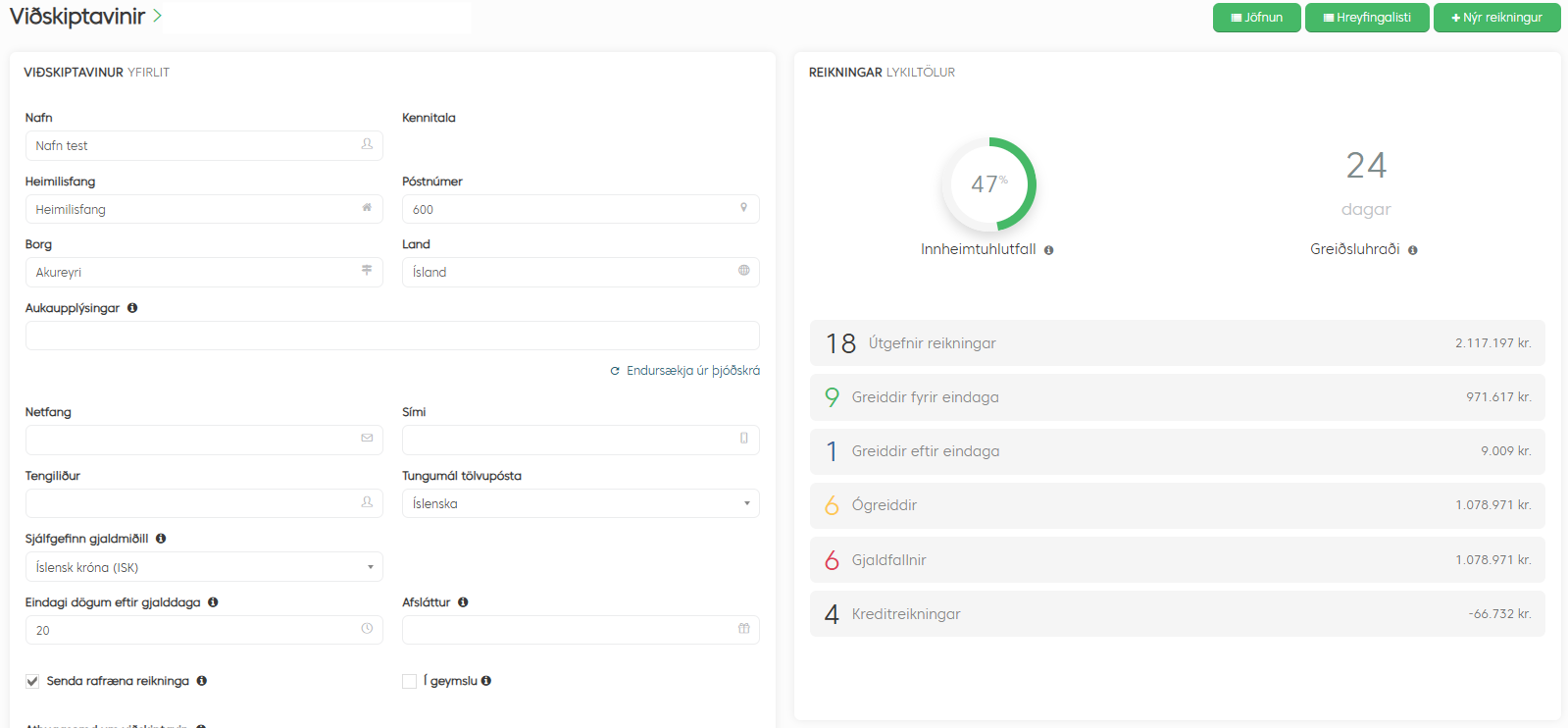
- Click on a customer to view an invoice overview, i.e., all invoices issued to that customer.
Create a New Customer#
- Go to Sales > Customers.
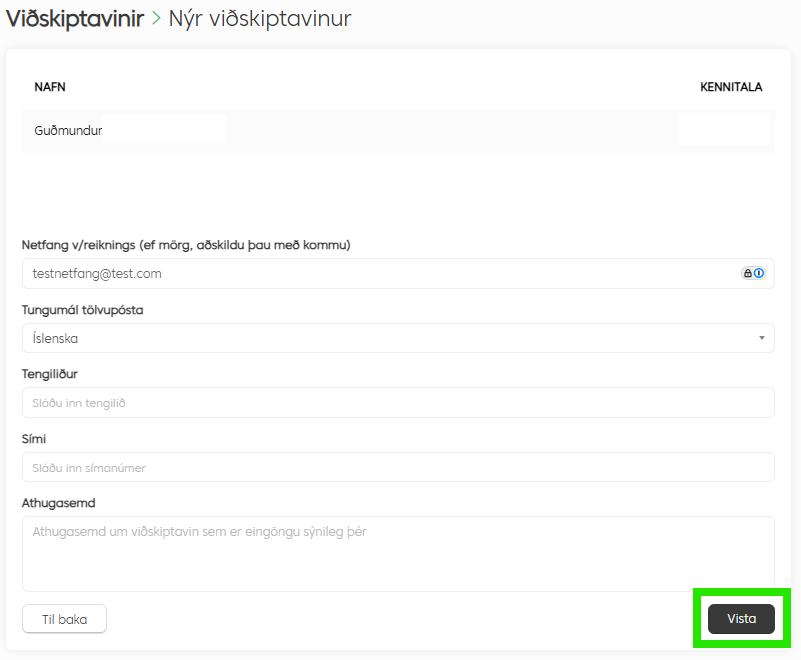
- Click on New Customer in the top right corner.

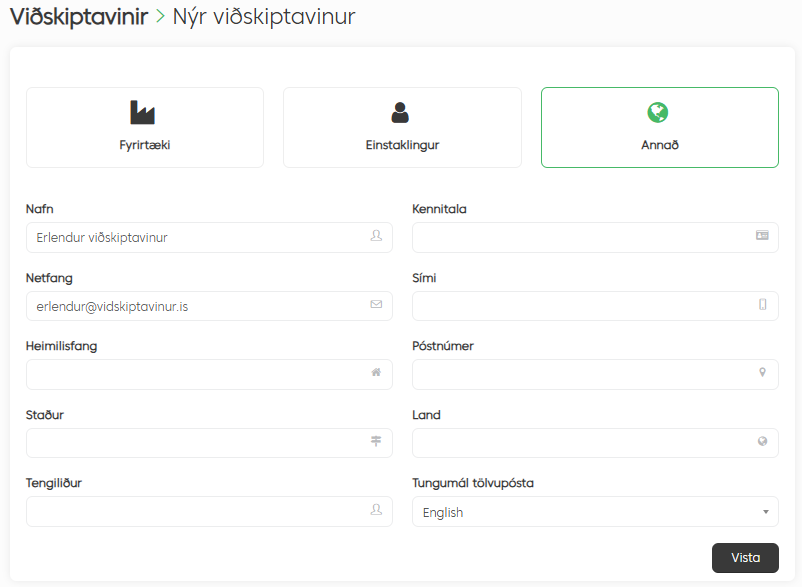
- Select whether it is an Individual, Company or Other.
- Enter a name or national ID number. The system will then automatically retrieve further information from Registers Iceland or the Company Registry, unless Other was selected.
- Once all information has been entered, you can click Save
Foreign Customers#
If the customer is a foreign entity without an Icelandic national ID number, select Other instead of individual or company. In this case, you only need to enter a name and email address.
Import Customers#
You can import an Excel file with customers under Sales > Customers > Actions > Upload file. The Excel file that needs to be uploaded can be accessed here: Importing customers from Excel 
Delete a Customer#
- Go to Sales > Customers.
- Click on the trash can icon on the right side of the row for the customer you want to delete.

Please note that you cannot delete a customer to whom an invoice has already been issued. They must be archived instead.
How do I archive a customer?#
- Go to Sales > Customers.
- Click on the customer you want to archive.
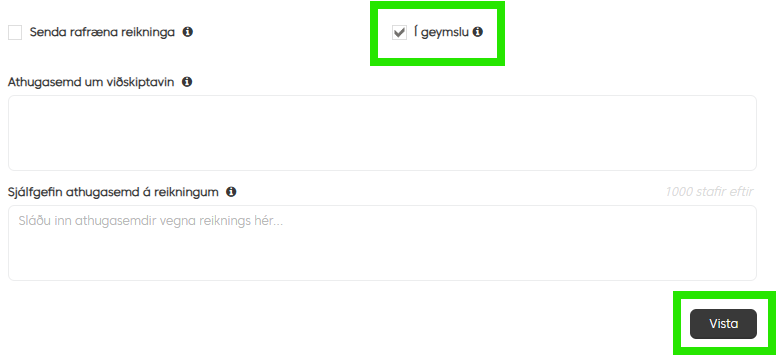
- Check the "Archived" box.
- Save
Frequently Asked Questions#
Why can't a customer be deleted?#
A customer to whom an invoice has been issued cannot be deleted, as the invoices must remain linked to them.
How is a customer without an Icelandic national ID registered?#
Select Other when creating a new customer.
Is it possible to import multiple customers at once?#
Yes, you can import multiple customers at once via Excel, see here: Importing customers from Excel