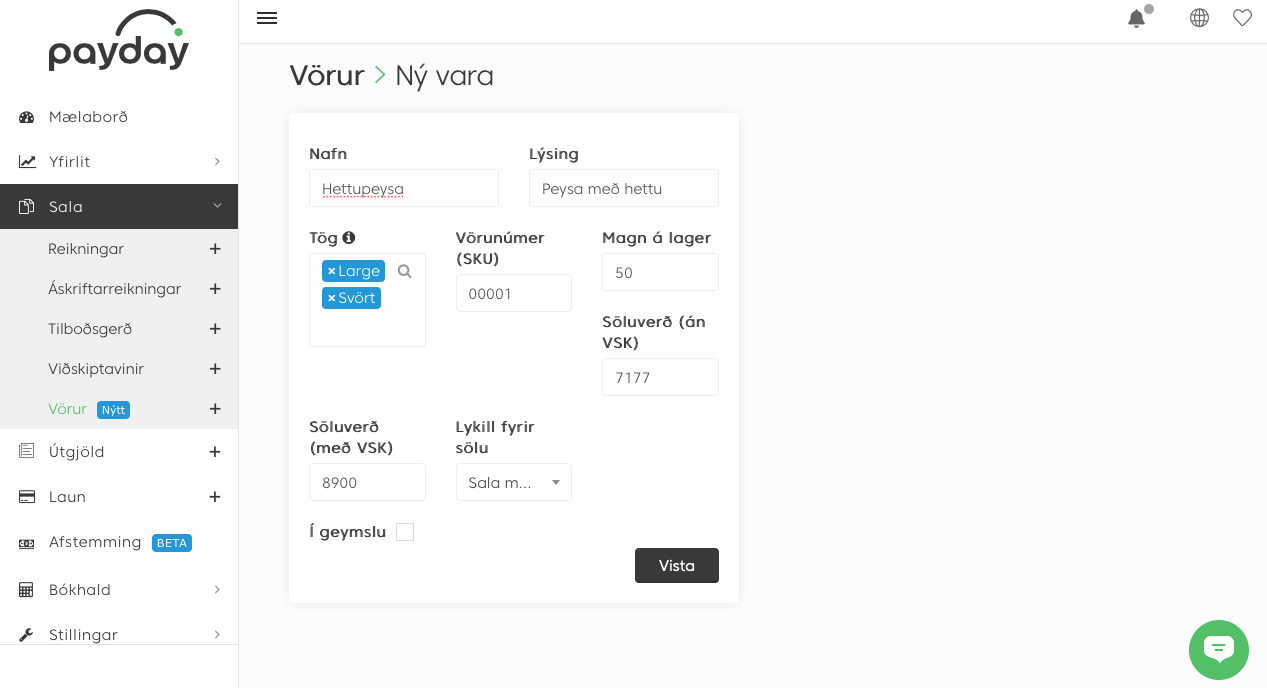
Create a new product
Create a new product
- To create a new product in the product system, the user must be subscribed to Allur pakkinn
- Click on Sales > Products and New product
- Enter the product name, description, and a tag which can be a product category, size, color, etc.
- Next, choose a unique product number (SKU)
- Enter the stock quantity, which updates when an invoice is created (leave blank if not applicable)
- Enter the sales price in either column, Sales price excluding or including VAT
- Select an accounting key for sales, which posts directly to the accounts when an invoice is created, e.g., Sales with 24% VAT